

How to adjust the temperature of the fridge compartment in the Mijia Refrigerator Cross Door 510L?
To adjust the fridge compartment temperature, please refer to the following methods:
Method 1:
- In custom mode, tap the Fridge button once on the Mijia Refrigerator Cross Door 510L, and the fridge compartment temperature icon will begin to flash, indicating that it is ready for setting.
- Repeatedly touch the Fridge button, and you can cycle the set temperature from 2 ℃ to 8 ℃. Each tap increases the temperature by 1 ℃ within the selectable range.
- After selecting the temperature, the icon will flash for 5 seconds and then confirm the temperature setting.
Method 2:
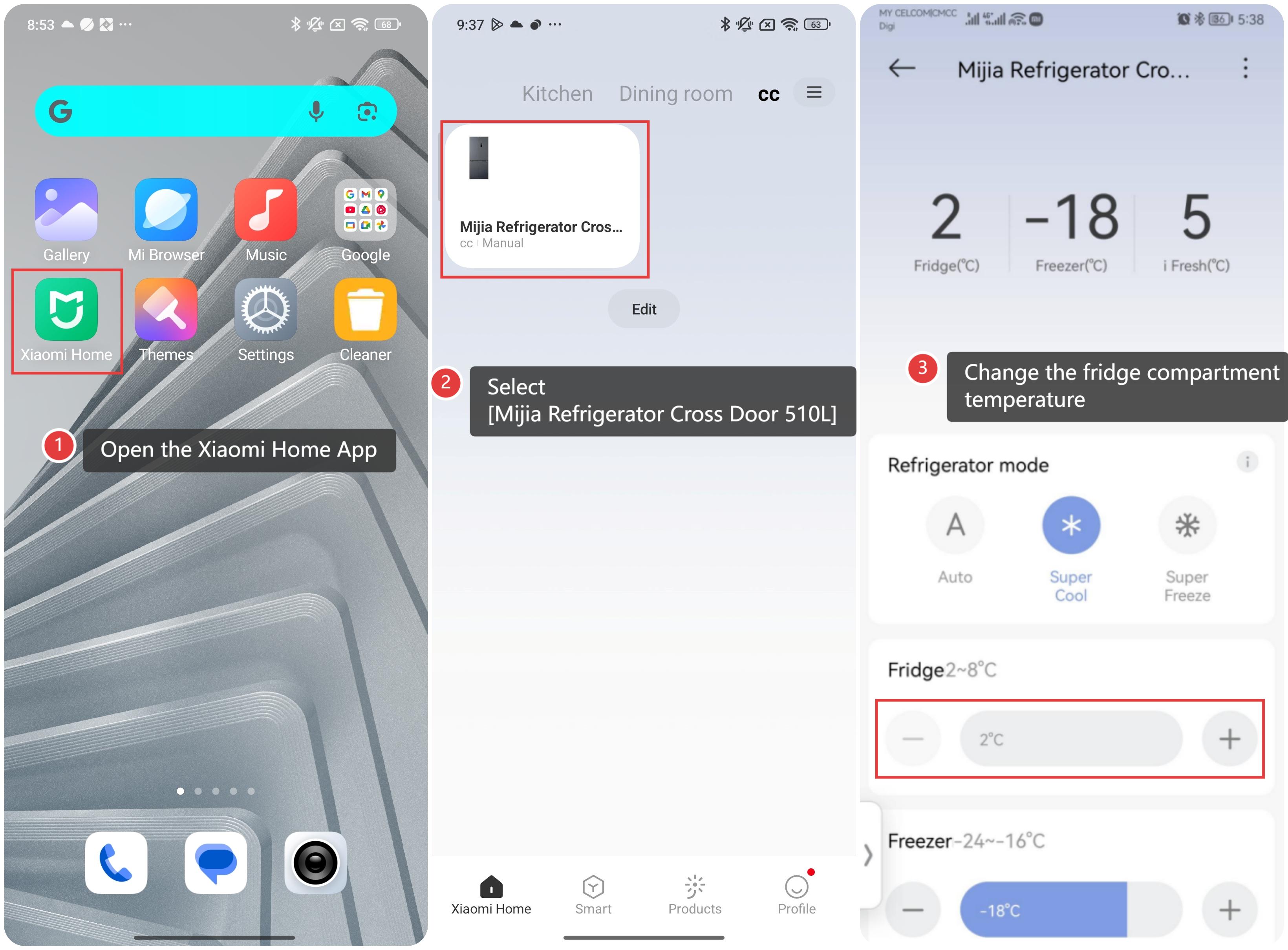
- Open the Xiaomi Home App.
- Select [Mijia Refrigerator Cross Door 510L].
- Tap the corresponding temperature plus or minus button or slide the temperature bar to change the fridge compartment temperature.
Does it help?
Yes
No