

How to reduce the frequency of removing the Mi Fitness APP from the background when using the Xiaomi Smart Band 10?
To reduce the frequency of removing the Mi Fitness APP from the background when using the Xiaomi Smart Band 10, please refer to the following details:
1. Ensure sufficient battery power to avoid overheating of the phone and disable low-power mode. Insufficient battery power, severe overheating or running the phone in low-power mode will significantly increase the frequency of background APP termination;
2. Please enable the Mi Fitness APP in the background autostart management interface in the settings APP on your phone.
Note:
To determine whether the APP has been removed from the background by the system, please refer to the following operation:
1. If the Mi Fitness APP has been removed from the background, reopening it will display these two interfaces in sequence: the APP start interface >> the APP home interface;
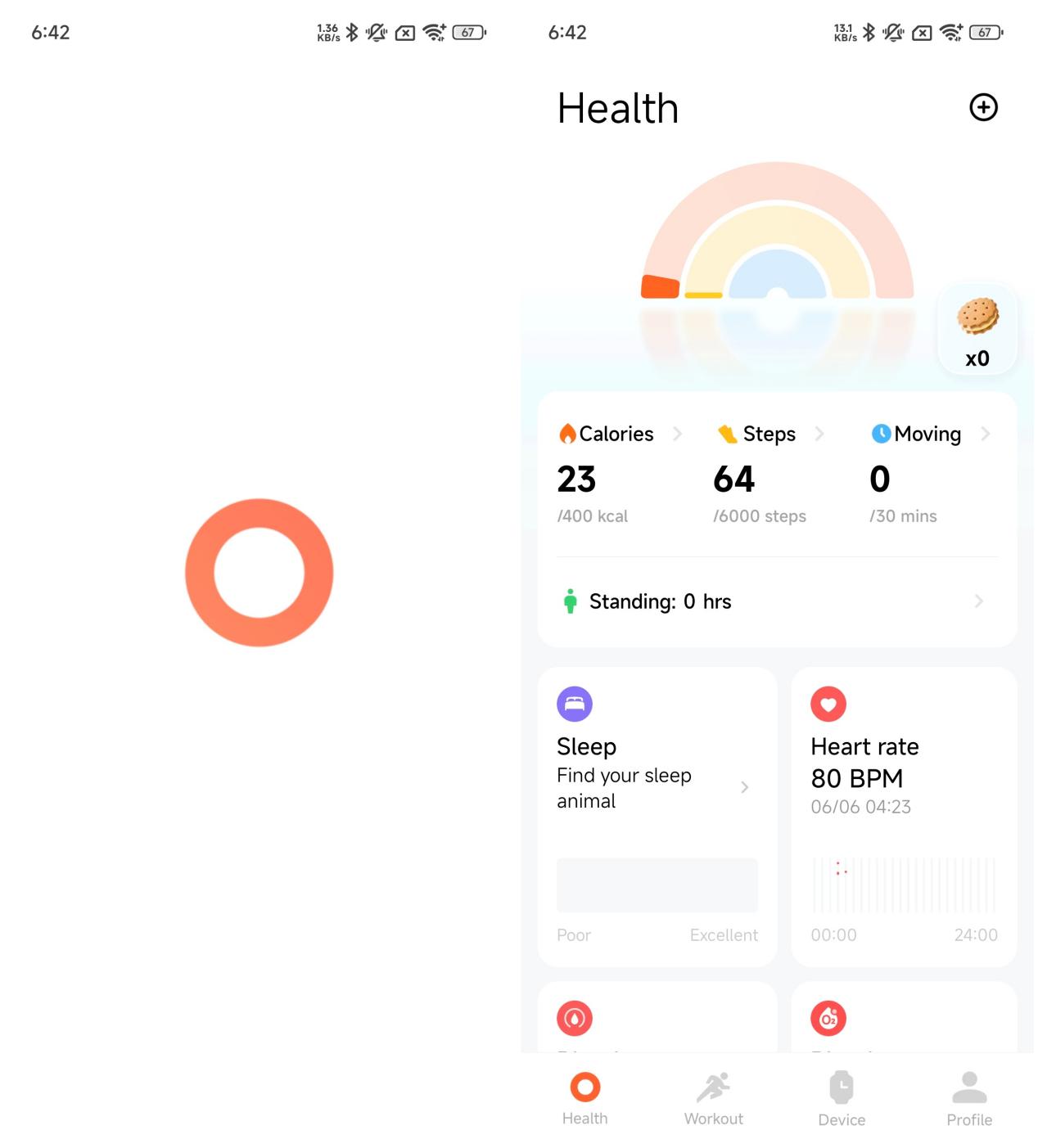
2. If the Mi Fitness APP has not been removed in the background, reopening the APP will resume the previous operation interface before exiting.
1. Ensure sufficient battery power to avoid overheating of the phone and disable low-power mode. Insufficient battery power, severe overheating or running the phone in low-power mode will significantly increase the frequency of background APP termination;
2. Please enable the Mi Fitness APP in the background autostart management interface in the settings APP on your phone.
Note:
To determine whether the APP has been removed from the background by the system, please refer to the following operation:
1. If the Mi Fitness APP has been removed from the background, reopening it will display these two interfaces in sequence: the APP start interface >> the APP home interface;
2. If the Mi Fitness APP has not been removed in the background, reopening the APP will resume the previous operation interface before exiting.
Does it help?
Yes
No