

How to use the Child Lock function of the Mijia Front Load Washer Dryer 10.5kg?
To use the Child Lock function of the Mijia Front Load Washer Dryer 10.5kg, please refer to the following methods:
Method 1:
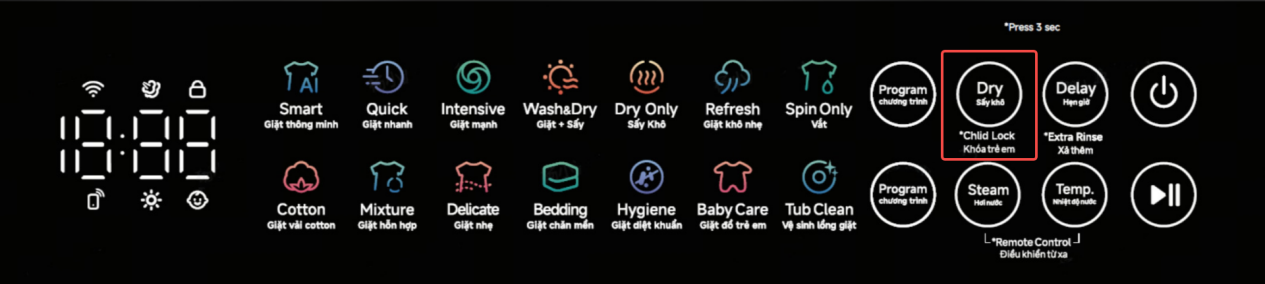
To turn on and off the Child Lock of the Mijia Front Load Washer Dryer 10.5kg, please press and hold on the Dry button until seeing the Baby icon on the panel is light. When the Child Lock is turned on, the washing machine’s buttons will not be operable.
Method 2:
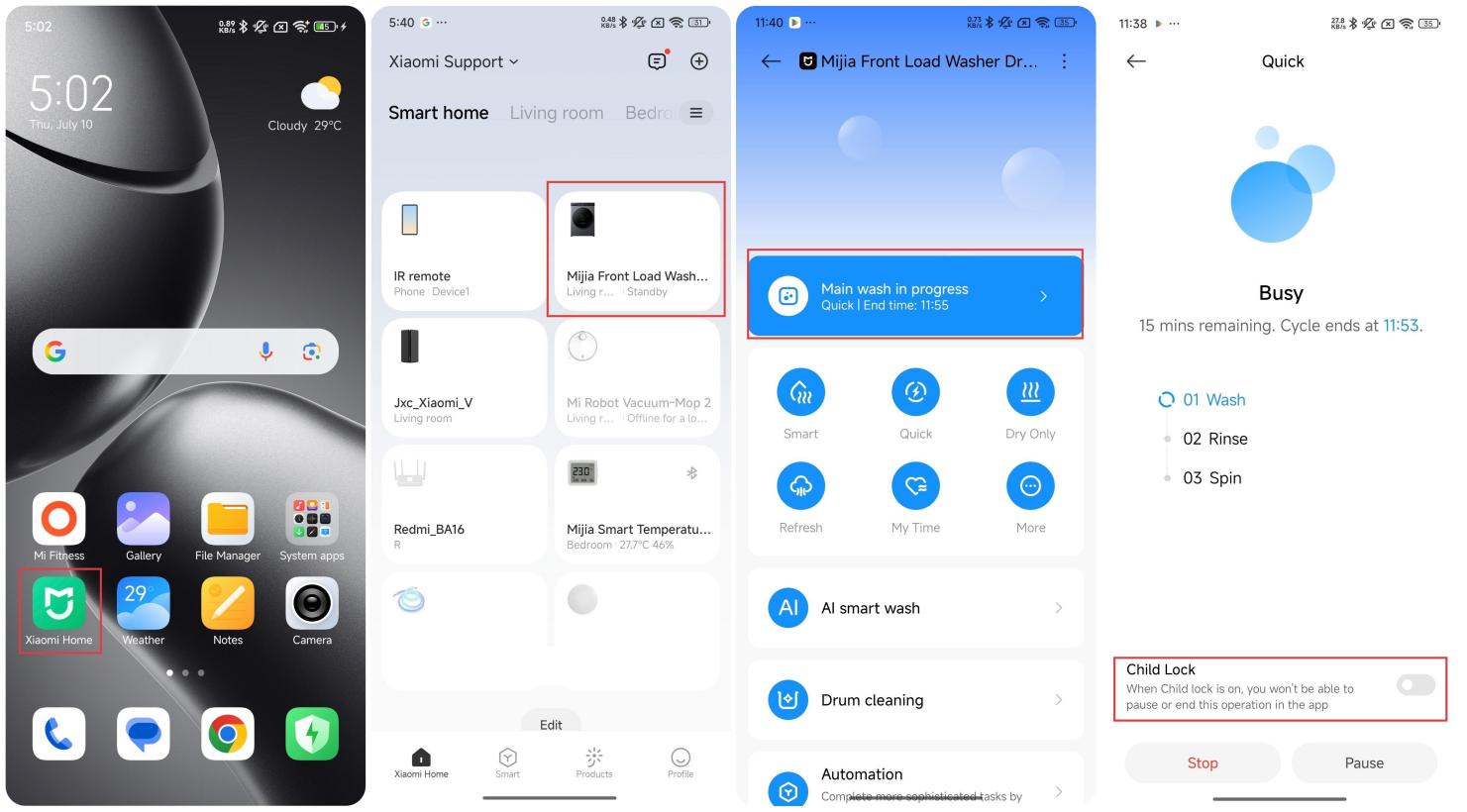
1. Press and hold on [Steam] and [High Temp.] on the panel at the same time to enable remotely control;
2. Open the Mi Home/Xiaomi Home APP;
3. Tap the [Mijia Front Load Washer Dryer 10.5kg];
4. Tap the bar that shows the running status;
5. Enable the Child Lock.
Method 1:
To turn on and off the Child Lock of the Mijia Front Load Washer Dryer 10.5kg, please press and hold on the Dry button until seeing the Baby icon on the panel is light. When the Child Lock is turned on, the washing machine’s buttons will not be operable.
Method 2:
1. Press and hold on [Steam] and [High Temp.] on the panel at the same time to enable remotely control;
2. Open the Mi Home/Xiaomi Home APP;
3. Tap the [Mijia Front Load Washer Dryer 10.5kg];
4. Tap the bar that shows the running status;
5. Enable the Child Lock.
Does it help?
Yes
No