

How to check the running status of the Mijia Front Load Washer Dryer 10.5kg?
The Mijia Front Load Washer Dryer 10.5kg supports to check running status on the Mi Home/Xiaomi Home APP, which makes you conveniently check the running program and remained time, so as to manage your schedule easily.
Here are two methods to check the running status of the washing machine for your reference:
Method 1:
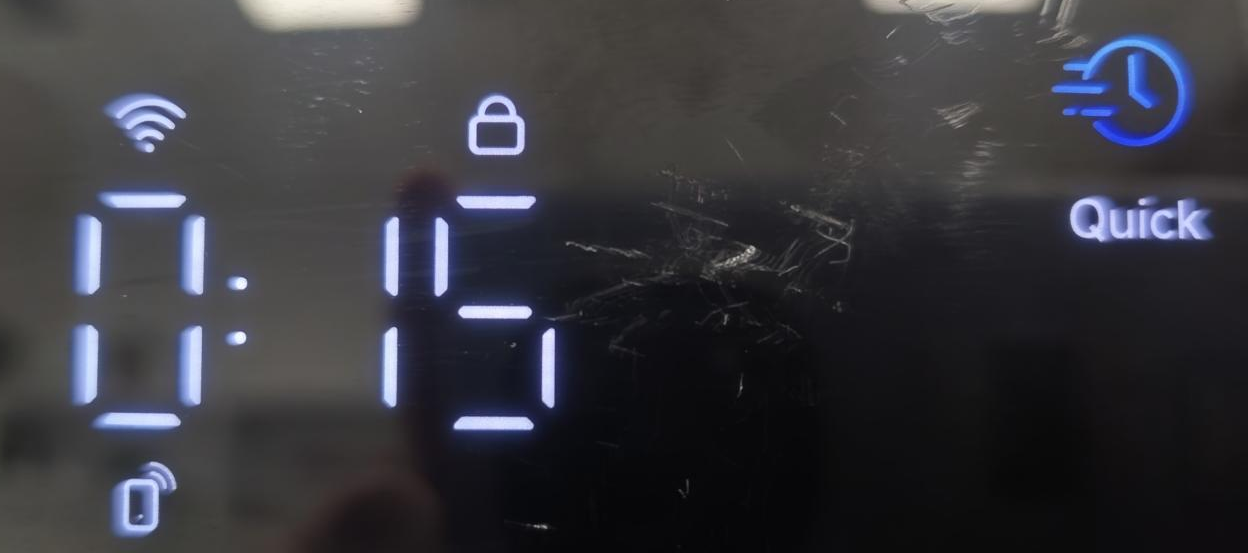
You can check it on the panel of the Mijia Front Load Washer Dryer 10.5kg.
Here are two methods to check the running status of the washing machine for your reference:
Method 1:
You can check it on the panel of the Mijia Front Load Washer Dryer 10.5kg.
Method 2:
1. Press and hold on [Steam] and [High Temp.] on the panel at the same time to enable remotely control;
2. Open the Mi Home/Xiaomi Home APP;
3. Tap the [Mijia Front Load Washer Dryer 10.5kg];
4. Tap the bar that shows the running status;
5. Check the running status.
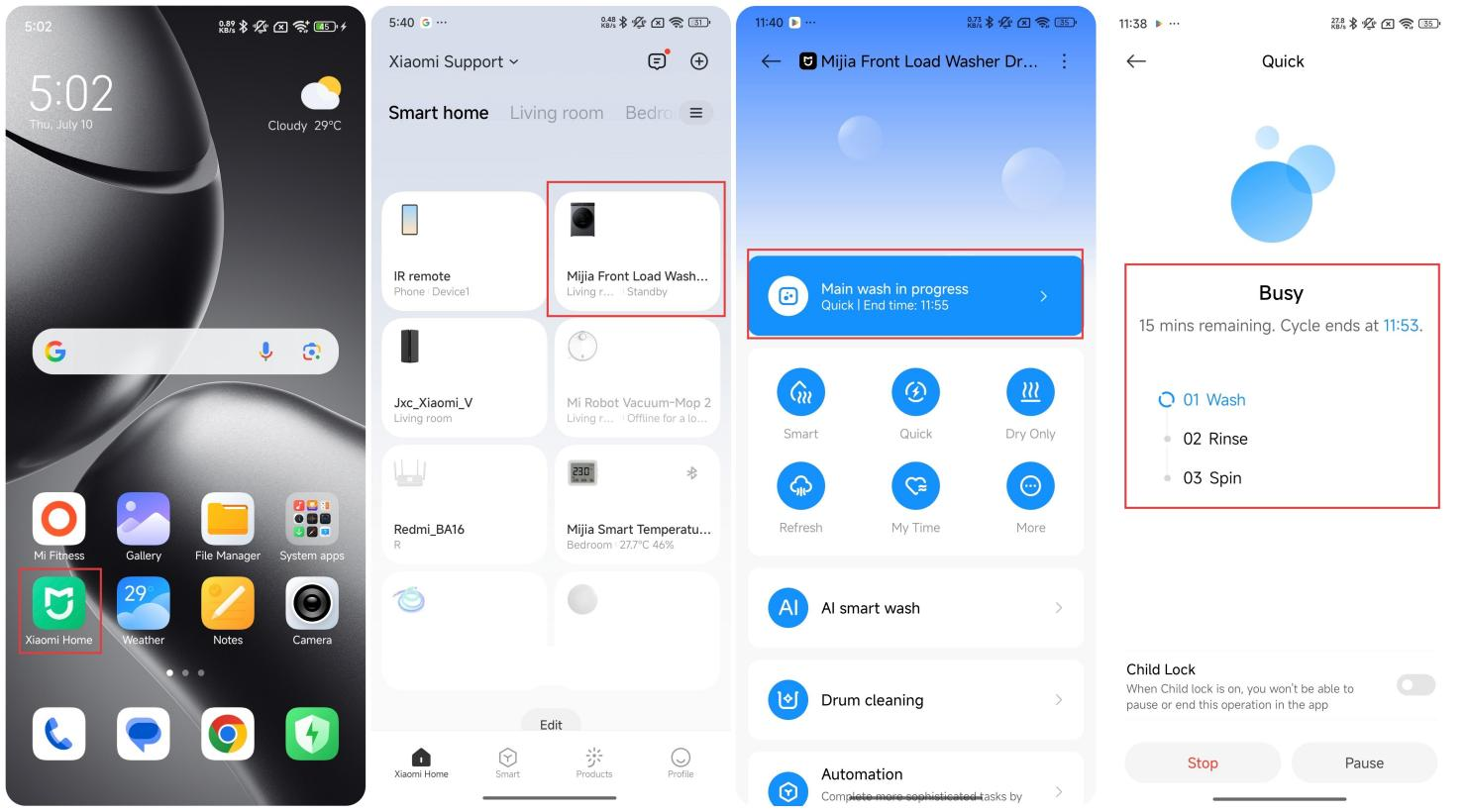
1. Press and hold on [Steam] and [High Temp.] on the panel at the same time to enable remotely control;
2. Open the Mi Home/Xiaomi Home APP;
3. Tap the [Mijia Front Load Washer Dryer 10.5kg];
4. Tap the bar that shows the running status;
5. Check the running status.
Does it help?
Yes
No