

How to use the My Time program of the Mijia Front Load Washer Dryer 10.5kg?
To use the My Time program on the Mijia Front Load Washer Dryer 10.5kg, please refer to the following steps:
1. Please press and hold the Power button to turn on;
2. Put the clothes into the drum and close the door;
3. Press and hold on [Steam] and [High Temp.] on the panel at the same time to enable remotely control;
4. Open the Mi Home/Xiaomi Home APP;
5. Tap the [Mijia Front Load Washer Dryer 10.5kg];
6. Tap [More];
7. Select the [My Time] program;
8. Tap [Start] to run the My Time program.
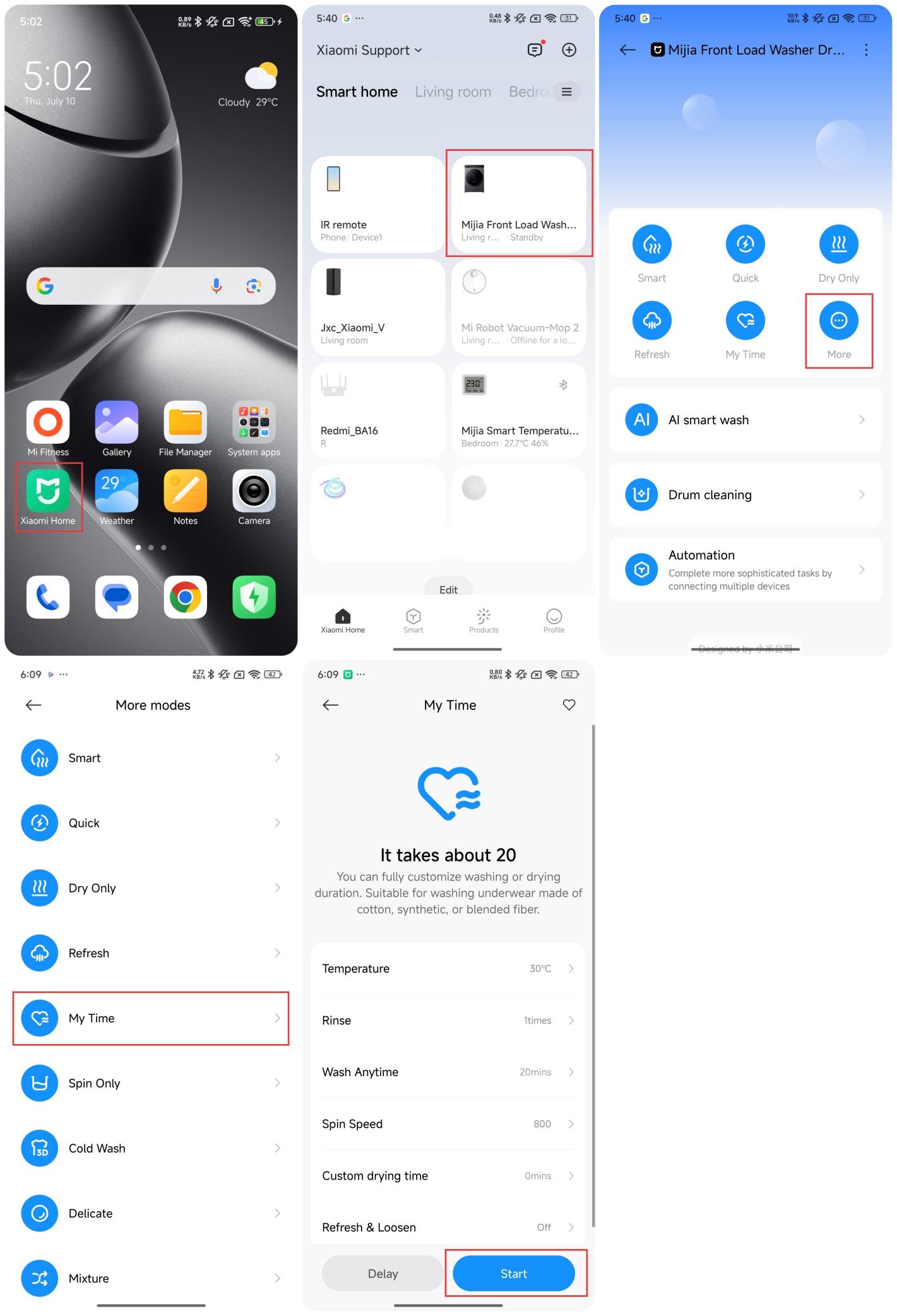
Note:
The My Time program allows you to set the washing or drying time as you like. It is suitable for washing or drying underwear made of cotton, synthetic fibers, or blends.
1. Please press and hold the Power button to turn on;
2. Put the clothes into the drum and close the door;
3. Press and hold on [Steam] and [High Temp.] on the panel at the same time to enable remotely control;
4. Open the Mi Home/Xiaomi Home APP;
5. Tap the [Mijia Front Load Washer Dryer 10.5kg];
6. Tap [More];
7. Select the [My Time] program;
8. Tap [Start] to run the My Time program.
Note:
The My Time program allows you to set the washing or drying time as you like. It is suitable for washing or drying underwear made of cotton, synthetic fibers, or blends.
Does it help?
Yes
No