

How to share the Mijia Refrigerator Cross Door 510L with others?
After the Mijia Refrigerator Cross Door 510L is connected to the Mi Home/Xiaomi Home APP, you can share it with others by following these steps:
1. Open the Mi Home/Xiaomi Home APP >> tap the device card >> tap the three dots in the upper right corner >> choose [Share device];
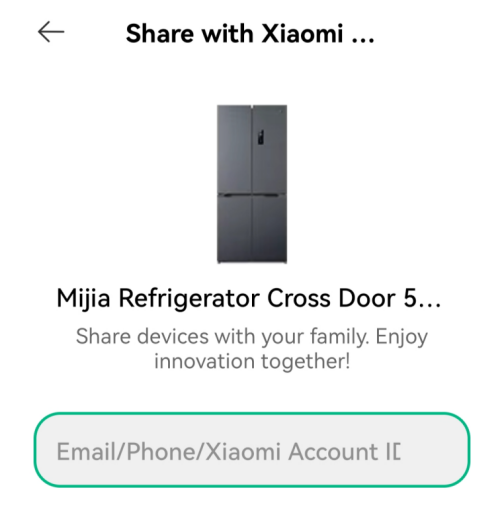
2. Choose a previously shared Xiaomi Account or manually enter the Xiaomi Account ID you want to share with;
3. The invited accounts will receive a notification in the Mi Home/Xiaomi Home APP. Once they accept the invitation, the device will be shared.
Note:
If the main account shares the device too many times, it can affect some features. It’s recommended to set sharing permissions based on actual usage needs.
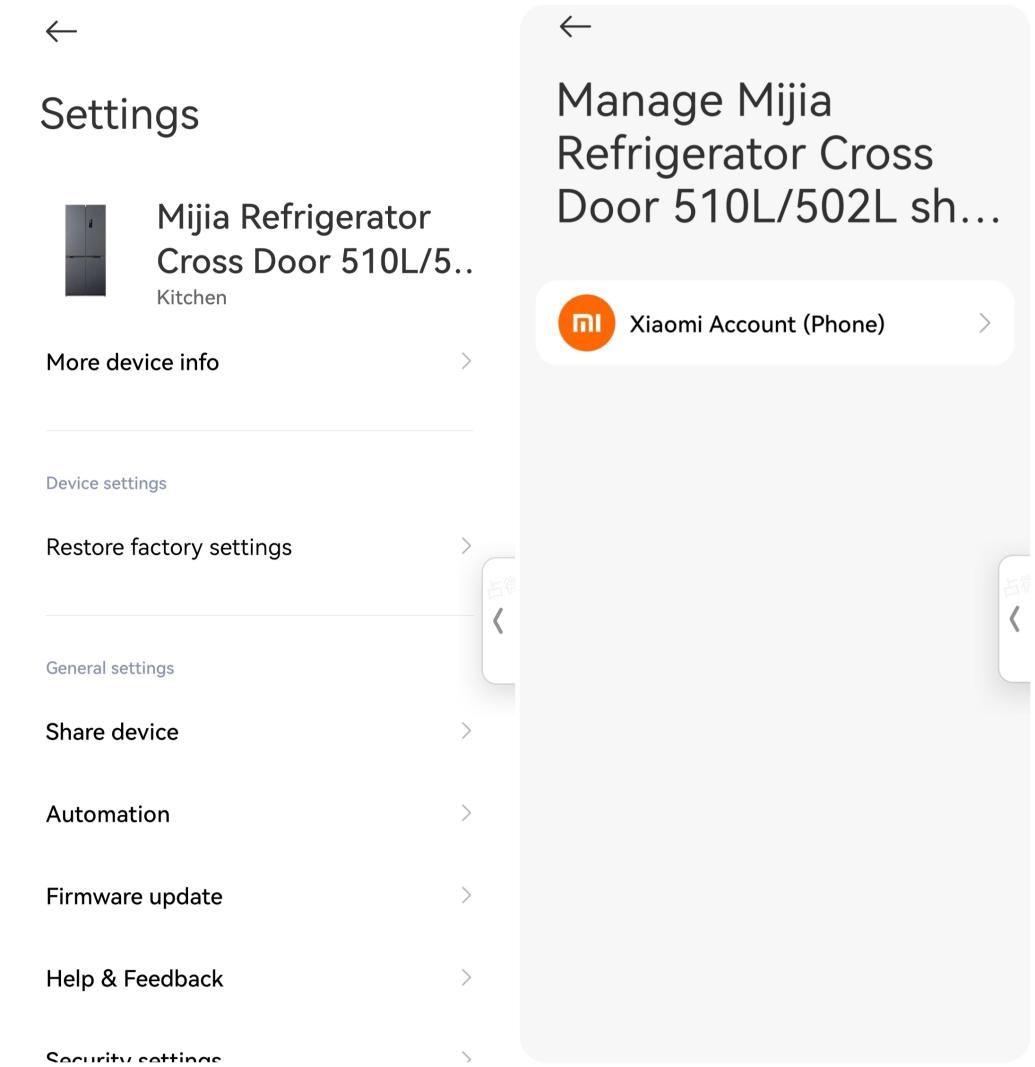
1. Open the Mi Home/Xiaomi Home APP >> tap the device card >> tap the three dots in the upper right corner >> choose [Share device];
2. Choose a previously shared Xiaomi Account or manually enter the Xiaomi Account ID you want to share with;
3. The invited accounts will receive a notification in the Mi Home/Xiaomi Home APP. Once they accept the invitation, the device will be shared.
Note:
If the main account shares the device too many times, it can affect some features. It’s recommended to set sharing permissions based on actual usage needs.
Does it help?
Yes
No