

How to turn on Parental controls on the Xiaomi smartphone?
The Xiaomi smartphone offers Parental controls to help manage screen time and set content restrictions, allowing you to choose age-appropriate content ratings, privacy settings, and screen time rules for your child's Google Account and device.
To turn on Parental controls on your phone, please refer to the following methods:
Method 1:
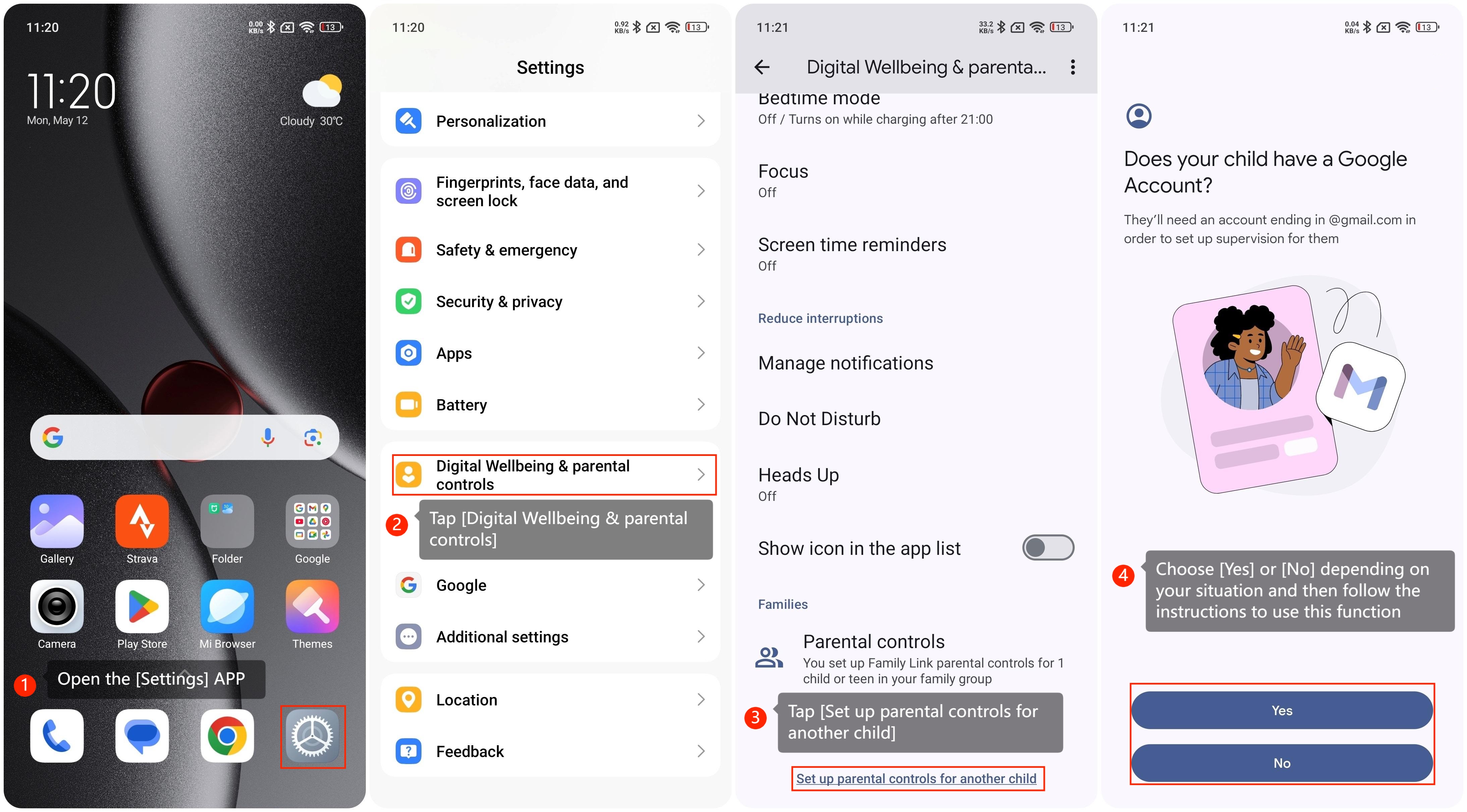
1. Open the [Settings] APP on your phone;
2. Swipe down to find and tap [Digital Wellbeing & parental controls];
3. Swipe down to find and tap [Set up parental controls for another child];
4. Choose [Yes] or [No] depending on your situation and then follow the instructions to use this function.
Method 2:
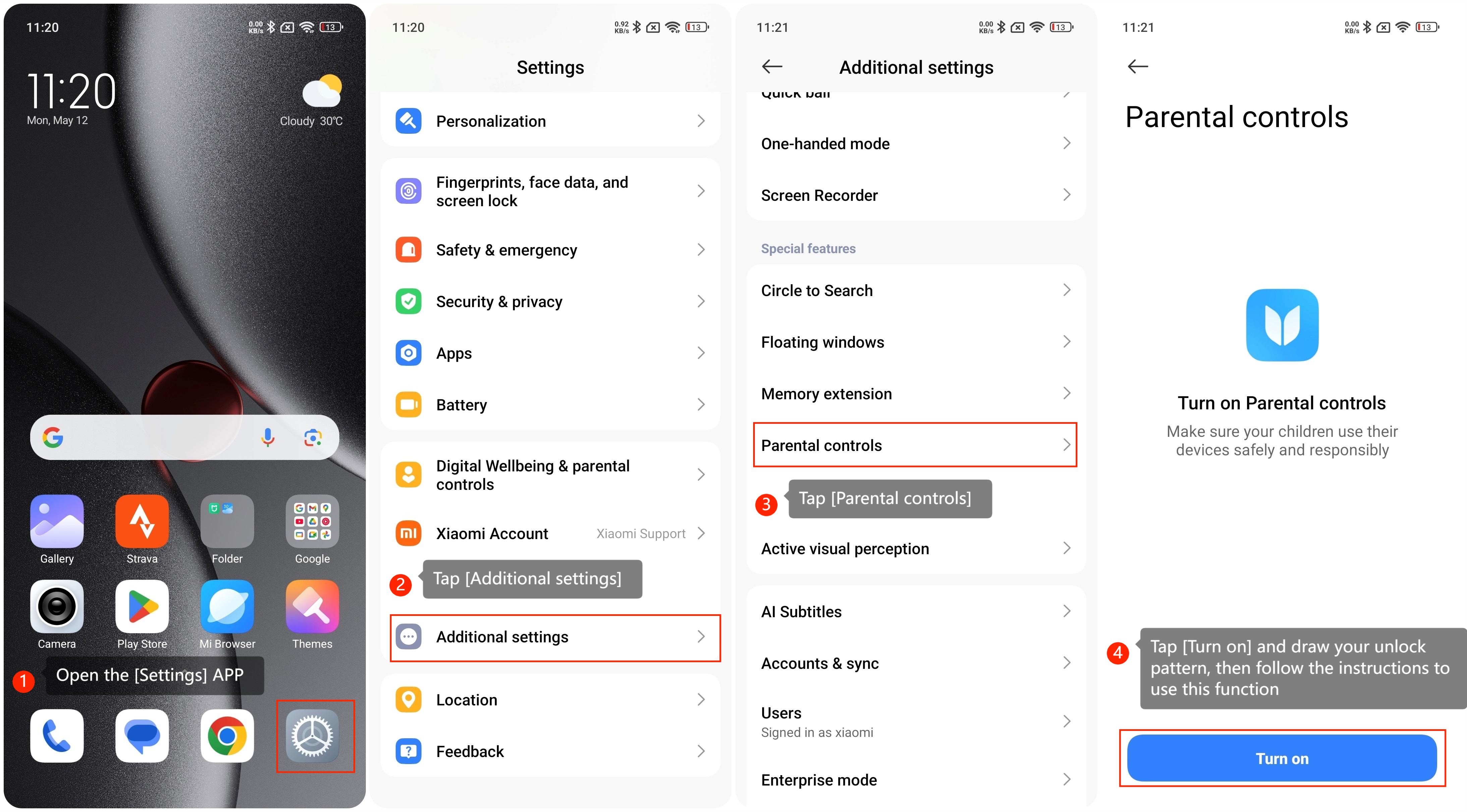
1. Open the [Settings] APP on your phone;
2. Tap [Additional settings];
3. Swipe down to find and tap [Parental controls];
4. Tap [Turn on] and draw your unlock pattern, then follow the instructions to use this function.
Note:
The path to turn on Parental controls varies depending on the device model.
To turn on Parental controls on your phone, please refer to the following methods:
Method 1:
1. Open the [Settings] APP on your phone;
2. Swipe down to find and tap [Digital Wellbeing & parental controls];
3. Swipe down to find and tap [Set up parental controls for another child];
4. Choose [Yes] or [No] depending on your situation and then follow the instructions to use this function.
Method 2:
1. Open the [Settings] APP on your phone;
2. Tap [Additional settings];
3. Swipe down to find and tap [Parental controls];
4. Tap [Turn on] and draw your unlock pattern, then follow the instructions to use this function.
Note:
The path to turn on Parental controls varies depending on the device model.
Does it help?
Yes
No