

How to set the audio source for AI subtitles translation on the Xiaomi smartphone?
The Xiaomi smartphone supports setting the audio source for AI subtitles translation. You can choose audio source options for optimal performance. You can use System audio for translation during voice calls, video playback, and online meetings. You can also use Microphone audio for hearing accessibility and translation during in-person meetings. Both of these audio sources are designed to cater to different usage scenarios, ensuring the AI subtitles are more accurate.
To set the audio source for AI subtitles translation on your phone, please refer to the following methods:
Method 1:
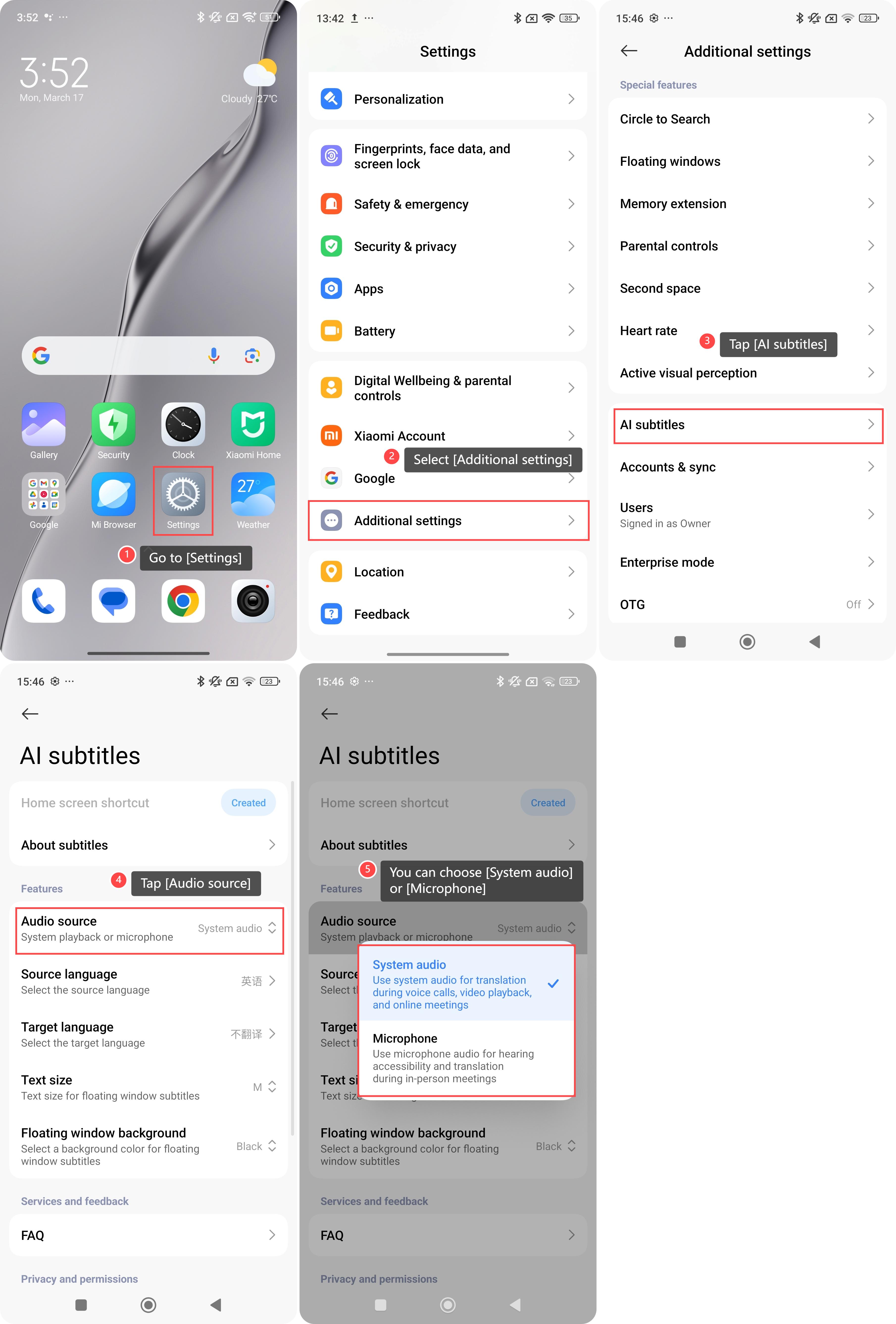
1. Go to [Settings] on your phone;
2. Select [Additional settings];
3. Tap [AI subtitles];
4. Tap [Audio source];
5. You can choose [System audio] to use system audio for translation during voice calls, video playback, and online meetings or choose [Microphone] to use microphone audio for hearing accessibility and translation during in-person meetings.
To set the audio source for AI subtitles translation on your phone, please refer to the following methods:
Method 1:
1. Go to [Settings] on your phone;
2. Select [Additional settings];
3. Tap [AI subtitles];
4. Tap [Audio source];
5. You can choose [System audio] to use system audio for translation during voice calls, video playback, and online meetings or choose [Microphone] to use microphone audio for hearing accessibility and translation during in-person meetings.
Method 2:
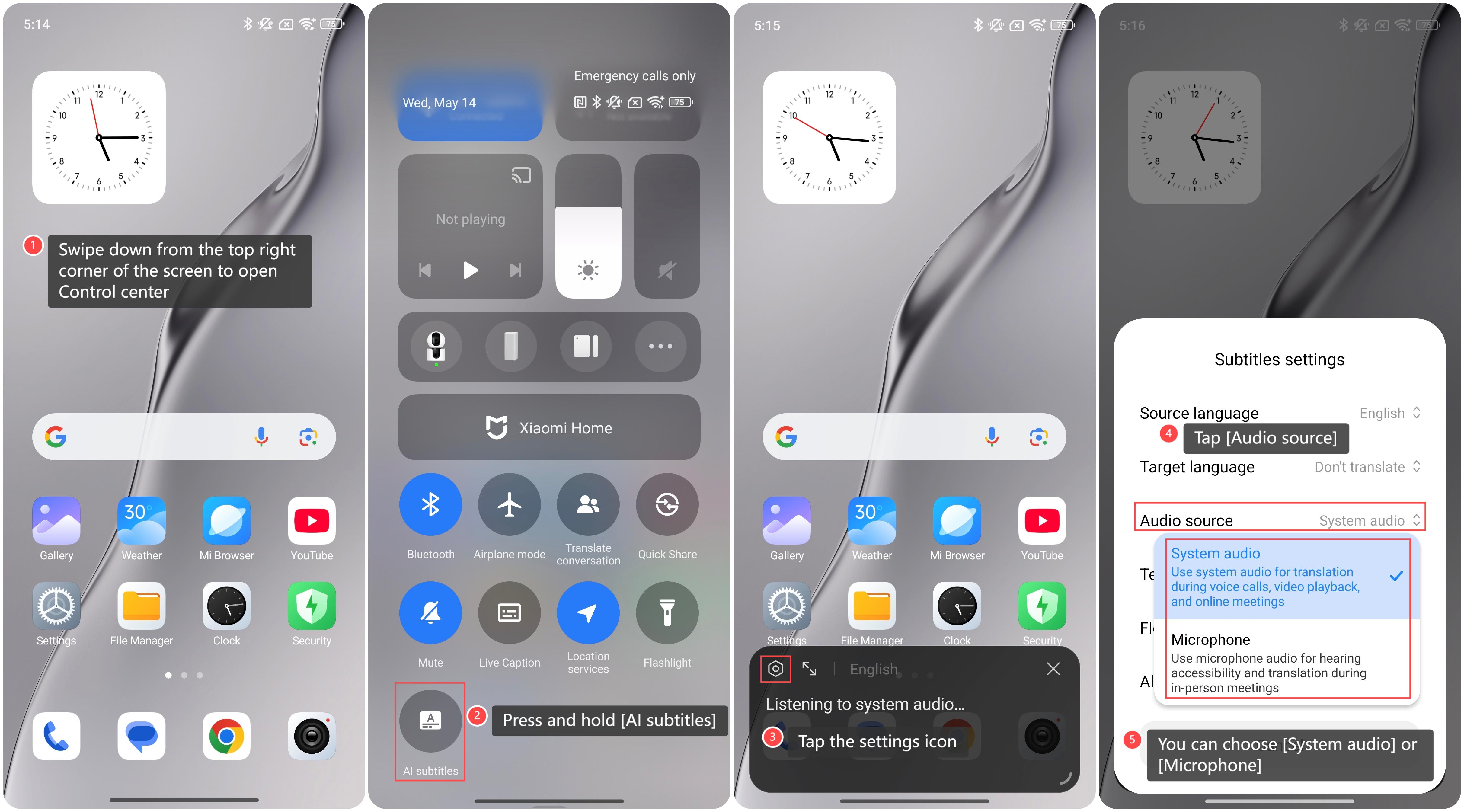
1. Swipe down from the top right corner of the screen to open Control center;
2. Press and hold [AI subtitles];
3. Tap the settings icon;
4. Tap [Audio source];
5. You can choose [System audio] to use system audio for translation during voice calls, video playback, and online meetings or choose [Microphone] to use microphone audio for hearing accessibility and translation during in-person meetings.
1. Swipe down from the top right corner of the screen to open Control center;
2. Press and hold [AI subtitles];
3. Tap the settings icon;
4. Tap [Audio source];
5. You can choose [System audio] to use system audio for translation during voice calls, video playback, and online meetings or choose [Microphone] to use microphone audio for hearing accessibility and translation during in-person meetings.
Does it help?
Yes
No