

How to turn on Trusted places on the Xiaomi smartphone?
The Xiaomi smartphone supports turning on Trusted places. It is a feature that allows your phone to remain unlocked when you’re in a designated location, such as your home or office. It can avoid unnecessary unlocking, especially when doing tasks that require frequent phone access, like checking notifications or using navigation apps.
To turn on Trusted places on your phone, please refer to the following steps:
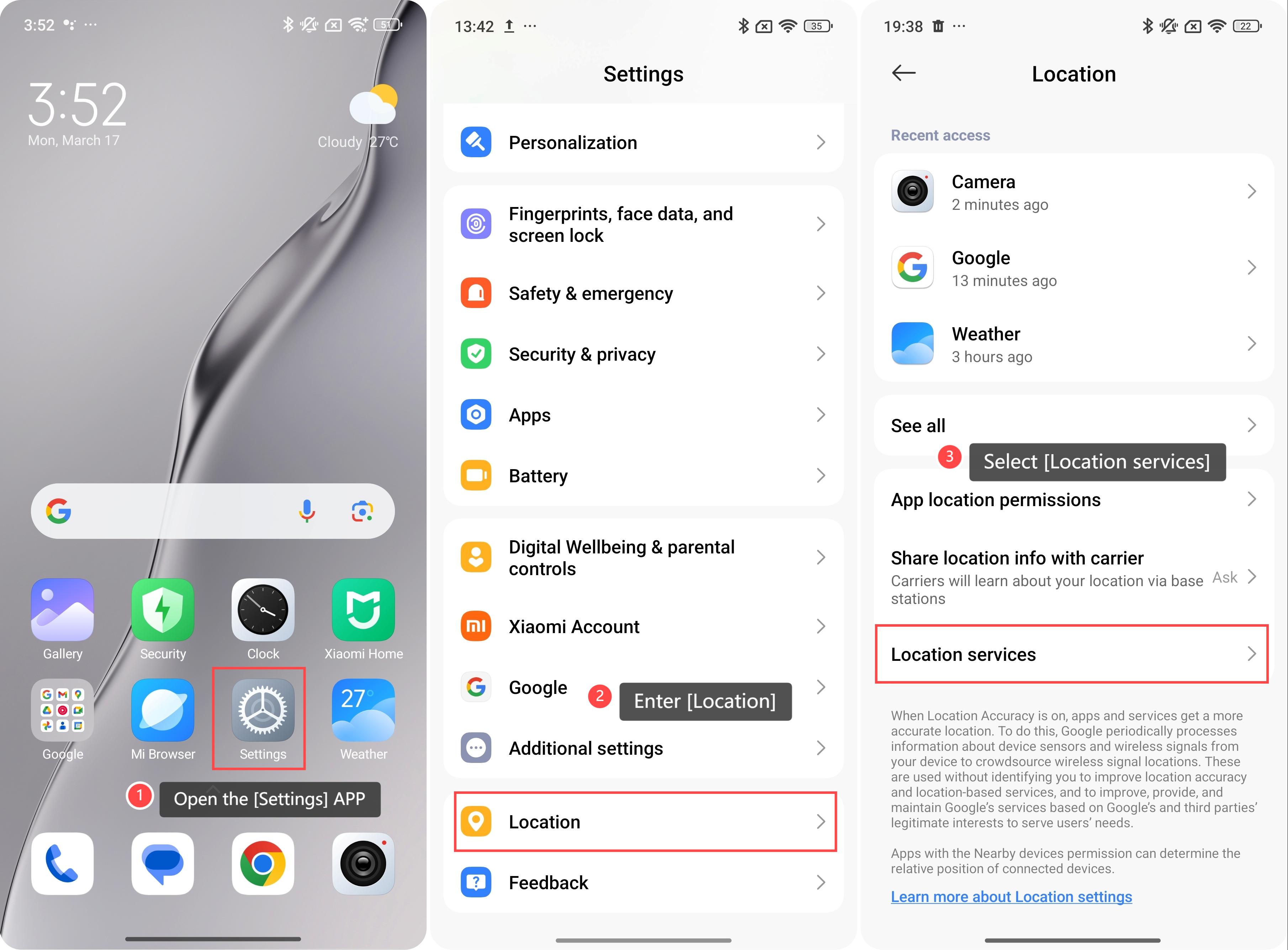
1. Open the [Settings] APP;
2. Enter [Location];
3. Select [Location services];
To turn on Trusted places on your phone, please refer to the following steps:
1. Open the [Settings] APP;
2. Enter [Location];
3. Select [Location services];
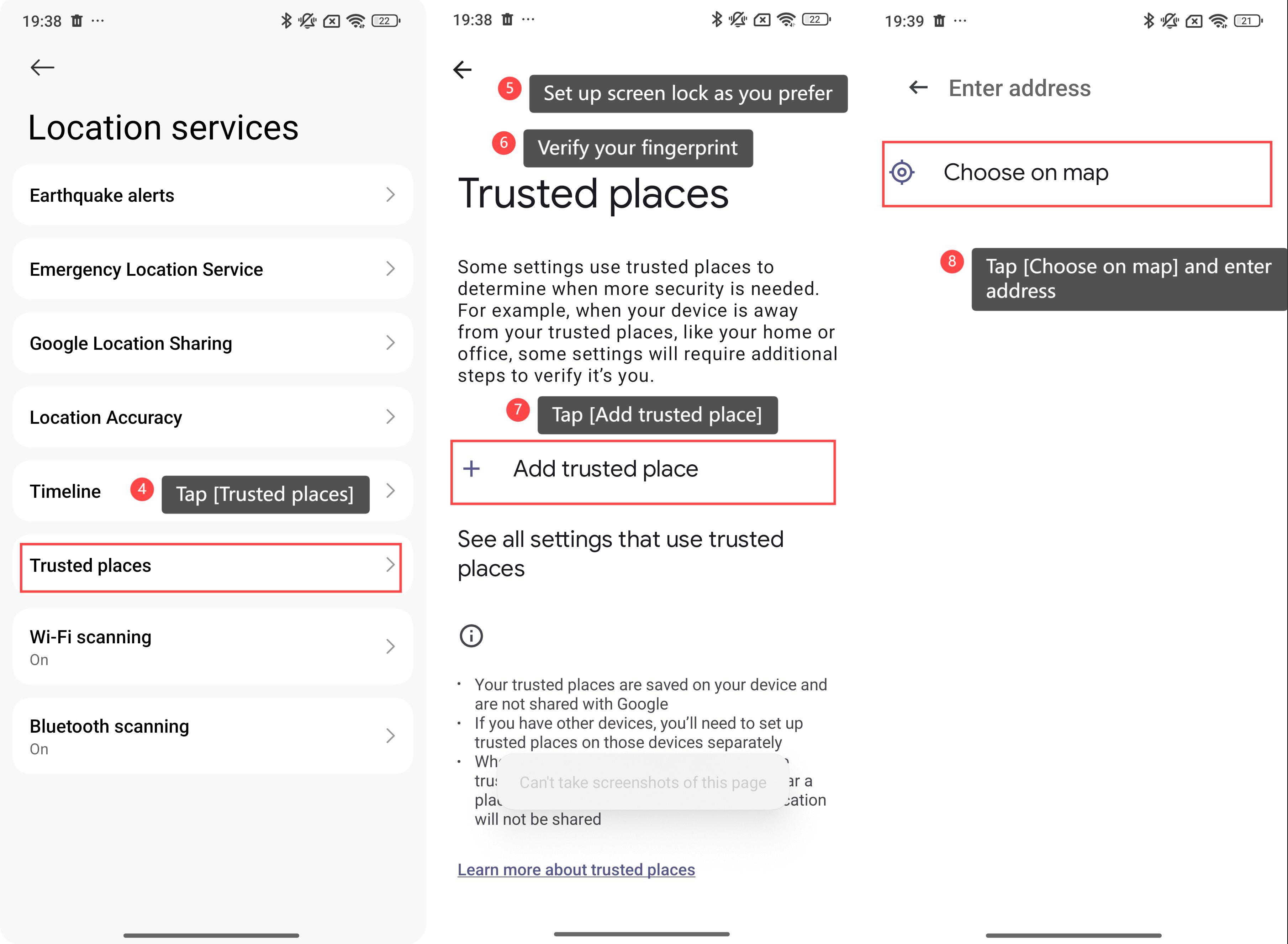
4. Tap [Trusted places];
5. Set up screen lock as you prefer and add your fingerprint;
6. Return to the previous interface and verify your fingerprint;
7. Tap [Add trusted place];
8. Tap [Choose on map] and enter address.
5. Set up screen lock as you prefer and add your fingerprint;
6. Return to the previous interface and verify your fingerprint;
7. Tap [Add trusted place];
8. Tap [Choose on map] and enter address.
Friendly tips:
You can set multiple trusted places, giving you flexibility in choosing where you want your device to remain unlocked.
You can set multiple trusted places, giving you flexibility in choosing where you want your device to remain unlocked.
Does it help?
Yes
No