

How to set the ringtone for different contacts?
Setting a ringtone for different contacts allows you to assign a specific ringtone to each person or group in your contacts list. This feature is useful for identifying who is calling without having to look at your phone.
To set the ringtone for different contacts, please refer to the following steps:
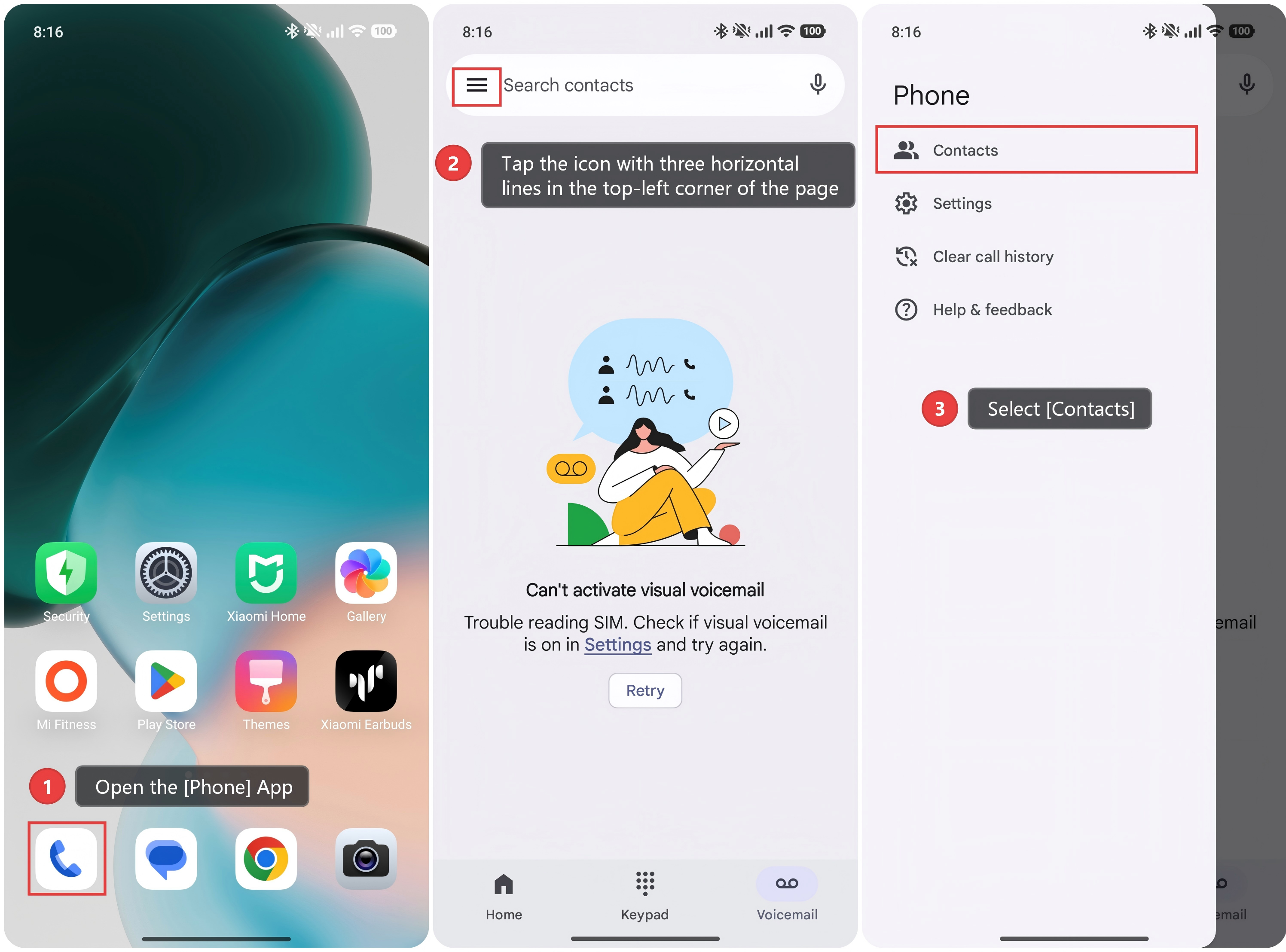
1. Open the [Phone] App.
2. Tap the icon with three horizontal lines in the top-left corner of the page.
3. Select [Contacts].
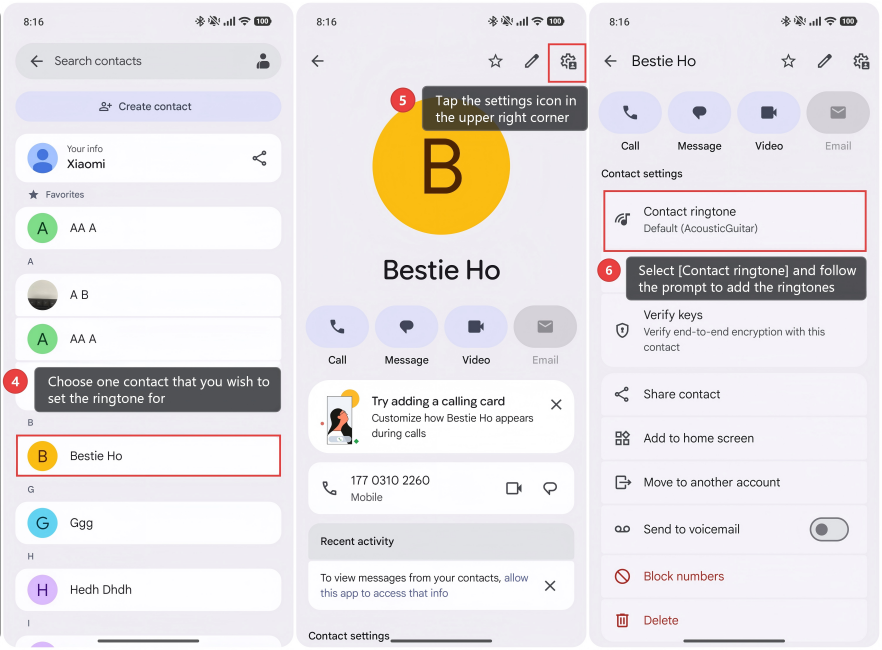
4. Choose one contact that you wish to set the ringtone for.
5. Tap the settings icon in the upper right corner.
6. Select [Contact ringtone] and follow the prompt to add the ringtones.
Note:
1. This feature allows you to categorize your contacts through sound. For example, you can set one tone for work-related contacts and another for personal contacts.
2. By assigning unique ringtones to important contacts, you can quickly identify calls from people who need your attention most. This helps ensure you don't miss urgent calls.
Does it help?
Yes
No