

How to switch between Gemini and Google Assistant?
The Xiaomi smartphones support voice assistants, Gemini Assistant and Google Assistant, which can be switched freely according to your needs. Gemini, Google’s new AI-powered assistant, can help you get creative inspiration and be more productive. Google Assistant is a conversational helper that helps you get things done. With this function, you can enjoy more convenience created by AI.
To switch from Gemini to Google Assistant, please refer to the following methods:
Method 1:
1. Open [Settings].
2. Go to [Google].
3. Select [All services].
4. Tap [Search, Assistant & Voice].
5. Choose [Google Assistant].
6. Tap [Digital assistants from Google].
7. Select between Gemini and Google Assistant according to your preference.
8. Tap [Switch]. 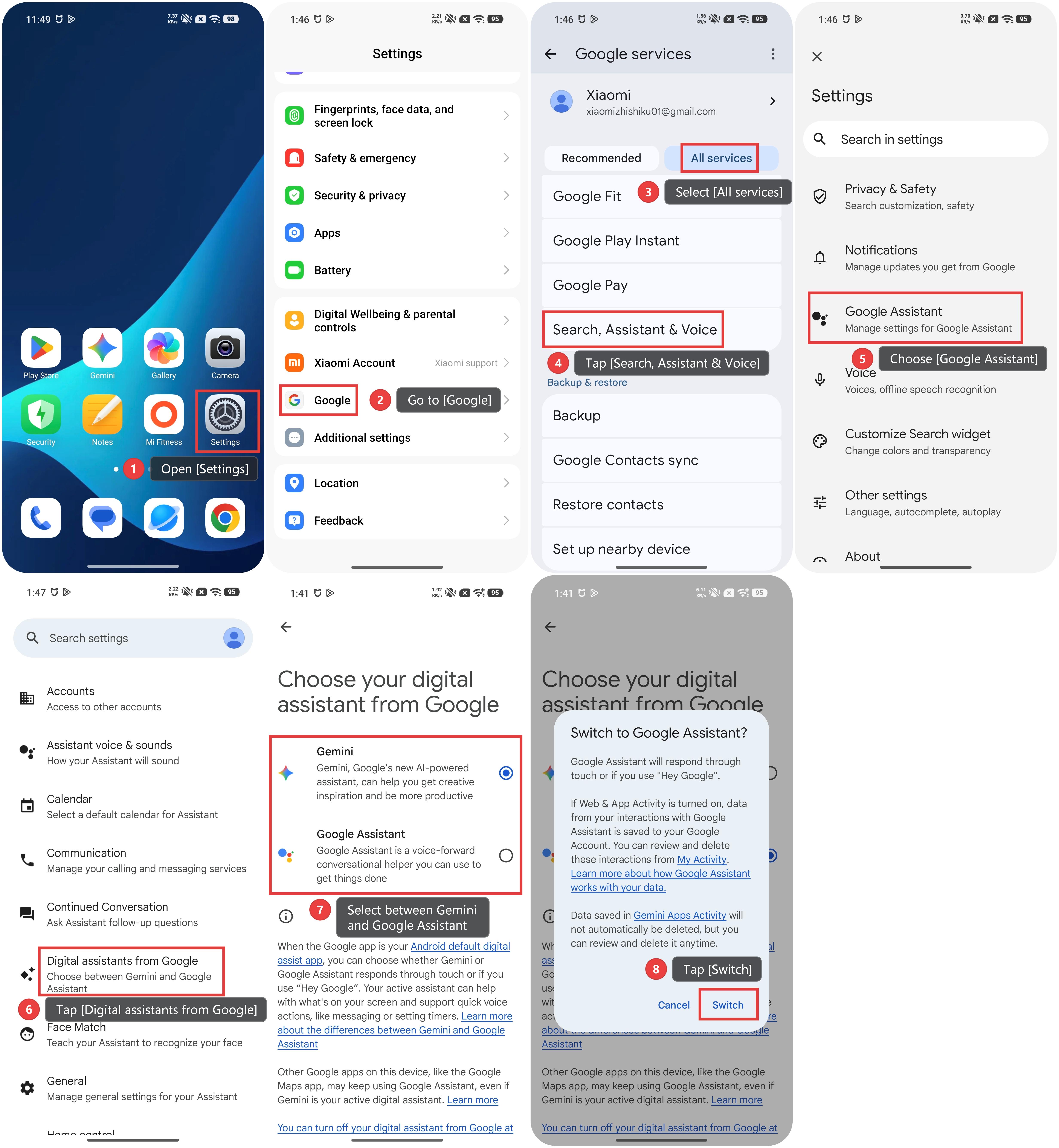
Method 2:
1. Go to the Gemini App.
2. Tap the profile icon at the top right of the screen.
3. Tap [Switch to Google Assistant].
4. Select [Google Assistant].
5. Tap [Switch].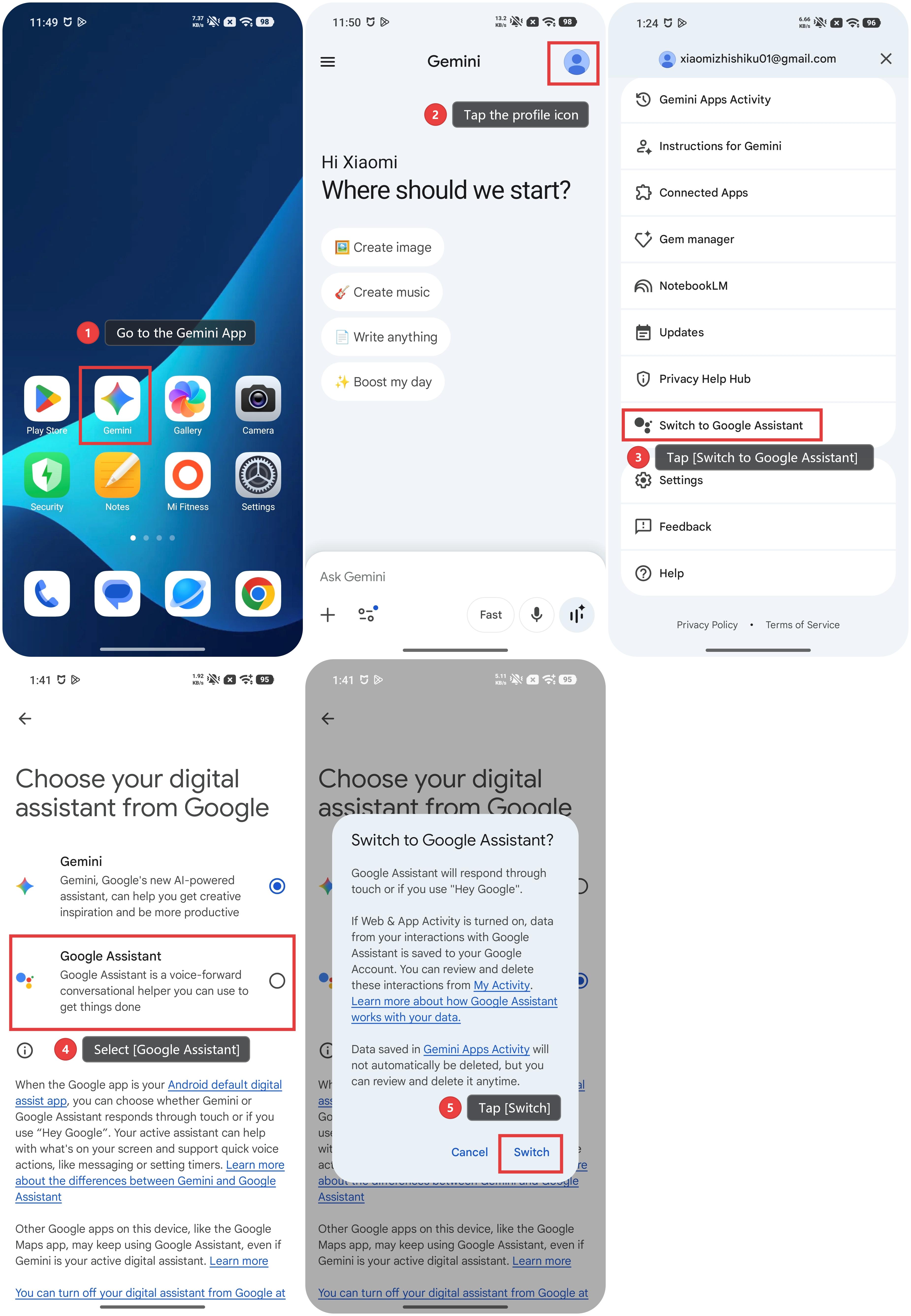
Note:
Gemini's availability varies by country or region, and Gemini must be set as the default voice assistant.
Does it help?