

How to achieve linkage between the Mijia Air Conditioner Pro Eco LABEL EGAT NO.5 (3 Star) 12000BTU Inverter and other devices?
The Mijia Air Conditioner Pro Eco LABEL EGAT NO.5 (3 Star) 12000BTU Inverter supports the Automation function, allowing you to set up automatic triggers and execution commands while linking with other IoT devices. This provides a more energy-efficient, convenient, and automated living experience. For example, the air conditioner can turn on or off automatically based on the current indoor temperature or humidity.
To achieve a smart linkage with other devices, please refer to the following steps:
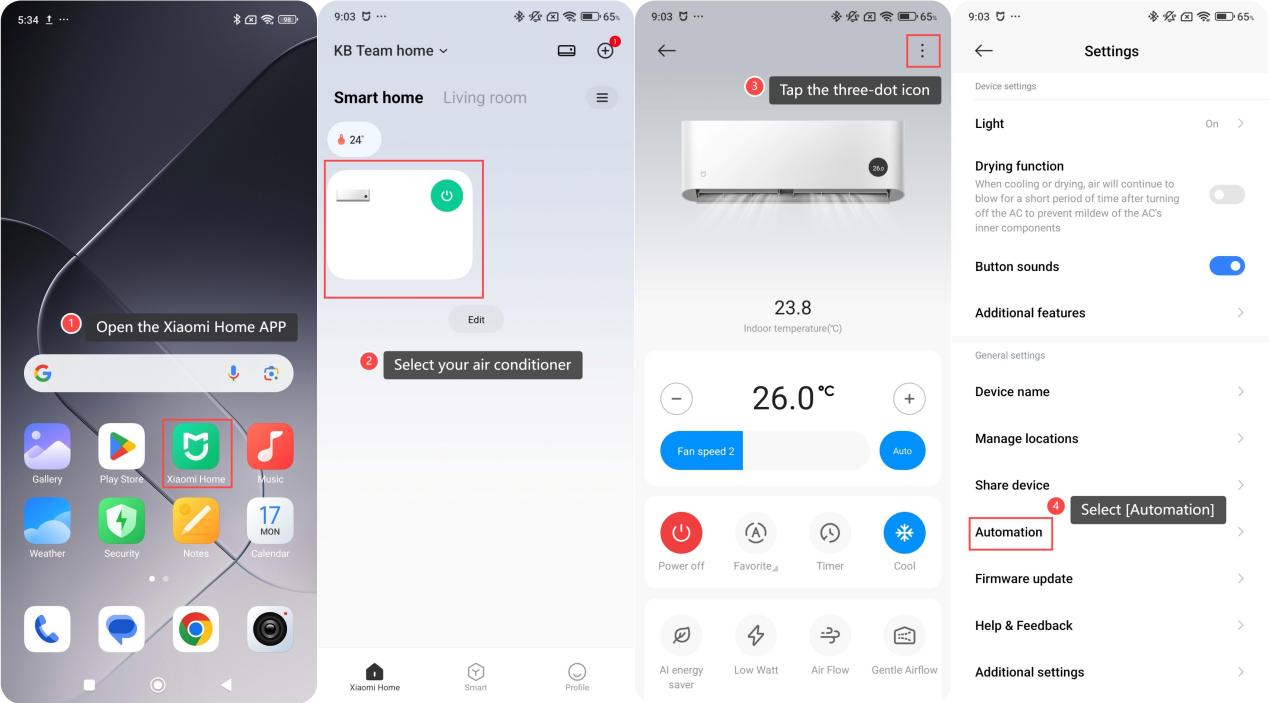
1. Open the Xiaomi Home APP on your phone;
2. Select your air conditioner;
3. Tap the three-dot icon in the upper right corner;
4. Select [Automation];
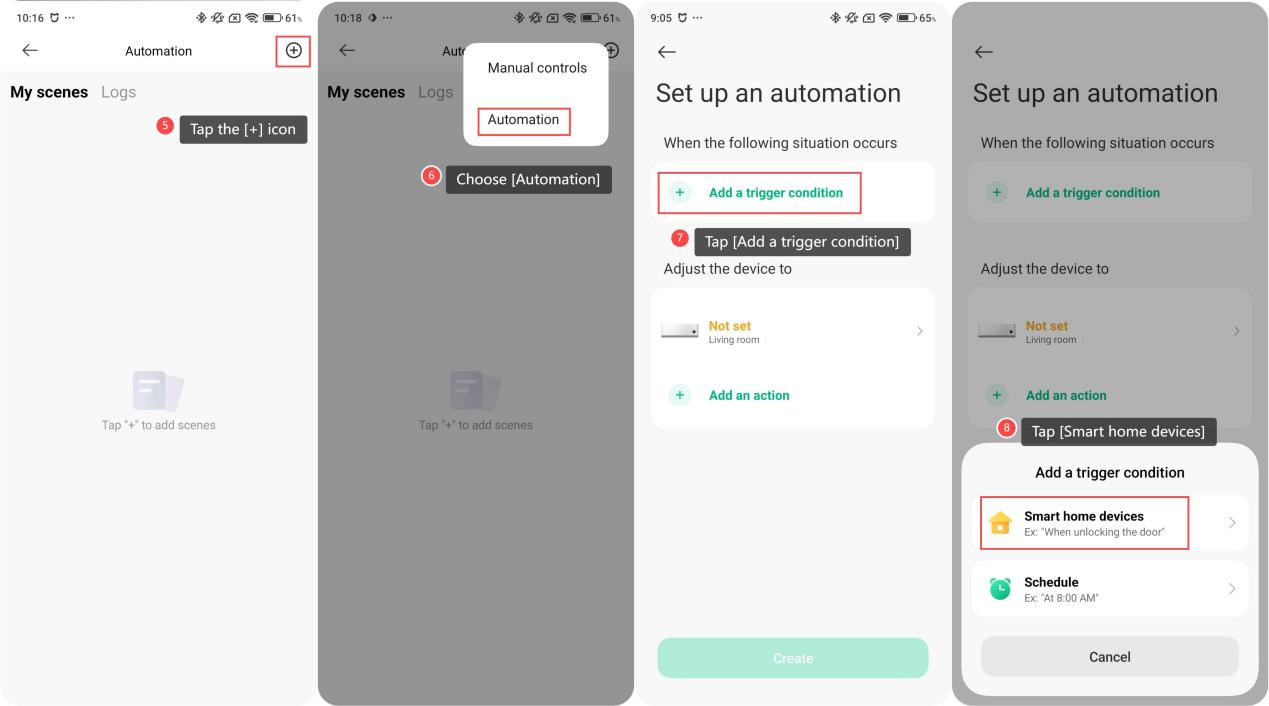
5. Tap the [+] icon in the upper right corner;
6. Choose [Automation];
7. Tap [Add a trigger condition];
8. Then tap [Smart home devices] to select your air conditioner or other devices as the trigger;
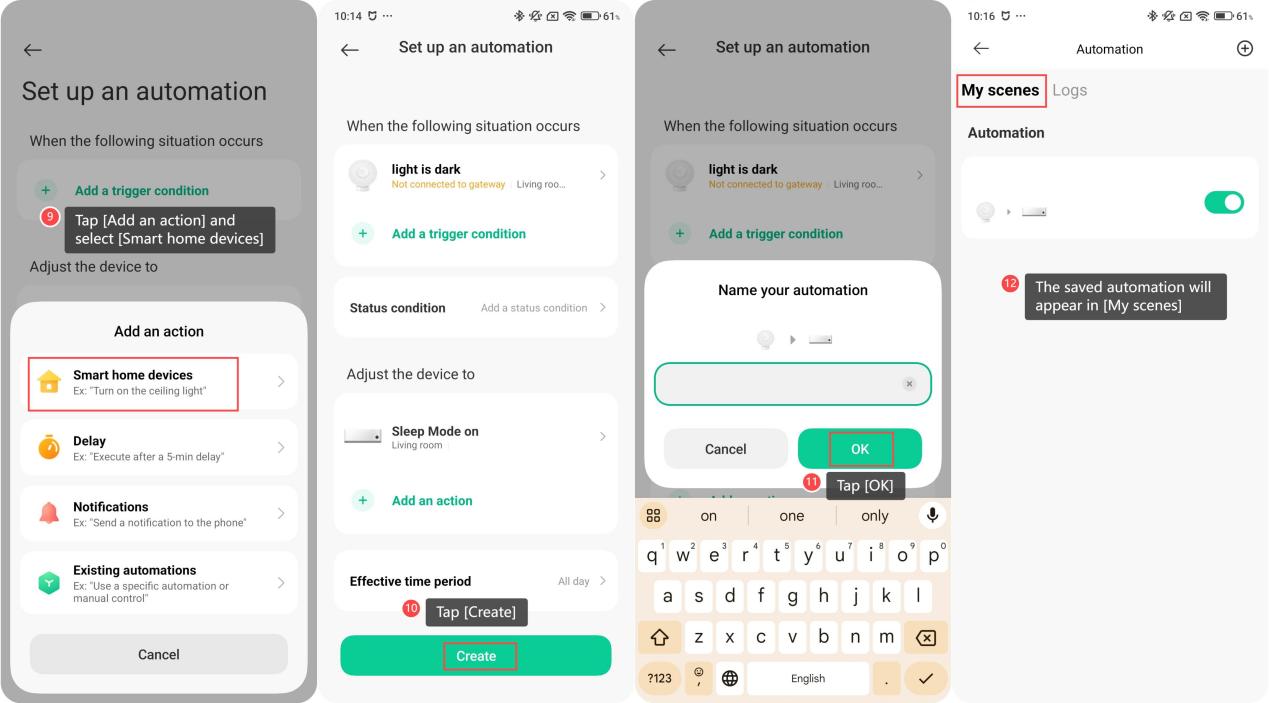
9. Tap [Add an action] and select [Smart home devices] to choose another device as the action;
10. Tap [Create] to save the automation;
11. You can rename your automation and tap [OK] to save;
12. Then, the saved automation will appear in [My scenes]. There is a switch on the right, allowing you to easily turn it on or off for better management of your smart scenes.
To achieve a smart linkage with other devices, please refer to the following steps:
1. Open the Xiaomi Home APP on your phone;
2. Select your air conditioner;
3. Tap the three-dot icon in the upper right corner;
4. Select [Automation];
5. Tap the [+] icon in the upper right corner;
6. Choose [Automation];
7. Tap [Add a trigger condition];
8. Then tap [Smart home devices] to select your air conditioner or other devices as the trigger;
9. Tap [Add an action] and select [Smart home devices] to choose another device as the action;
10. Tap [Create] to save the automation;
11. You can rename your automation and tap [OK] to save;
12. Then, the saved automation will appear in [My scenes]. There is a switch on the right, allowing you to easily turn it on or off for better management of your smart scenes.
Does it help?
Yes
No