

How to turn on/off the Mijia Air Conditioner Pro Eco 5-Star 1 PK Inverter?
To turn on or turn off the Mijia Air Conditioner Pro Eco 5-Star 1 PK Inverter, you can press the On/Off Button on the remote control. You can also tap the power icon on the air conditioner interface of the Mi Home/Xiaomi Home APP to remotely turn on or turn off the air conditioner, which can help you turn on or turn off the air conditioner without operating on the remote control and save your time and energy.
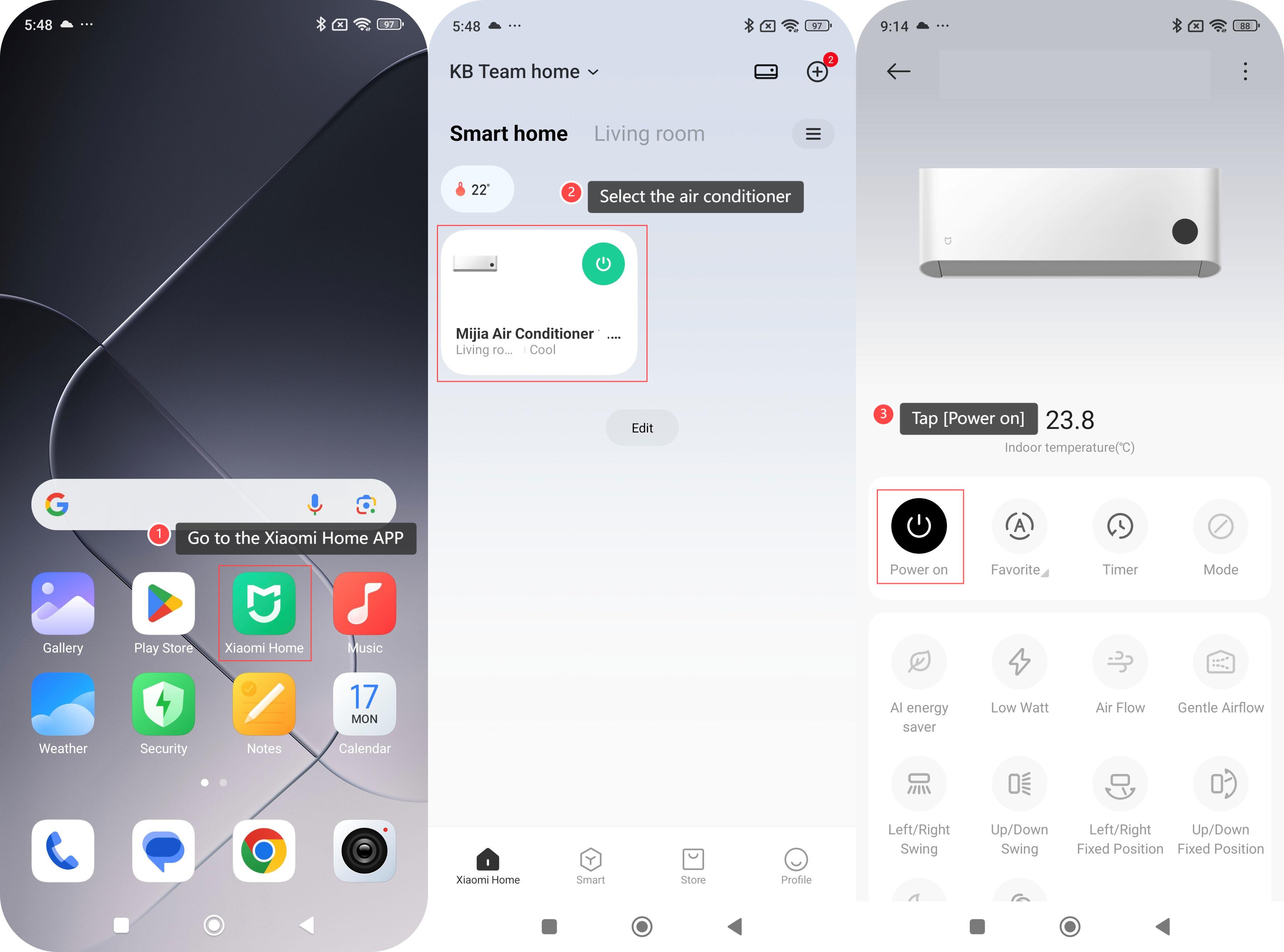
To turn on or turn off the air conditioner on the Mi Home/Xiaomi Home APP, please refer to the following steps:
1. Go to the Xiaomi Home APP;
2. Select the air conditioner;
3. Tap [Power on] to turn on the air conditioner.
Note:
In the power-on status, you can also tap [Power off] on the air conditioner interface of the Mi Home/Xiaomi Home APP to turn off the air conditioner.
To turn on or turn off the air conditioner on the Mi Home/Xiaomi Home APP, please refer to the following steps:
1. Go to the Xiaomi Home APP;
2. Select the air conditioner;
3. Tap [Power on] to turn on the air conditioner.
Note:
In the power-on status, you can also tap [Power off] on the air conditioner interface of the Mi Home/Xiaomi Home APP to turn off the air conditioner.
Does it help?
Yes
No