

How to use the Dry mode on the Mijia Air Conditioner Pro Eco 5-Star 1 PK Inverter?
You can press the Mode Button on the remote control of the air conditioner to adjust the mode.
To use the Dry mode on the Xiaomi Home APP, please refer to the following steps:
1. Open the [Xiaomi Home] APP;
2. Select the air conditioner;
3. Tap the mode icon;
4. Select [Dry].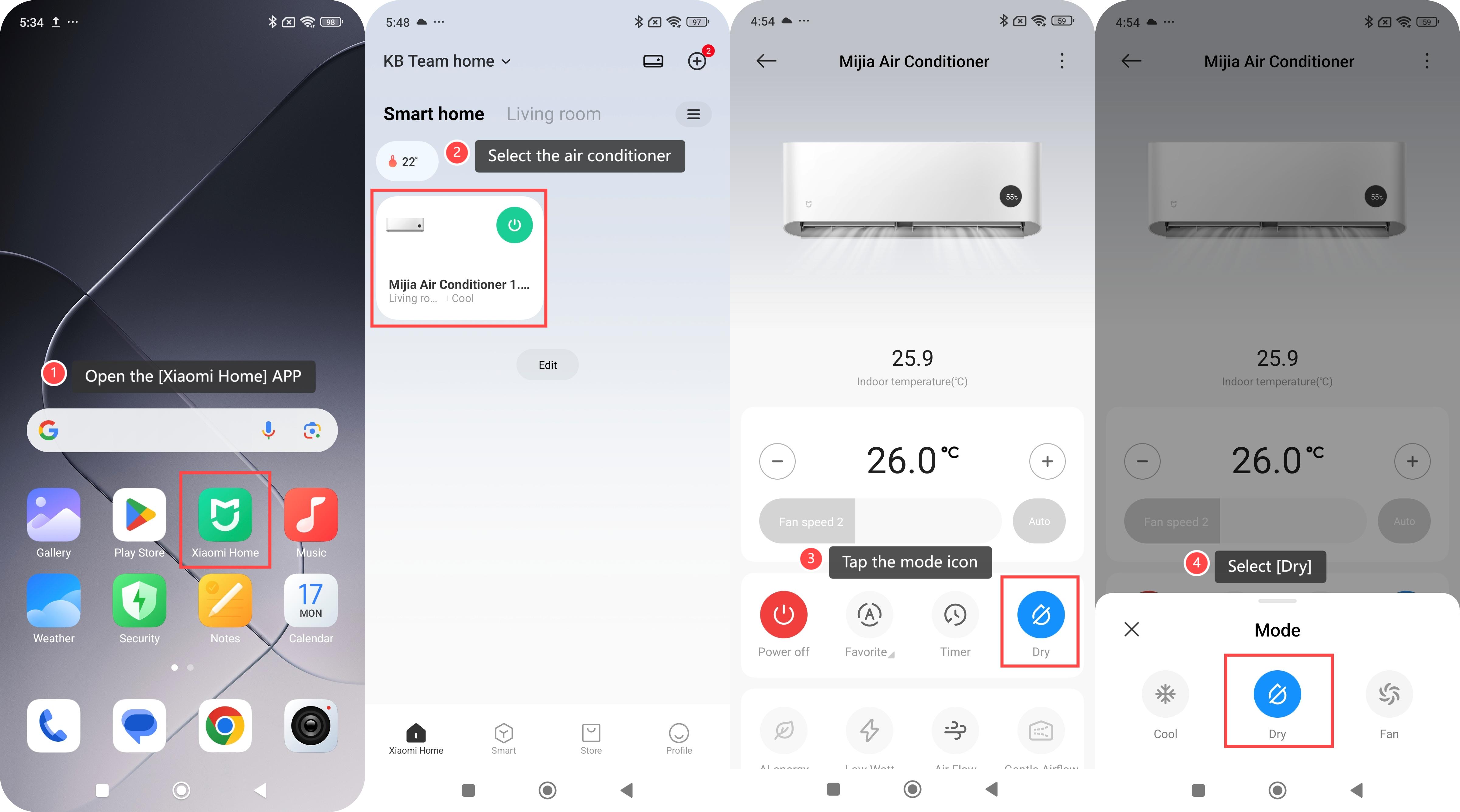
For your reference, here are more details about Dry mode:
1. The Dry mode reduces indoor humidity, which is suitable for humid weather or humid environments, such as the rainy season or places with heavy humidity;
2. The indoor temperature will not drop sharply, providing a more comfortable dry environment.
Does it help?
Yes
No