

How to use the Cooling mode on the Mijia Air Conditioner Pro Eco LABEL EGAT NO.5 (3 Star) 12000BTU Inverter?
The Mijia Air Conditioner Pro Eco LABEL EGAT NO.5 (3 Star) 12000BTU Inverter only supports cooling mode and does not offer heating functionality.
To use the cooling mode for the air conditioner, please refer to the following methods:
Method 1
After pressing the On/Off button on the remote control, press the Mode button to cycle through the available modes: cooling mode, dry mode, and fan mode. Select the cooling mode to activate the air conditioner for cooling.
Method 2
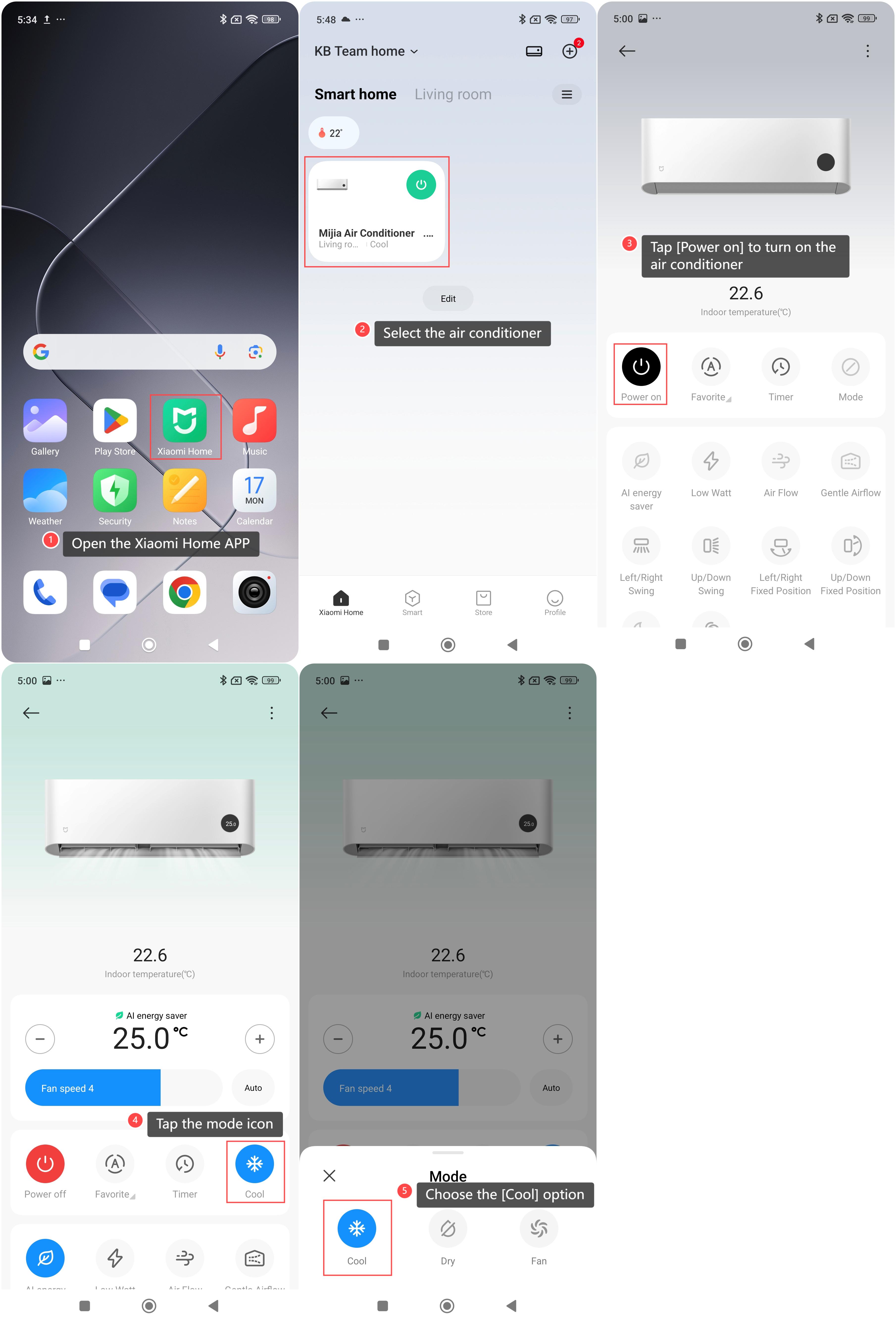
1. Open the Xiaomi Home APP on your phone;
2. Select the air conditioner from the device list;
3. Tap [Power on] to turn on the air conditioner;
4. Tap the mode icon;
5. Choose the [Cool] option to activate the cooling mode.
To use the cooling mode for the air conditioner, please refer to the following methods:
Method 1
After pressing the On/Off button on the remote control, press the Mode button to cycle through the available modes: cooling mode, dry mode, and fan mode. Select the cooling mode to activate the air conditioner for cooling.
Method 2
1. Open the Xiaomi Home APP on your phone;
2. Select the air conditioner from the device list;
3. Tap [Power on] to turn on the air conditioner;
4. Tap the mode icon;
5. Choose the [Cool] option to activate the cooling mode.
Does it help?
Yes
No