

How to set up home monitoring on the Xiaomi Outdoor Camera AW300?
The Xiaomi Outdoor Camera AW300 features home monitoring. After this feature is turned on, the camera can record video automatically when it detects movements or changes in the monitoring interface.
To set up home monitoring, please refer to the following steps:
1. Open the Mi Home/Xiaomi Home APP;
2. Select the camera;
3. Tap [...] in the upper right corner;
4. Select [Home monitoring] and turn on it;
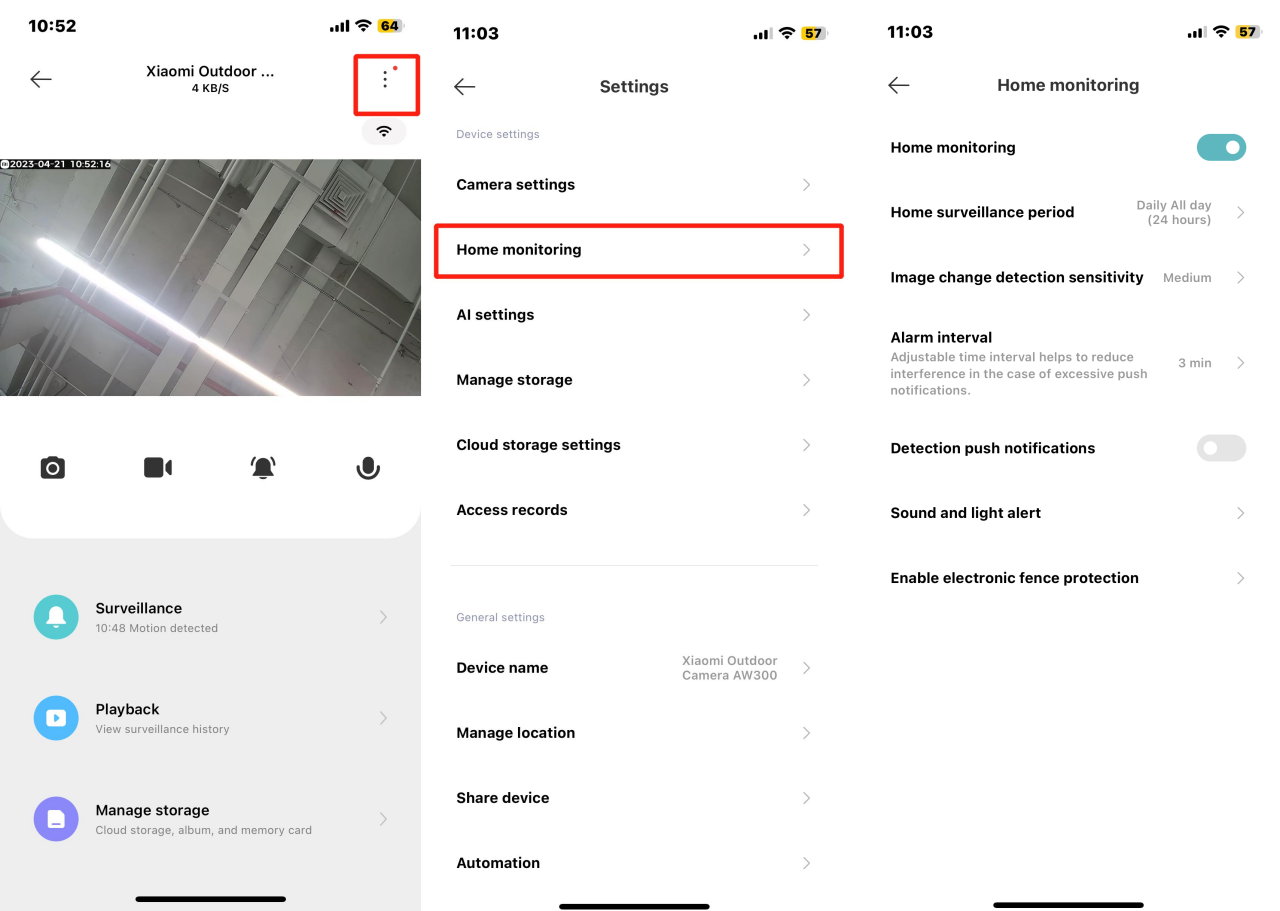
5. Tap [Home surveillance period] to set for every day or customize specific days and times;

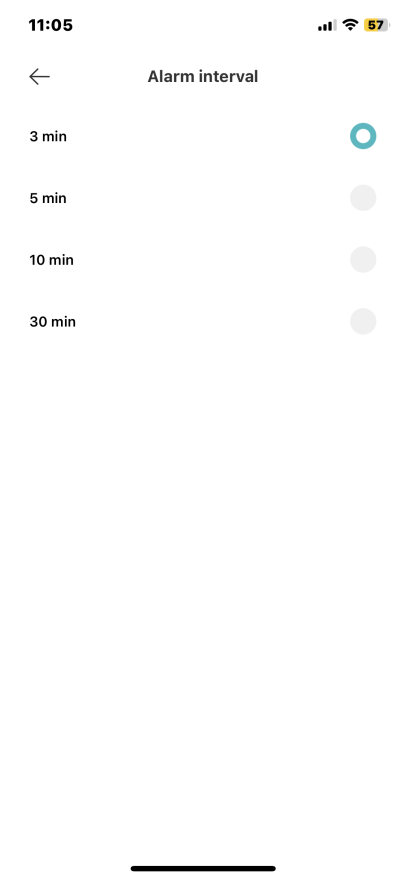
6. Select [Alarm interval] to set intervals for motion alerts, such as 3 minutes, 5 minutes, 10 minutes, or 30 minutes;
7. Turn on [Detection push notifications] and the camera will push notifications only when you enable this feature. You can also customize [Event notification type];

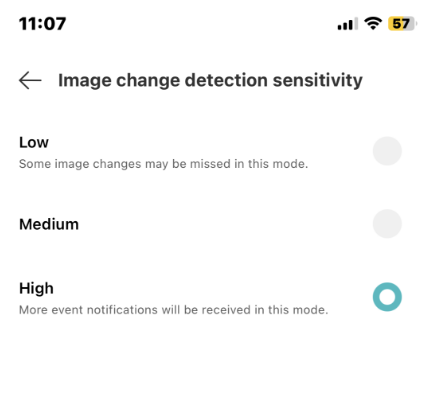
8. Tap [Image change detection sensitivity] to set to high, medium, or low (default is medium). Sensitivity settings correspond to distances: 7m (high), 5m (medium), 3m (low).
To set up home monitoring, please refer to the following steps:
1. Open the Mi Home/Xiaomi Home APP;
2. Select the camera;
3. Tap [...] in the upper right corner;
4. Select [Home monitoring] and turn on it;
5. Tap [Home surveillance period] to set for every day or customize specific days and times;
6. Select [Alarm interval] to set intervals for motion alerts, such as 3 minutes, 5 minutes, 10 minutes, or 30 minutes;
7. Turn on [Detection push notifications] and the camera will push notifications only when you enable this feature. You can also customize [Event notification type];
8. Tap [Image change detection sensitivity] to set to high, medium, or low (default is medium). Sensitivity settings correspond to distances: 7m (high), 5m (medium), 3m (low).
Does it help?
Yes
No