

How to turn on/off the Xiaomi Smart Hub on the control center of the Redmi Pad Pro?
The Xiaomi Smart Hub on the control center of the Redmi Pad Pro is a feature that integrates Xiaomi smart home device management directly into the control center. You can manage these devices from the control center, checking their status in real-time and controlling them.
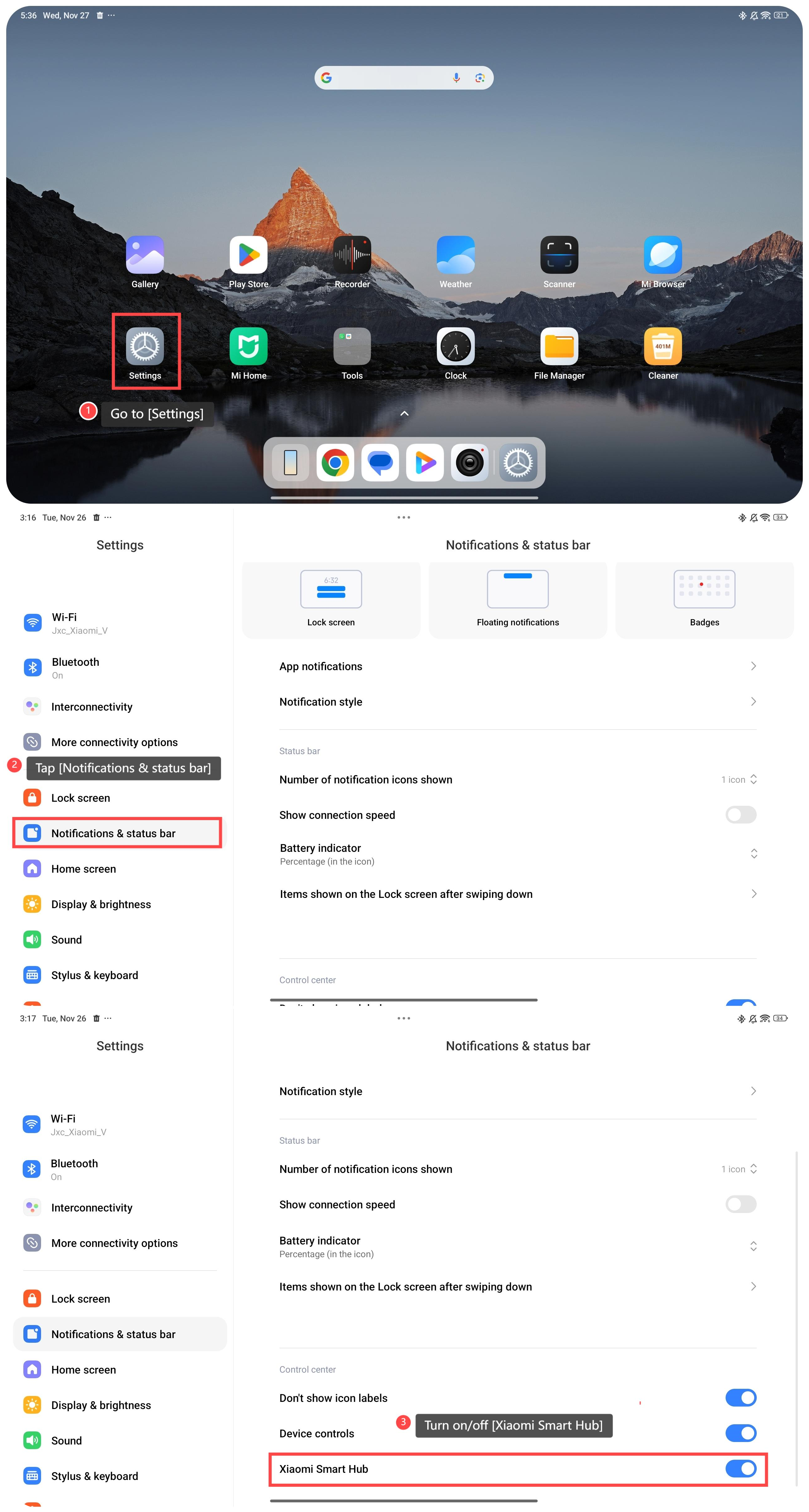
To turn on/off the Xiaomi Smart Hub on the control center, please refer to the following steps:
1. Go to [Settings];
2. Navigate to the [Notifications & status bar] option and tap it;
3. Scroll down and turn on/off [Xiaomi Smart Hub].
Friendly tips:
1. You can tailor the control center to show only the devices or scenes you use most often, creating a more focused interface;
2. If you are not using smart home devices temporarily, turning off the Xiaomi Smart Hub avoids unnecessary notifications or interactions.
To turn on/off the Xiaomi Smart Hub on the control center, please refer to the following steps:
1. Go to [Settings];
2. Navigate to the [Notifications & status bar] option and tap it;
3. Scroll down and turn on/off [Xiaomi Smart Hub].
Friendly tips:
1. You can tailor the control center to show only the devices or scenes you use most often, creating a more focused interface;
2. If you are not using smart home devices temporarily, turning off the Xiaomi Smart Hub avoids unnecessary notifications or interactions.
Does it help?
Yes
No