

How to show the connection speed on the Redmi Pad Pro 5G?
The Redmi Pad Pro 5G supports showing the connection speed, which allows you to monitor your network performance directly on the screen, providing instant feedback on the speed of your connection. Knowing the connection speed helps switch networks promptly when you encounter delays, buffering, or loading issues.
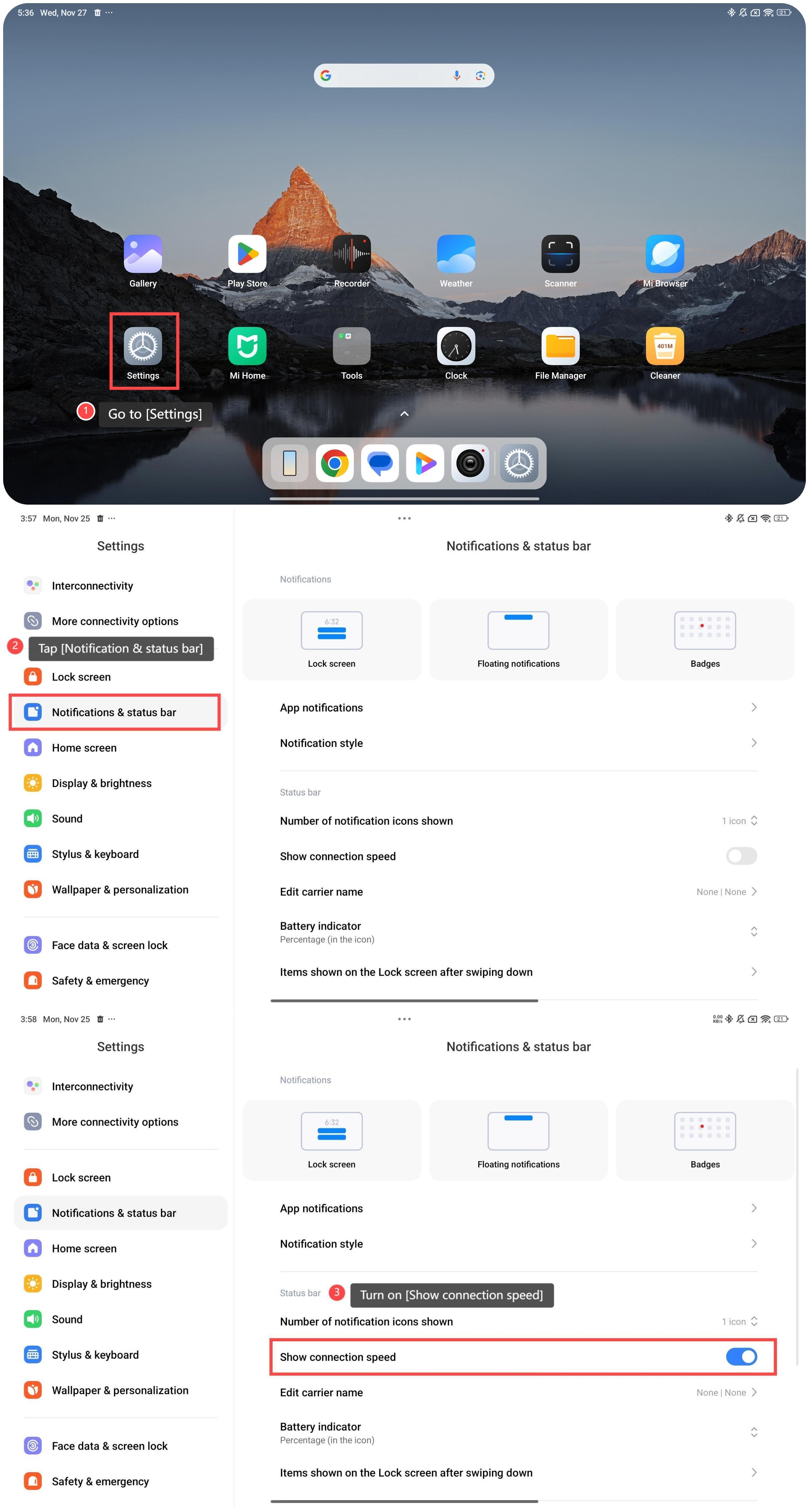
To show the connection speed on your tablet, please refer to the following steps:
1. Go to [Settings];
2. Tap [Notification & status bar];
3. Turn on [Show connection speed].
Friendly tips:
1. To show the connection speed is helpful to test different areas of your home or office to see where the Wi-Fi signal is stronger and adjust your location for better speeds;
2. It is useful if you need to use the information to choose the best time or location to perform data-heavy tasks, like downloading large files or backing up data to the cloud.
To show the connection speed on your tablet, please refer to the following steps:
1. Go to [Settings];
2. Tap [Notification & status bar];
3. Turn on [Show connection speed].
Friendly tips:
1. To show the connection speed is helpful to test different areas of your home or office to see where the Wi-Fi signal is stronger and adjust your location for better speeds;
2. It is useful if you need to use the information to choose the best time or location to perform data-heavy tasks, like downloading large files or backing up data to the cloud.
Does it help?
Yes
No