

How to manage floating notifications on the Redmi Pad Pro?
The floating notifications on the Redmi Pad Pro is a feature that displays incoming notifications as small, temporary pop-up windows on your screen. These notifications appear over your current App or screen, allowing you to view and interact with them without interrupting your activity.
To manage floating notifications, please refer to the following methods:
Method 1:
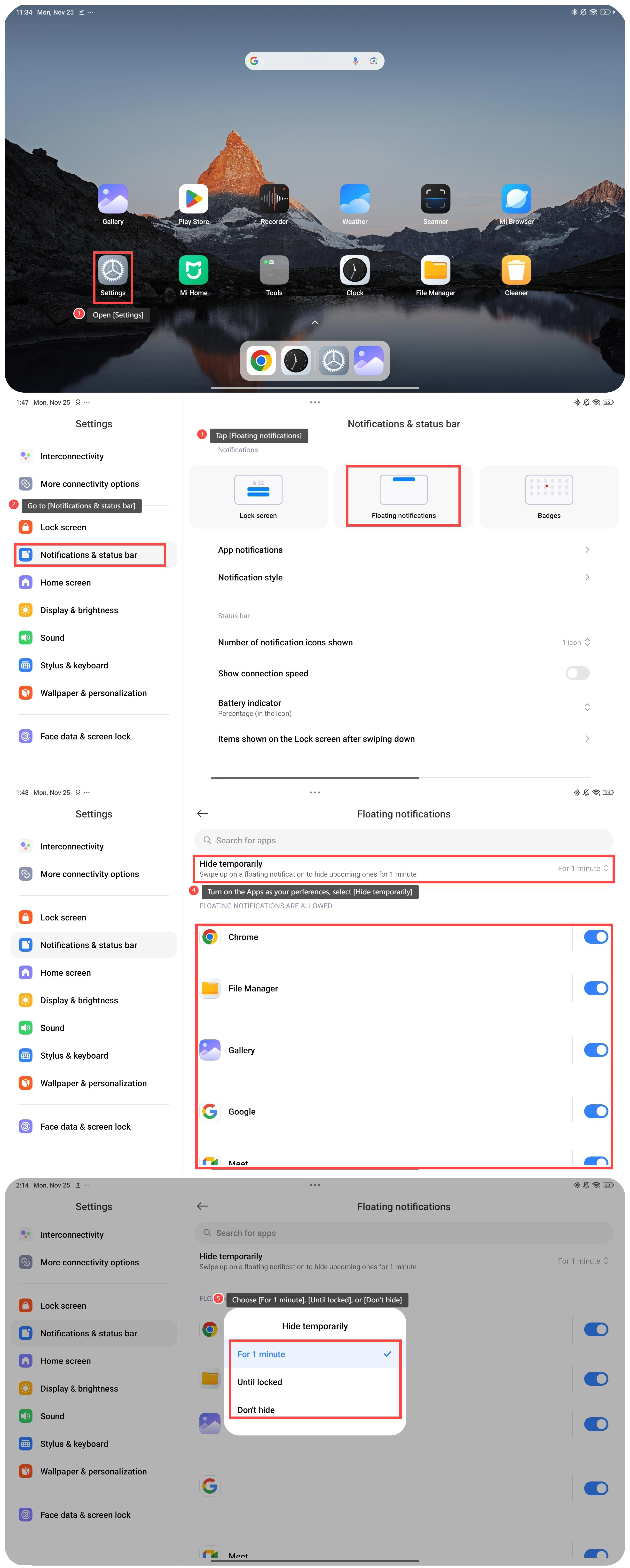
1. Open [Settings];
2. Go to [Notifications & status bar];
3. Tap [Floating notifications];
4. Turn on the Apps as your preferences, and select [Hide temporarily];
5. Choose [For 1 minute], [Until locked], or [Don’t hide].
To manage floating notifications, please refer to the following methods:
Method 1:
1. Open [Settings];
2. Go to [Notifications & status bar];
3. Tap [Floating notifications];
4. Turn on the Apps as your preferences, and select [Hide temporarily];
5. Choose [For 1 minute], [Until locked], or [Don’t hide].
Method 2:
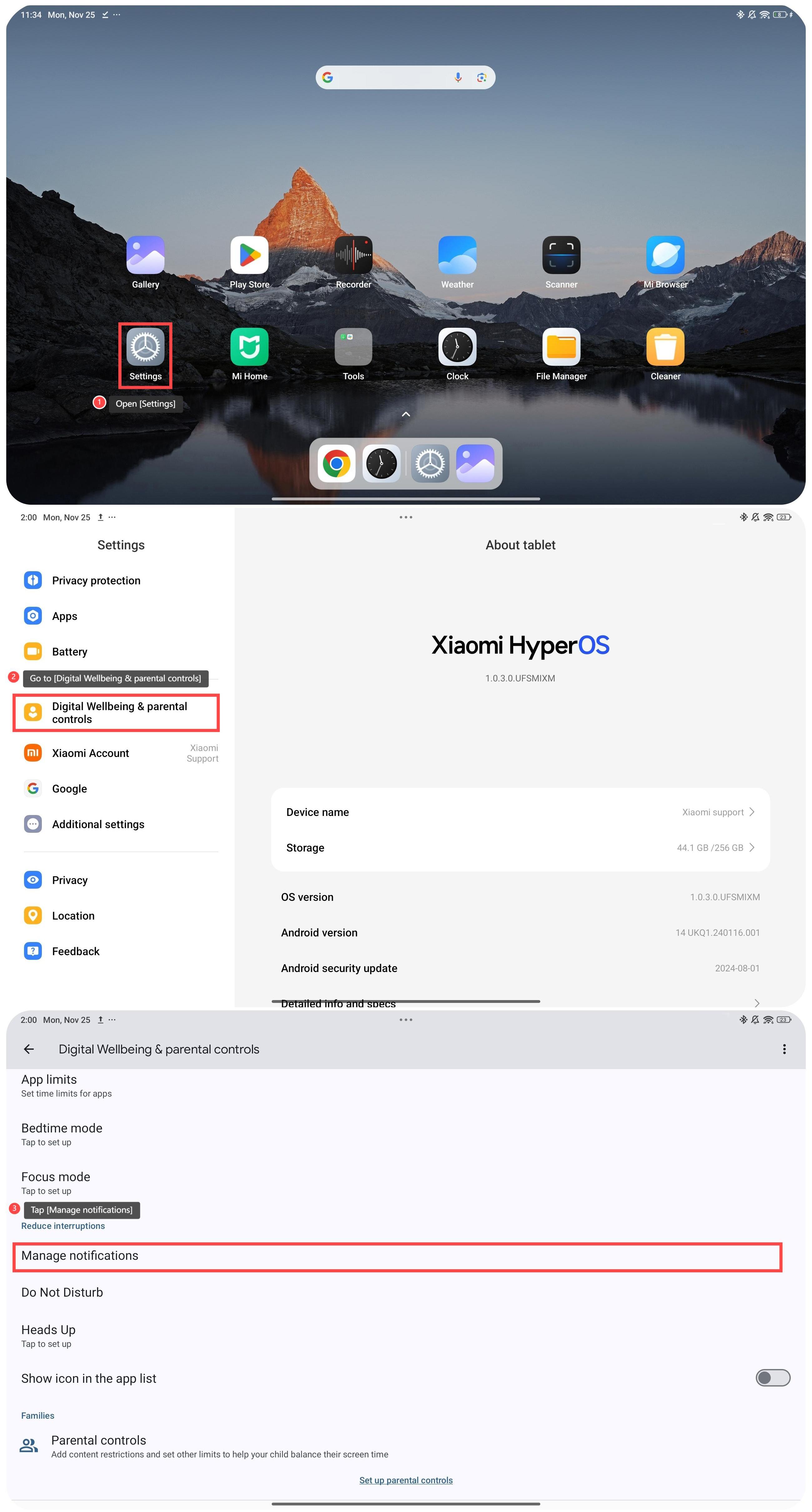
1. Open [Settings];
2. Go to [Digital Wellbeing & parental controls];
3. Tap [Manage notifications];
1. Open [Settings];
2. Go to [Digital Wellbeing & parental controls];
3. Tap [Manage notifications];
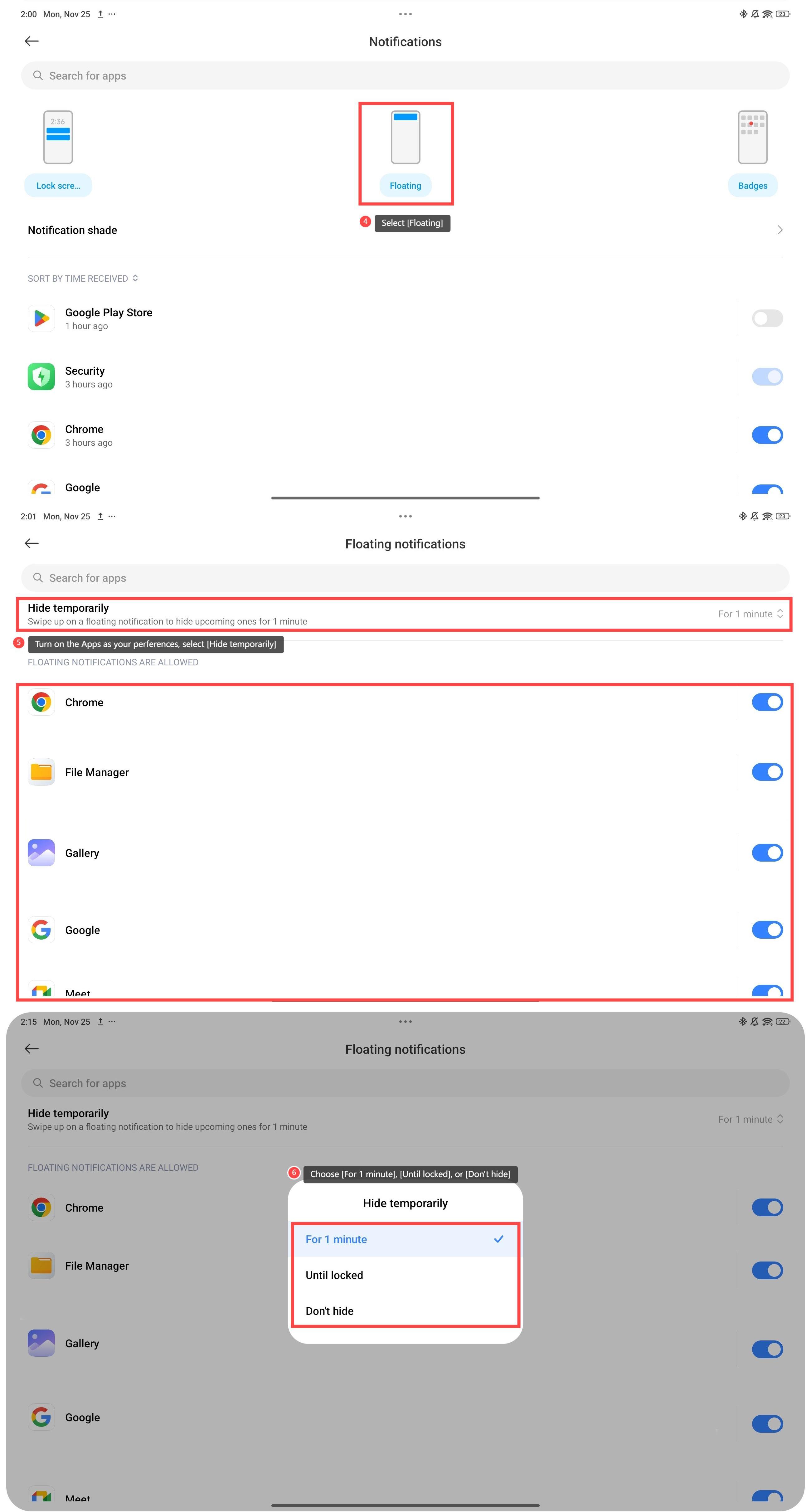
4. Select [Floating];
5. Turn on the Apps as your preferences, and select [Hide temporarily];
6. Choose [For 1 minute], [Until locked], or [Don’t hide].
5. Turn on the Apps as your preferences, and select [Hide temporarily];
6. Choose [For 1 minute], [Until locked], or [Don’t hide].
Friendly tips:
1. The floating notifications help you reply to messages, dismiss alerts, or perform basic actions directly from the floating notification without opening the associated app;
2. You can enable or disable floating notifications for specific Apps, tailoring the experience to your preferences.
1. The floating notifications help you reply to messages, dismiss alerts, or perform basic actions directly from the floating notification without opening the associated app;
2. You can enable or disable floating notifications for specific Apps, tailoring the experience to your preferences.
Does it help?
Yes
No