

How to set up the shortcut for the camera if the Redmi Pad Pro 5G’s screen is locked?
The Redmi Pad Pro 5G features the Launch Camera function, making it easy to launch the camera without unlocking the device or navigating through menus. After enabling this feature, you can access the camera in seconds to capture the moment you want to record as quickly as possible.
To set up the shortcut for the camera, please refer to the following methods:
Method 1:
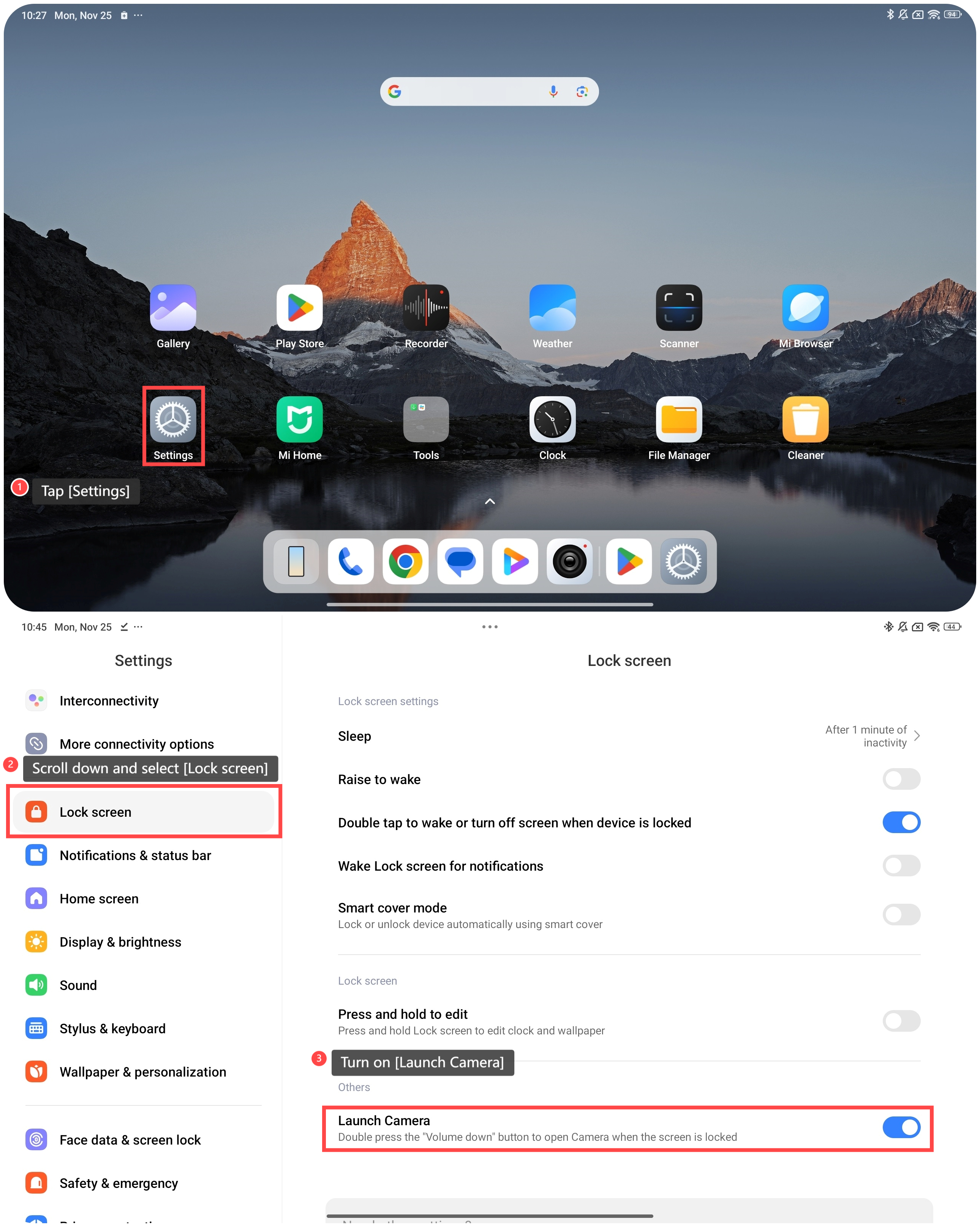
1. Tap [Settings];
2. Scroll down and select [Lock screen];
3. Turn on [Launch Camera]. Then you can double press the “Volume down” button to open Camera when the screen is locked.
To set up the shortcut for the camera, please refer to the following methods:
Method 1:
1. Tap [Settings];
2. Scroll down and select [Lock screen];
3. Turn on [Launch Camera]. Then you can double press the “Volume down” button to open Camera when the screen is locked.
Method 2:
1. Tap [Settings];
2. Scroll down and select [Additional settings];
3. Go to [Gesture shortcuts];
4. Tap [Launch camera];
5. Turn on [Double press the Power button] or [Double press Volume down when the screen is locked] as you prefer.

1. Tap [Settings];
2. Scroll down and select [Additional settings];
3. Go to [Gesture shortcuts];
4. Tap [Launch camera];
5. Turn on [Double press the Power button] or [Double press Volume down when the screen is locked] as you prefer.
Does it help?
Yes
No