

How to connect the Redmi Pad Pro 5G to a wirelessly display?
A wireless display on the Redmi Pad Pro 5G refers to the ability to cast or mirror your device’s screen to compatible external displays, such as smart TVs or monitors, without using physical cables. This feature allows you to stream videos, share presentations, or view photos on a larger screen wirelessly. It uses protocols like Miracast or Chromecast for the connection.
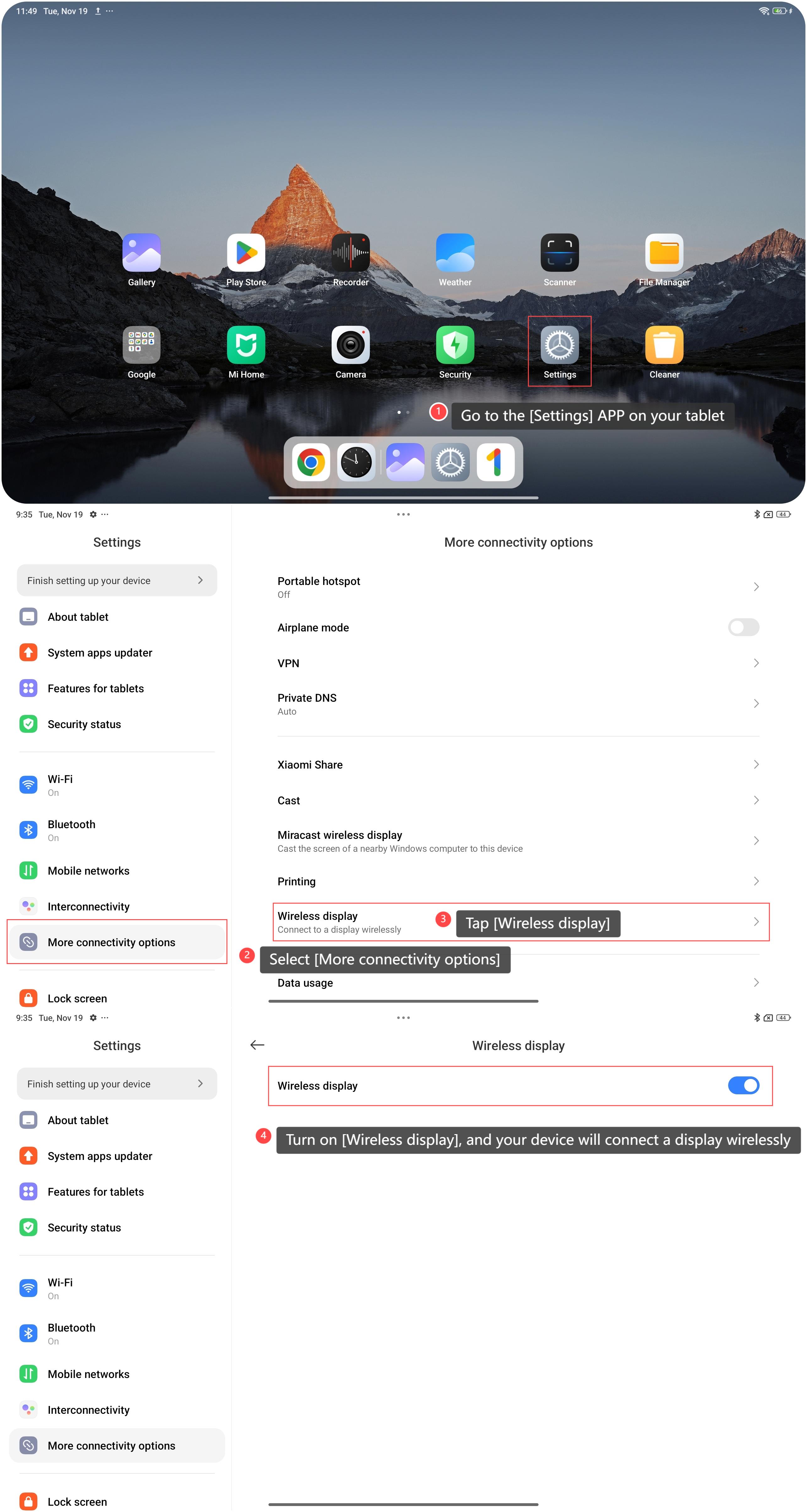
To connect your tablet to a wireless display, please refer to the following steps:
1. Go to the [Settings] APP on your tablet;
2. Select [More connectivity options];
3. Tap [Wireless display];
4. Turn on [Wireless display], and your device will connect a display wirelessly.
To connect your tablet to a wireless display, please refer to the following steps:
1. Go to the [Settings] APP on your tablet;
2. Select [More connectivity options];
3. Tap [Wireless display];
4. Turn on [Wireless display], and your device will connect a display wirelessly.
Note:
Wireless connections can introduce lag, affecting the smoothness of video playback or gaming. Depending on the connection quality, you can experience reduced resolution or clarity compared to a wired connection.
Wireless connections can introduce lag, affecting the smoothness of video playback or gaming. Depending on the connection quality, you can experience reduced resolution or clarity compared to a wired connection.
Does it help?
Yes
No