

How to cast the Redmi Pad Pro’s screen content to other devices?
The Redmi Pad Pro comes with a feature called Cast that allows you to share your tablet’s screen with other compatible external monitors like smart TVs, streaming devices, or other displays.
To cast the Redmi Pad Pro’s screen content to other devices, please refer to the following methods:
Method 1:
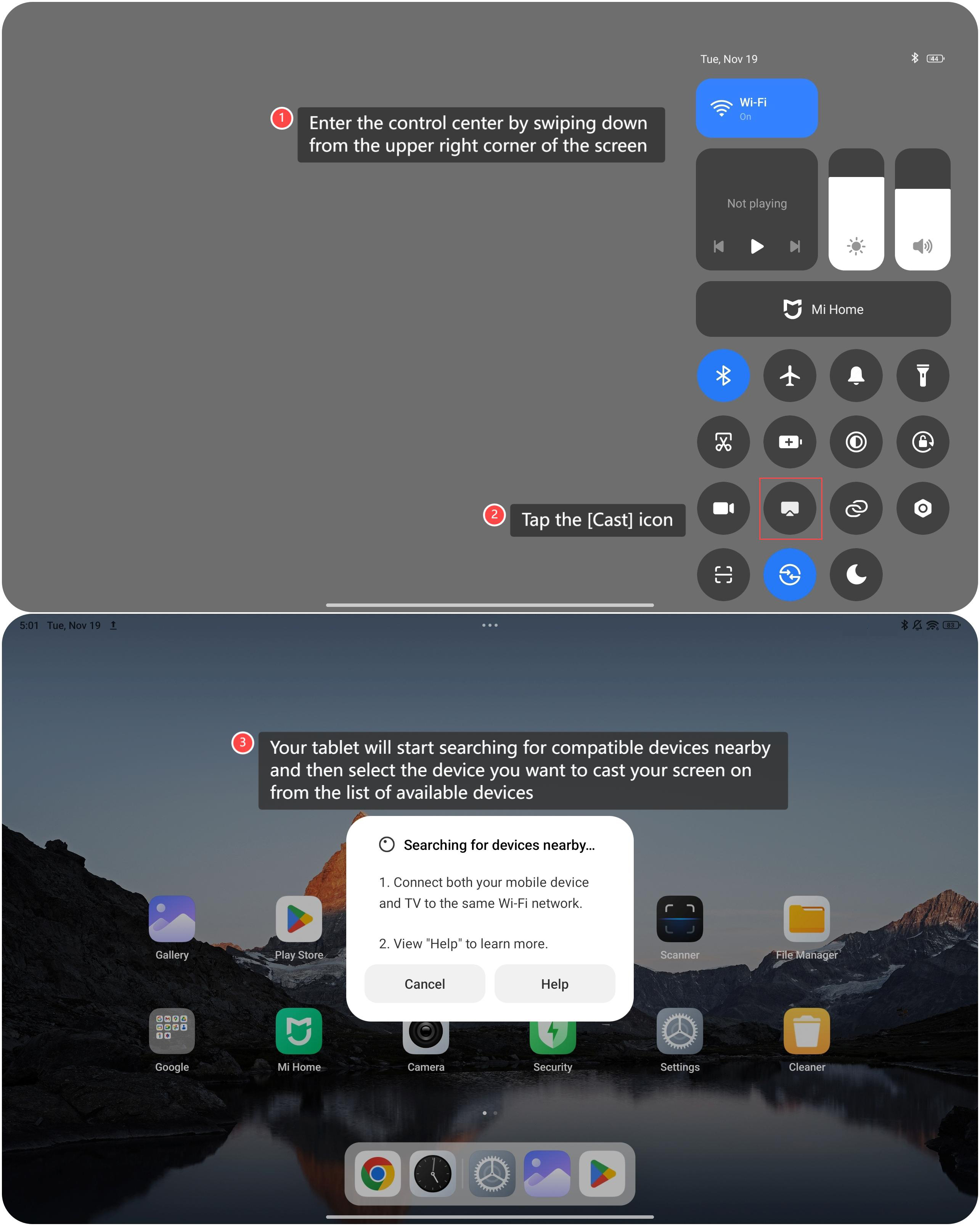
1. Enter the control center by swiping down from the upper right corner of the screen;
2. Tap the [Cast] icon;
3. Your tablet will start searching for compatible devices nearby and then select the device you want to cast your screen on from the list of available devices.
To cast the Redmi Pad Pro’s screen content to other devices, please refer to the following methods:
Method 1:
1. Enter the control center by swiping down from the upper right corner of the screen;
2. Tap the [Cast] icon;
3. Your tablet will start searching for compatible devices nearby and then select the device you want to cast your screen on from the list of available devices.
Method 2:
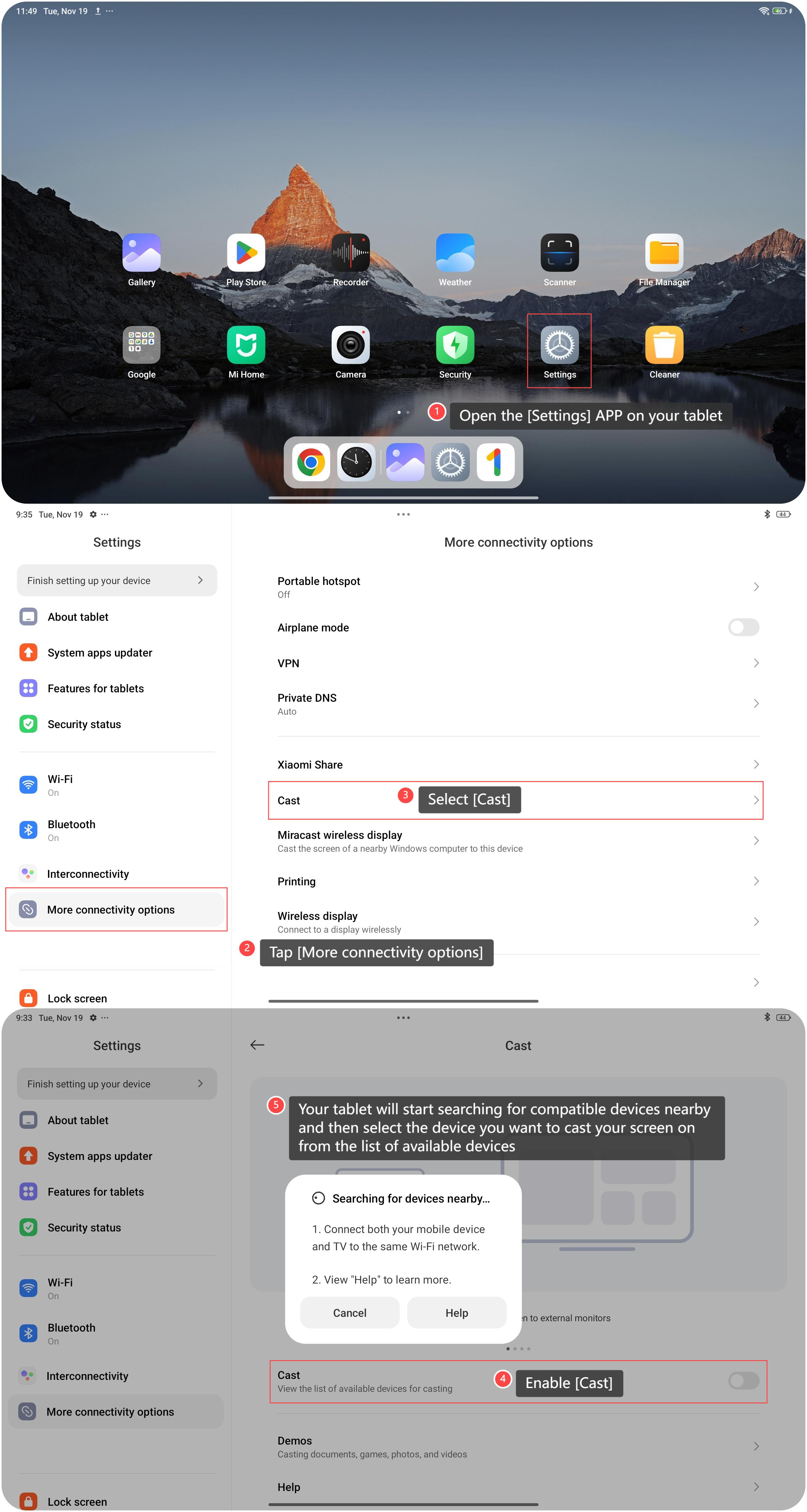
1. Open the [Settings] APP on your tablet;
2. Tap [More connectivity options];
3. Select [Cast];
4. Enable [Cast];
5. Your tablet will start searching for compatible devices nearby and then select the device you want to cast your screen on from the list of available devices.
1. Open the [Settings] APP on your tablet;
2. Tap [More connectivity options];
3. Select [Cast];
4. Enable [Cast];
5. Your tablet will start searching for compatible devices nearby and then select the device you want to cast your screen on from the list of available devices.
Note:
Please connect both your tablet and external monitor to the same Wi-Fi network.
Please connect both your tablet and external monitor to the same Wi-Fi network.
Does it help?
Yes
No