

How to share the hotspot of the Redmi Pad Pro via Bluetooth?
Sharing the hotspot of the Redmi Pad Pro via Bluetooth allows you to share your tablet’s internet connection with other devices using Bluetooth tethering. This means you can connect other devices, like smartphones or laptops, to the internet by pairing them with your tablet.
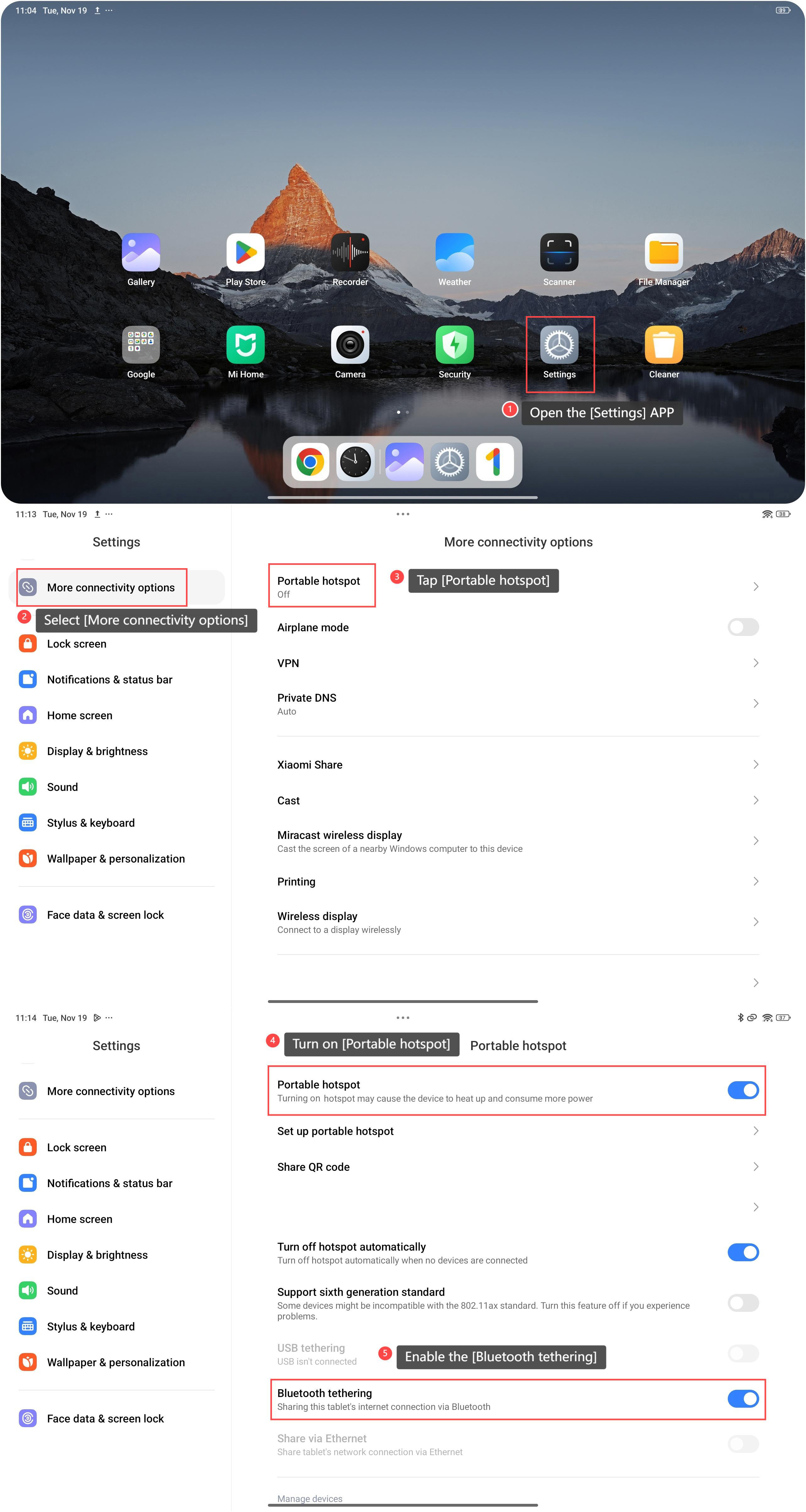
To share the hotspot, please refer to the following steps:
1. Open the [Settings] APP on your device. You can find the gear icon on your home screen or in your APP drawer;
2. Select [More connectivity options];
3. Tap [Portable hotspot];
4. Turn on [Portable hotspot];
5. Scroll down and enable the [Bluetooth tethering] feature. Then you can share the hotspot to the paired device via Bluetooth.
Note:
Turning on the hotspot can cause the device to heat up and consume more power.
To share the hotspot, please refer to the following steps:
1. Open the [Settings] APP on your device. You can find the gear icon on your home screen or in your APP drawer;
2. Select [More connectivity options];
3. Tap [Portable hotspot];
4. Turn on [Portable hotspot];
5. Scroll down and enable the [Bluetooth tethering] feature. Then you can share the hotspot to the paired device via Bluetooth.
Note:
Turning on the hotspot can cause the device to heat up and consume more power.
Does it help?
Yes
No