

How to perform Deep clean on the Redmi Pad Pro?
Deep clean on the Redmi Pad Pro is a feature designed to optimize device performance by removing unnecessary files, cache, and residual data from applications. It helps free up storage space and can improve the speed and efficiency of the device. By regularly using this feature, your device can maintain better performance and ensure a smoother using experience.
To perform Deep clean, please refer to the following methods:
Method 1:
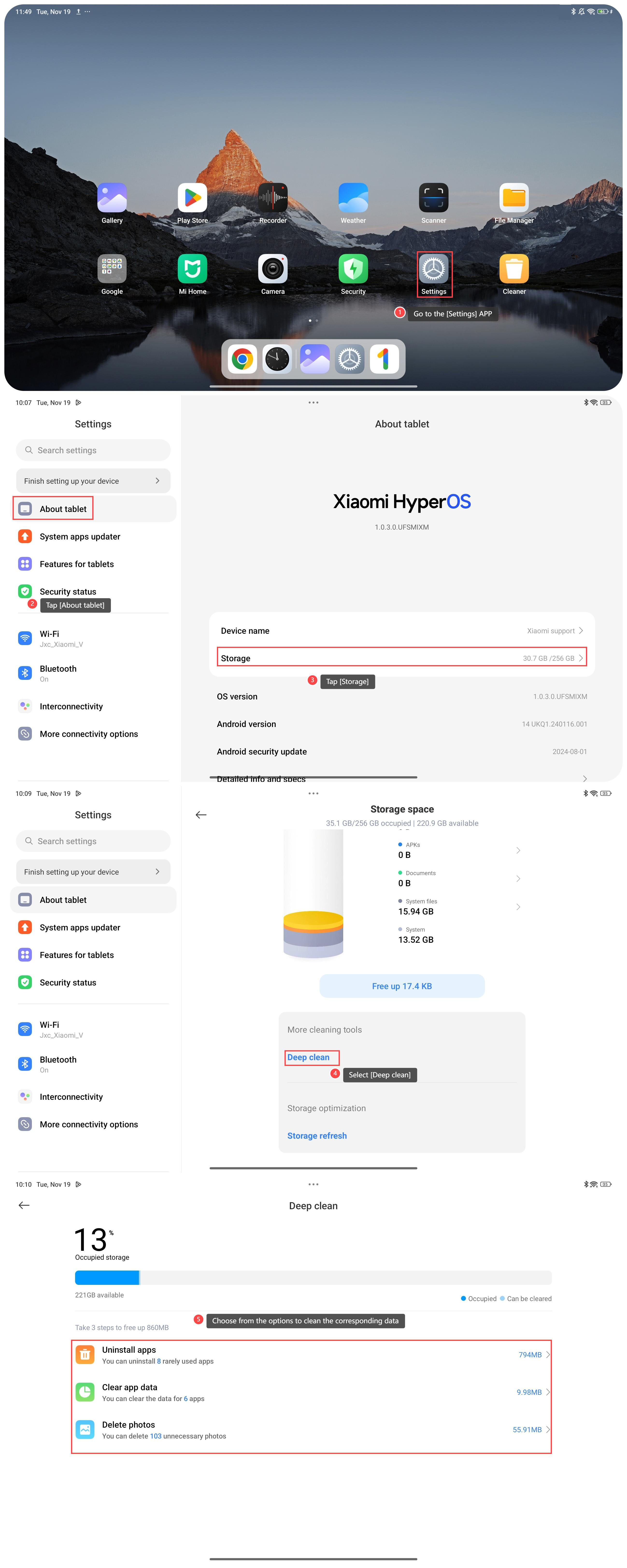
1. Go to the [Settings] APP on your tablet;
2. Tap [About tablet];
3. Tap [Storage], in which you can see storage details;
4. Select [Deep clean];
5. Choose from the options to clean the corresponding data.
Method 2:
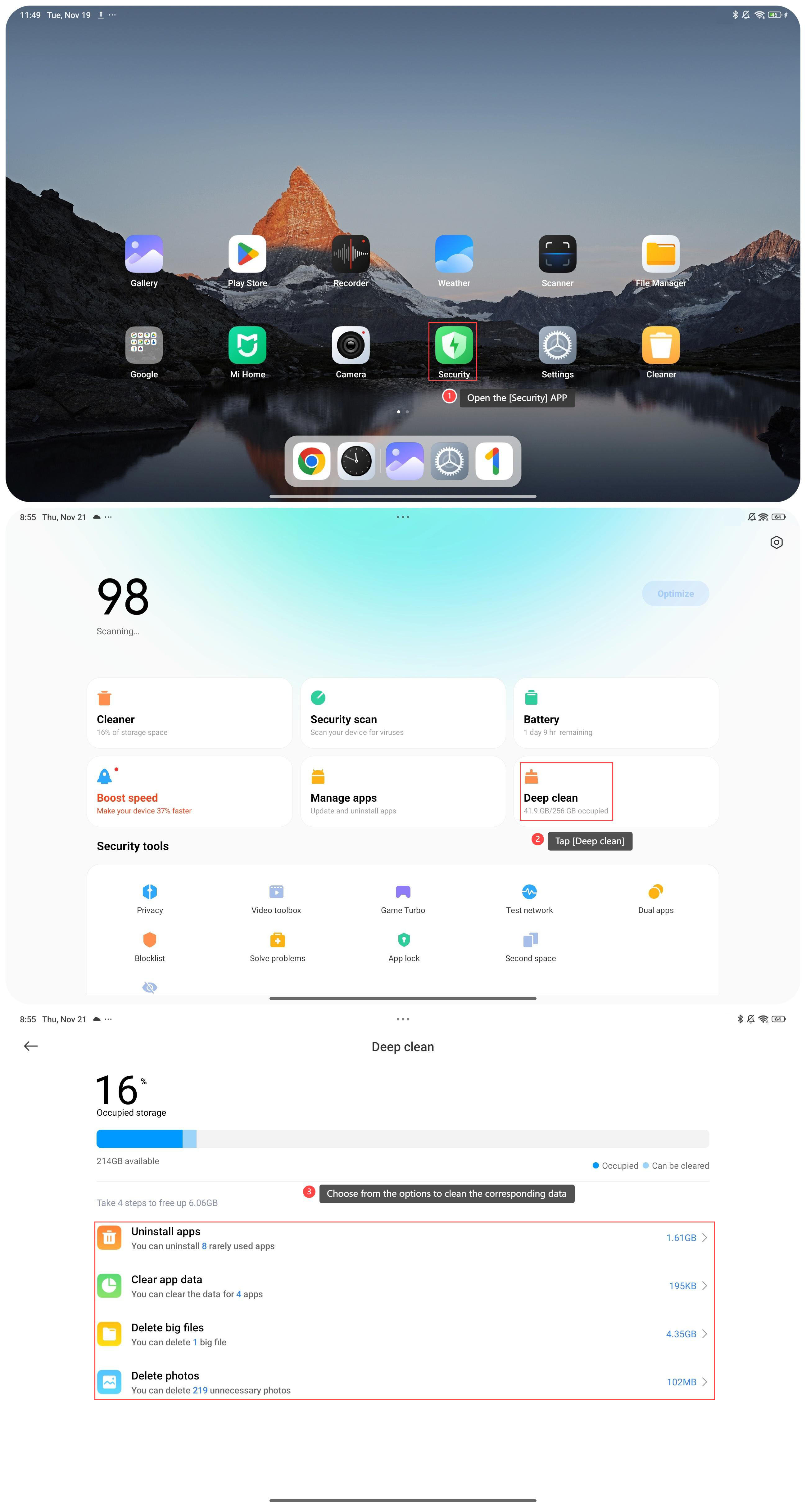
1. Open the [Security] APP;
2. Tap [Deep clean];
3. Choose from the options to clean the corresponding data.
Note:
1. Remember to back up important data before deleting files or uninstalling APPs to avoid accidental data loss;
2. Consider using cloud storage services to store files like photos and videos. This can free up local storage space.
To perform Deep clean, please refer to the following methods:
Method 1:
1. Go to the [Settings] APP on your tablet;
2. Tap [About tablet];
3. Tap [Storage], in which you can see storage details;
4. Select [Deep clean];
5. Choose from the options to clean the corresponding data.
Method 2:
1. Open the [Security] APP;
2. Tap [Deep clean];
3. Choose from the options to clean the corresponding data.
Note:
1. Remember to back up important data before deleting files or uninstalling APPs to avoid accidental data loss;
2. Consider using cloud storage services to store files like photos and videos. This can free up local storage space.
Does it help?
Yes
No