

How to download the system updates of the Redmi Pad Pro 5G automatically?
When the Download automatically feature is enabled on the Redmi Pad Pro 5G, it will check for new system versions and download them automatically in the background when the device is connected to Wi-Fi.
To turn on/off Download automatically on your device, please refer to the following steps:
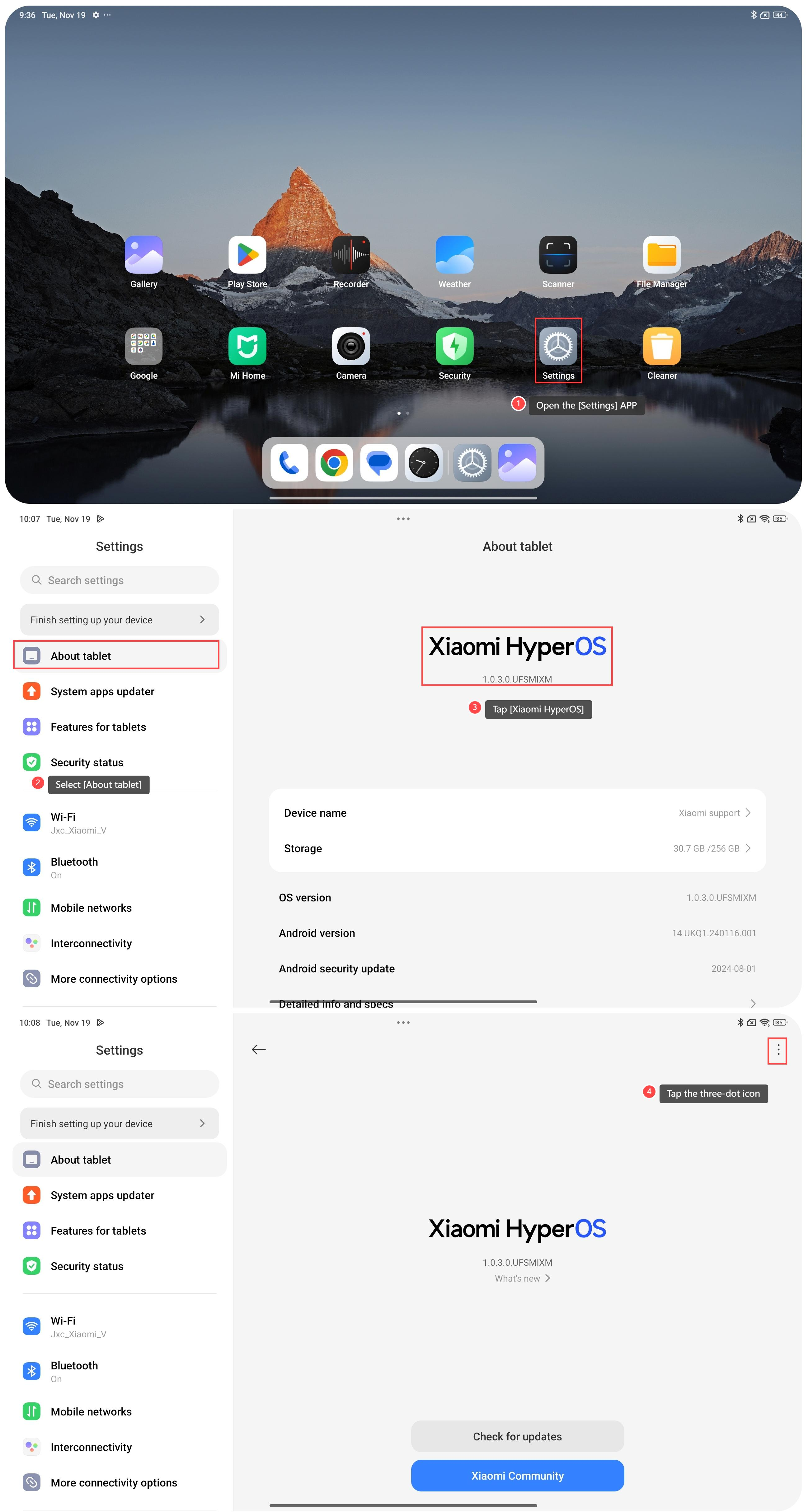
1. Open the [Settings] APP on your tablet;
2. Select [About tablet];
3. Tap [Xiaomi HyperOS];
4. Tap the three-dot icon at the upper right corner;
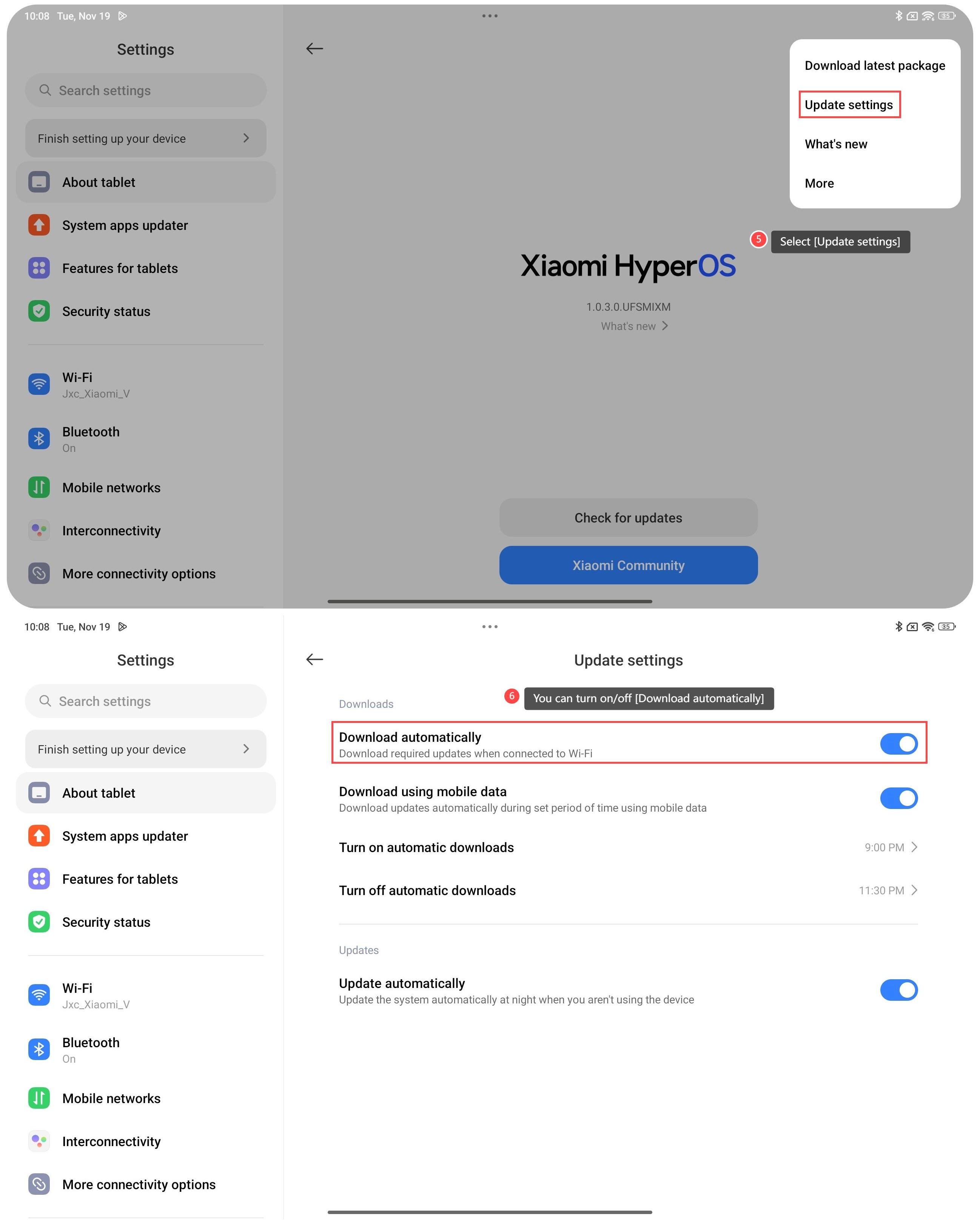
5. Select [Update settings];
6. You can turn on/off [Download automatically].
Note:
1. Ensure your tablet is connected to a stable Wi-Fi network. This ensures a stable and faster download of updates;
2. Make sure your tablet has a sufficient battery level before initiating the update. It’s recommended to have at least 50% battery during the update process;
3. Regularly check the available storage space on your tablet. Download automatically can fill up your tablet’s storage over time. Ensure that you have enough space for updates and new content.
To turn on/off Download automatically on your device, please refer to the following steps:
1. Open the [Settings] APP on your tablet;
2. Select [About tablet];
3. Tap [Xiaomi HyperOS];
4. Tap the three-dot icon at the upper right corner;
5. Select [Update settings];
6. You can turn on/off [Download automatically].
Note:
1. Ensure your tablet is connected to a stable Wi-Fi network. This ensures a stable and faster download of updates;
2. Make sure your tablet has a sufficient battery level before initiating the update. It’s recommended to have at least 50% battery during the update process;
3. Regularly check the available storage space on your tablet. Download automatically can fill up your tablet’s storage over time. Ensure that you have enough space for updates and new content.
Does it help?
Yes
No