

How to turn on Developer options on the Redmi Pad Pro?
The function of developer options on the Redmi Pad Pro is a specialized setting that allows you access to advanced tools and options beyond what's available in the standard interface. This feature is primarily intended for customizing, debugging, or optimizing the device.
To turn on Developer options on the Redmi Pad Pro, please refer to the following steps:
1. Go to [Settings];
2. Select [About tablet];
3. Tap [OS version] seven times in a row, and there’s a prompt that you are now a developer;
4. Go back to the [Settings] interface, scroll down and select [Additional settings];
5. Tap [Developer options] to modify the settings.
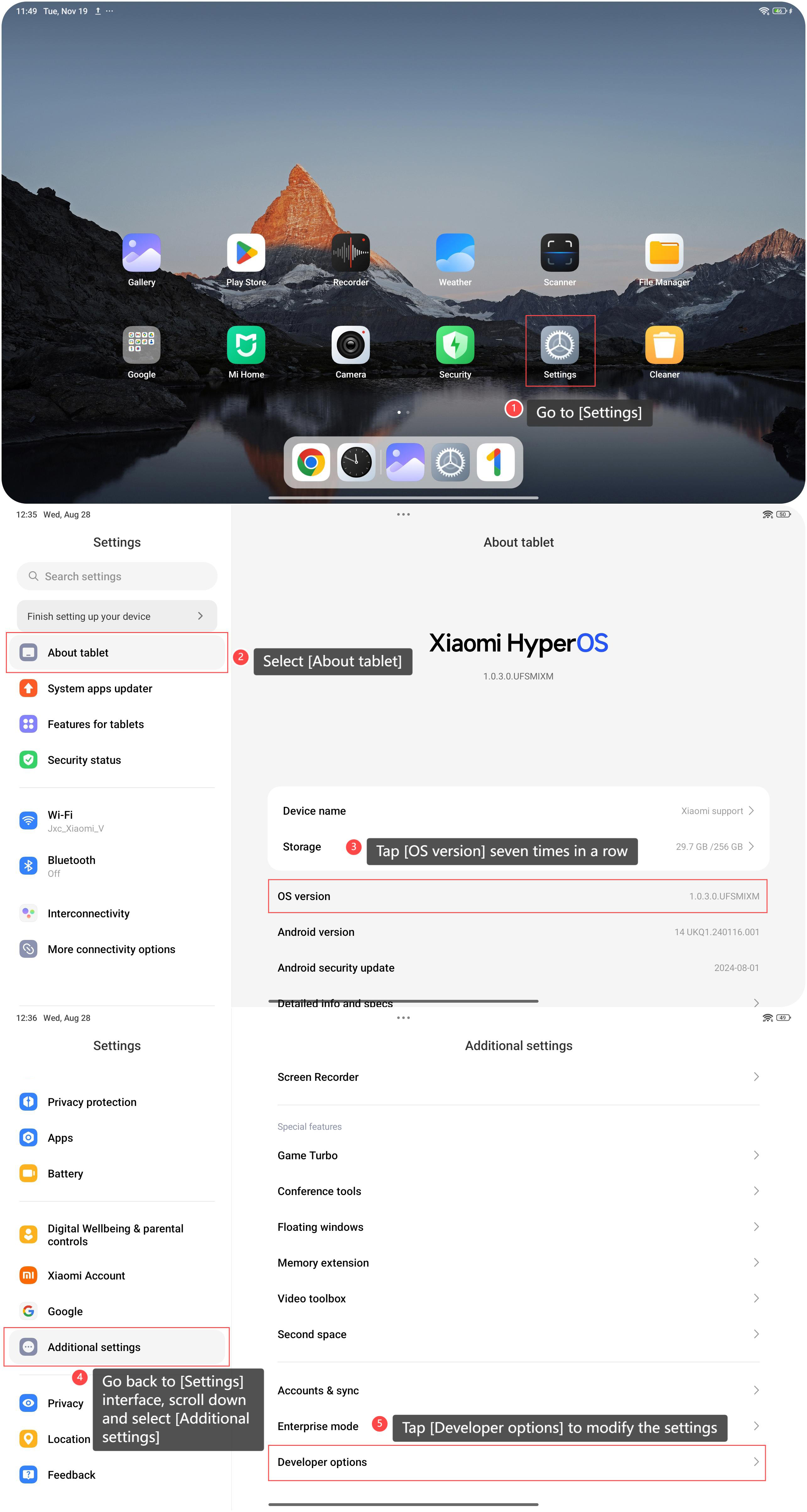
To turn on Developer options on the Redmi Pad Pro, please refer to the following steps:
1. Go to [Settings];
2. Select [About tablet];
3. Tap [OS version] seven times in a row, and there’s a prompt that you are now a developer;
4. Go back to the [Settings] interface, scroll down and select [Additional settings];
5. Tap [Developer options] to modify the settings.
Note:
Keep in mind that adjusting or managing Developer options needs technical knowledge, and modifying certain settings can impact the stability and performance of the device. Use it with caution and only make changes if you understand the implications.
Keep in mind that adjusting or managing Developer options needs technical knowledge, and modifying certain settings can impact the stability and performance of the device. Use it with caution and only make changes if you understand the implications.
Does it help?
Yes
No