

How to check the update logs on the Redmi Pad Pro?
The logs for the Redmi Pad Pro refer to the update history or change log, including details about software updates, such as new features, fixes, and performance improvements.
To check the update logs, please refer to the following methods:
Method 1:
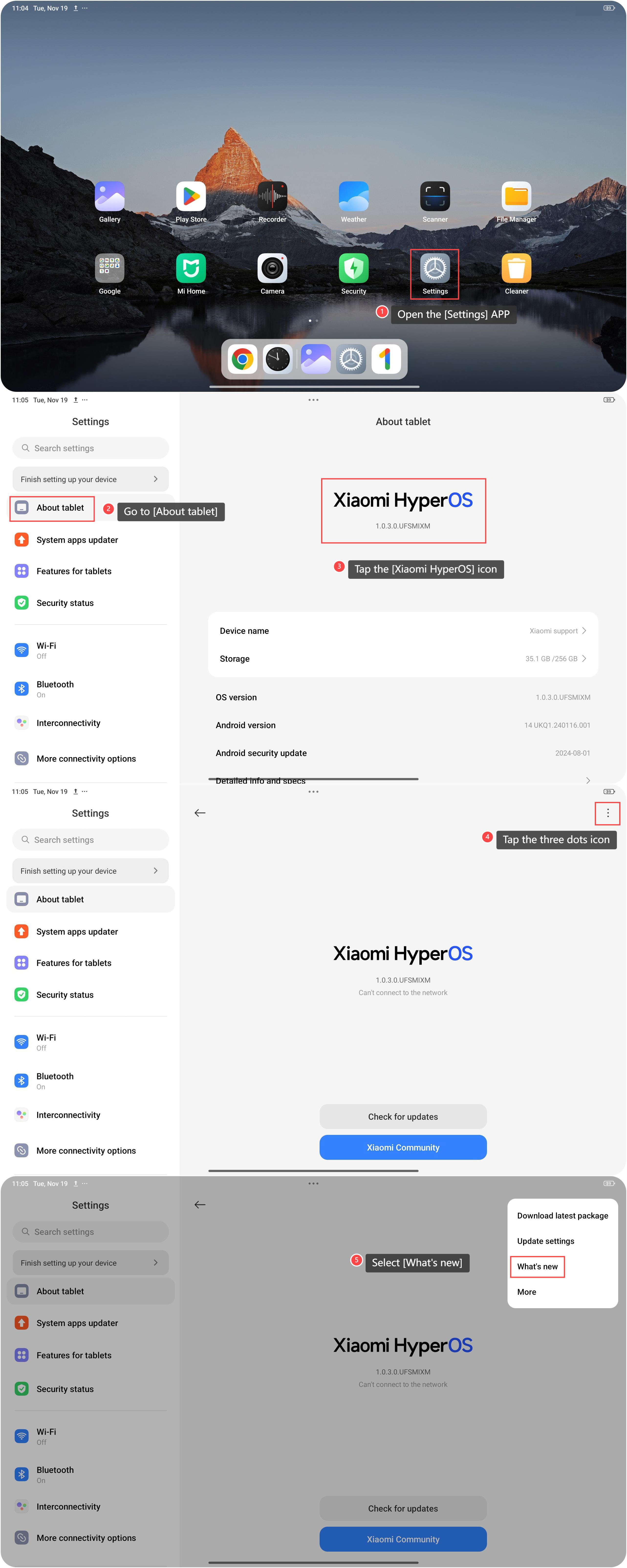
1. Open the [Settings] APP on your device. You can find the gear icon on your home screen or in your APP drawer;
2. Go to [About tablet];
3. Tap the [Xiaomi HyperOS] icon;
4. Tap the three dots icon in the upper right corner;
5. Select [What’s new], and you can see the latest update logs.
Method 2:
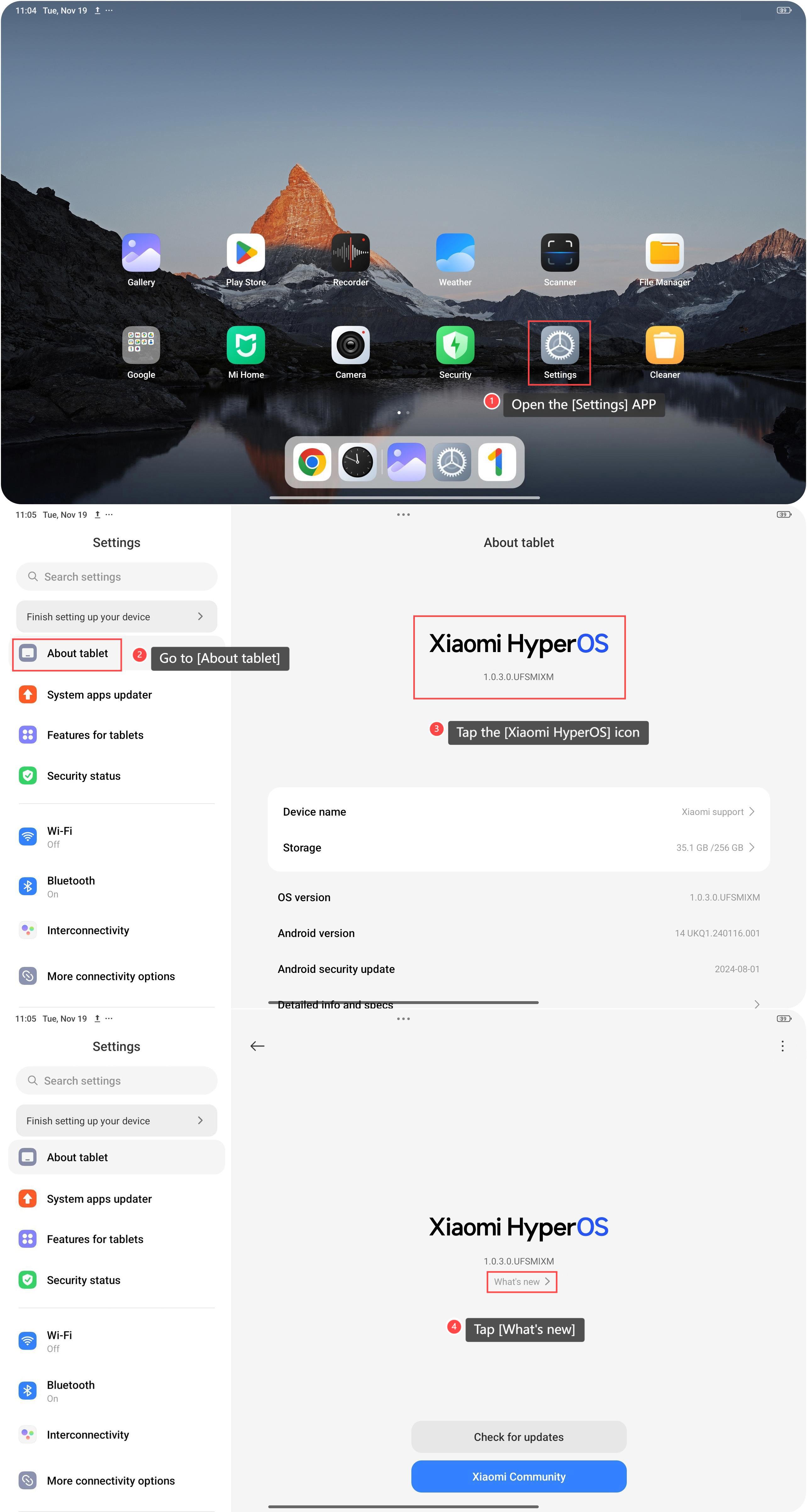
1. Open the [Settings] APP on your device;
2. Go to [About tablet];
3. Tap the [Xiaomi HyperOS] icon;
4. Tap [What’s new] on this interface, then you can see the latest update logs.
Friendly tips:
1. By reviewing the log contents, you can determine the urgency of an update. For instance, security updates need to be prioritized, while less critical improvements can be postponed;
2. The log can also provide information about the update package size or required resources, helping you decide whether to proceed based on your current situation;
3. If you previously encountered certain issues, the fixes mentioned in the log can help confirm whether those problems have been resolved.
To check the update logs, please refer to the following methods:
Method 1:
1. Open the [Settings] APP on your device. You can find the gear icon on your home screen or in your APP drawer;
2. Go to [About tablet];
3. Tap the [Xiaomi HyperOS] icon;
4. Tap the three dots icon in the upper right corner;
5. Select [What’s new], and you can see the latest update logs.
Method 2:
1. Open the [Settings] APP on your device;
2. Go to [About tablet];
3. Tap the [Xiaomi HyperOS] icon;
4. Tap [What’s new] on this interface, then you can see the latest update logs.
Friendly tips:
1. By reviewing the log contents, you can determine the urgency of an update. For instance, security updates need to be prioritized, while less critical improvements can be postponed;
2. The log can also provide information about the update package size or required resources, helping you decide whether to proceed based on your current situation;
3. If you previously encountered certain issues, the fixes mentioned in the log can help confirm whether those problems have been resolved.
Does it help?
Yes
No