

How to lock or unlock the Redmi Pad Pro using smart cover?
The Redmi Pad Pro supports the function of smart cover, which can protect the screen from scratches, serve as a stand for easier viewing and typing, and can automatically wake or sleep the tablet when opened or closed, saving your time and energy. Additionally, with a sleek design, the portability will be enhanced without adding bulk.
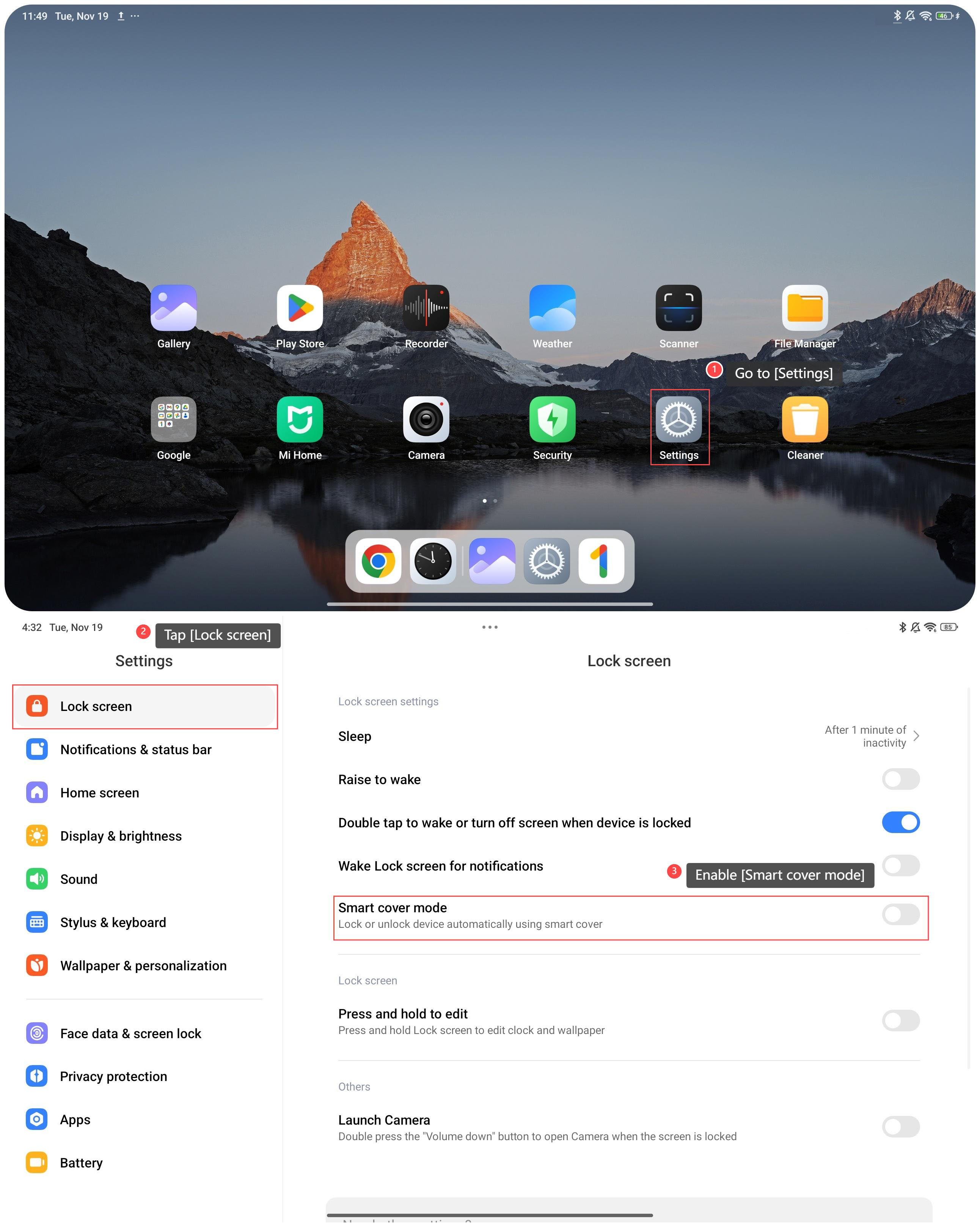
To lock or unlock the tablet using smart cover, please refer to the following steps:
1. Go to [Settings];
2. Swipe down to find and tap [Lock screen];
3. Enable [Smart cover mode] and the device will be locked or unlocked automatically using smart cover.
To lock or unlock the tablet using smart cover, please refer to the following steps:
1. Go to [Settings];
2. Swipe down to find and tap [Lock screen];
3. Enable [Smart cover mode] and the device will be locked or unlocked automatically using smart cover.
Does it help?
Yes
No