

How to enable background running permissions of the Xiaomi Smart Band 9 Active in the Mi Fitness APP?
If the Xiaomi Smart Band 9 Active shows disconnection, it can be caused by the Mi Fitness APP being cleared in the background. So it is important to enable all background running permissions of the APP and keep it running in the background.
For your reference, here are two setting paths:
1. After the device and APP are connected for the first time, tap the [Settings] option;
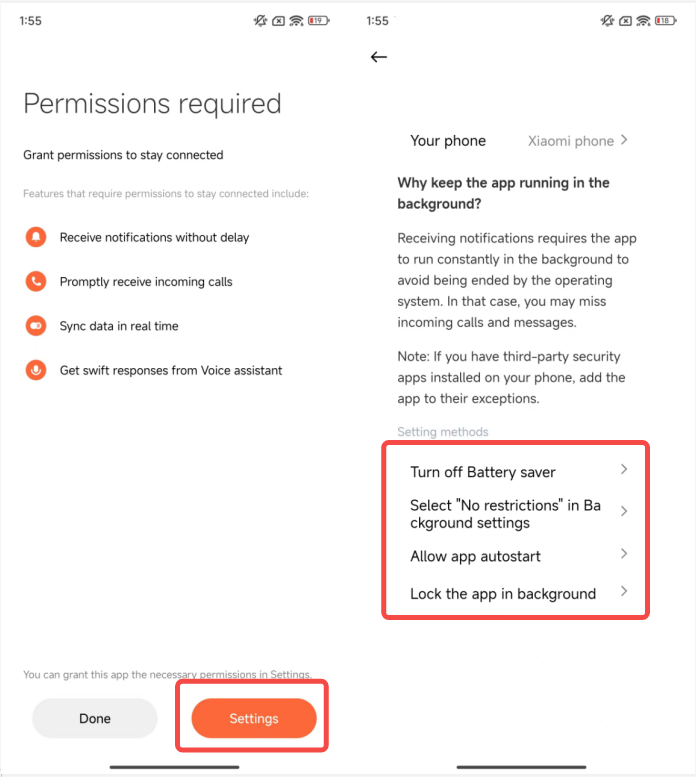
2. After pairing, go to the Mi Fitness APP >> [Device] >> [Notifications and calls] >> enable background running permissions and follow the instructions. Select the setting method and check whether the permissions of [Turn off Battery saver], [Select "No restrictions" in Background settings], [Allow app autostart], and [Lock the app in background] are all enabled.
For your reference, here are two setting paths:
1. After the device and APP are connected for the first time, tap the [Settings] option;
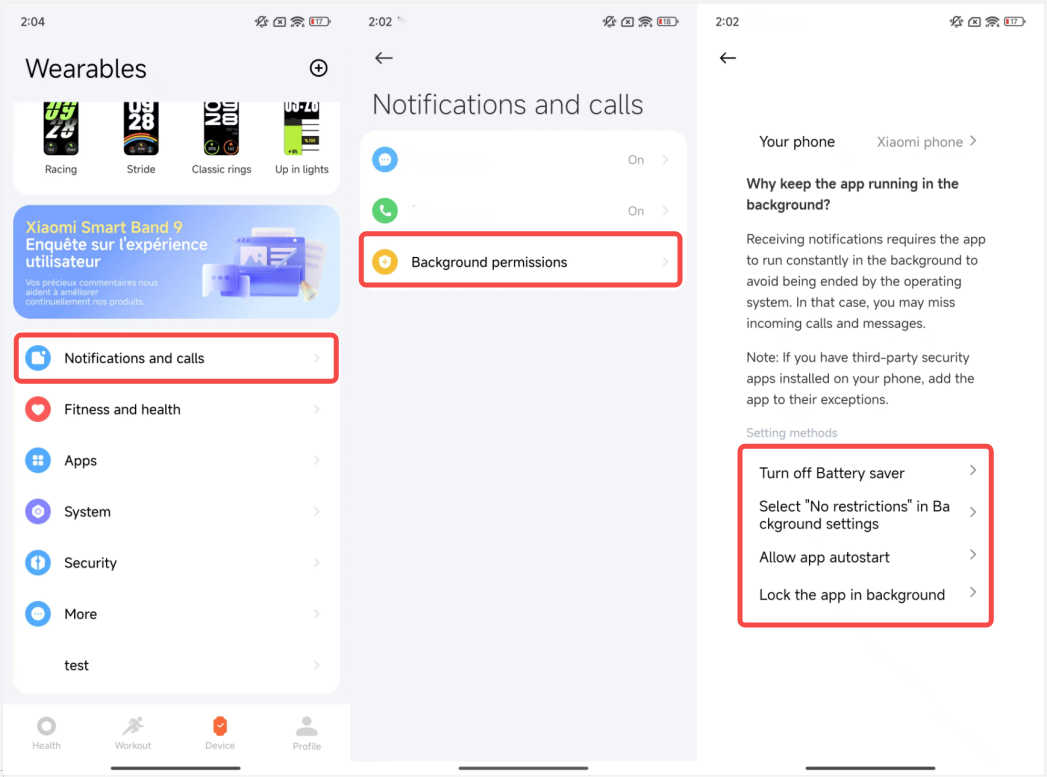
2. After pairing, go to the Mi Fitness APP >> [Device] >> [Notifications and calls] >> enable background running permissions and follow the instructions. Select the setting method and check whether the permissions of [Turn off Battery saver], [Select "No restrictions" in Background settings], [Allow app autostart], and [Lock the app in background] are all enabled.
Does it help?
Yes
No