

How to turn on conference tools bar on the Redmi Pad Pro?
The Redmi Pad Pro supports configuring conference tools bar, providing quick access to essential conferencing features like beautifying and subtitle transcription. You can easily switch between APPs during audio and video calls.
To turn on conference tools bar on your tablet, please refer to the following methods:
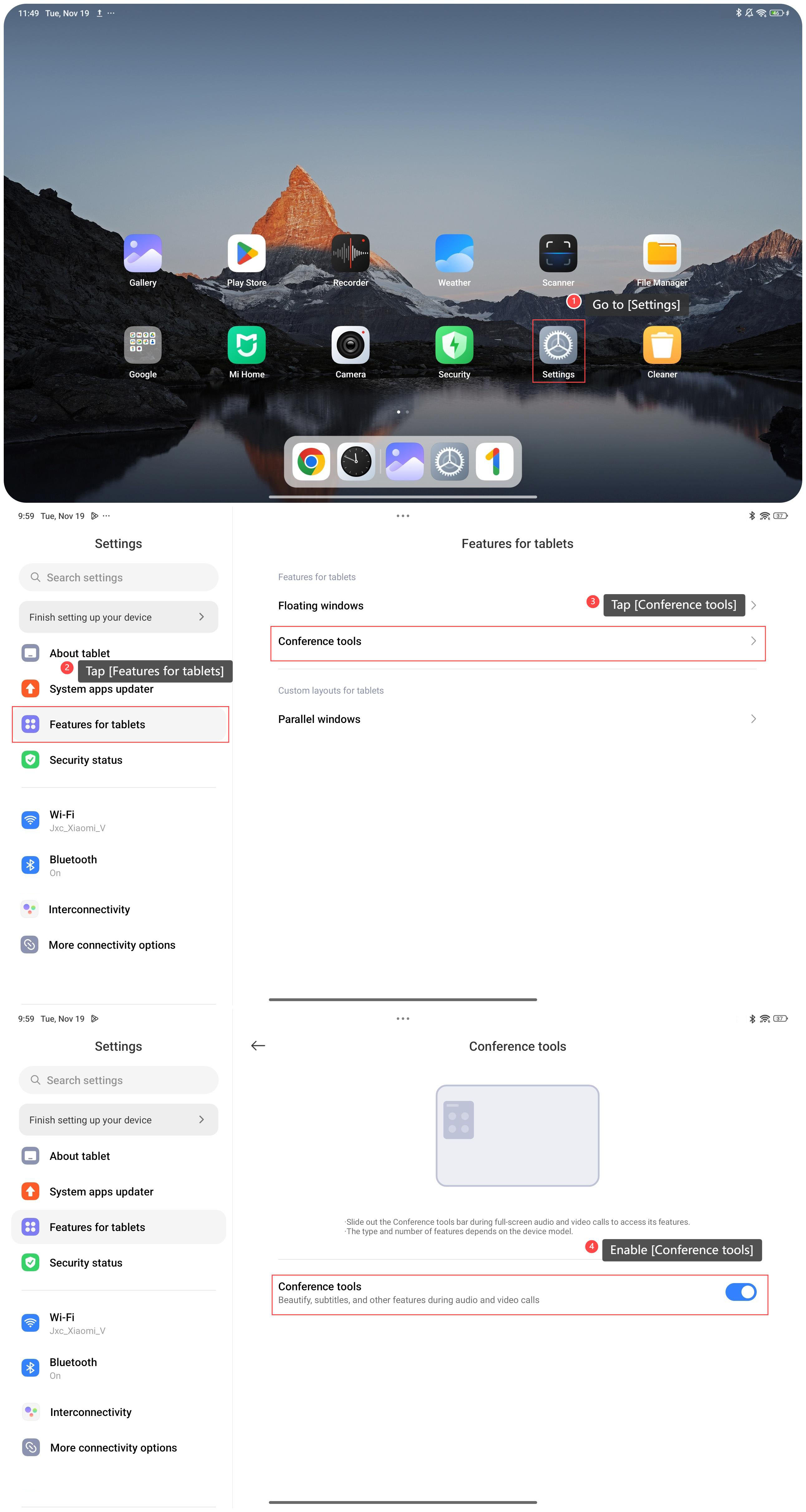
Method 1:
1. Go to [Settings];
2. Tap [Features for tablets];
3. Tap [Conference tools];
4. Enable [Conference tools].
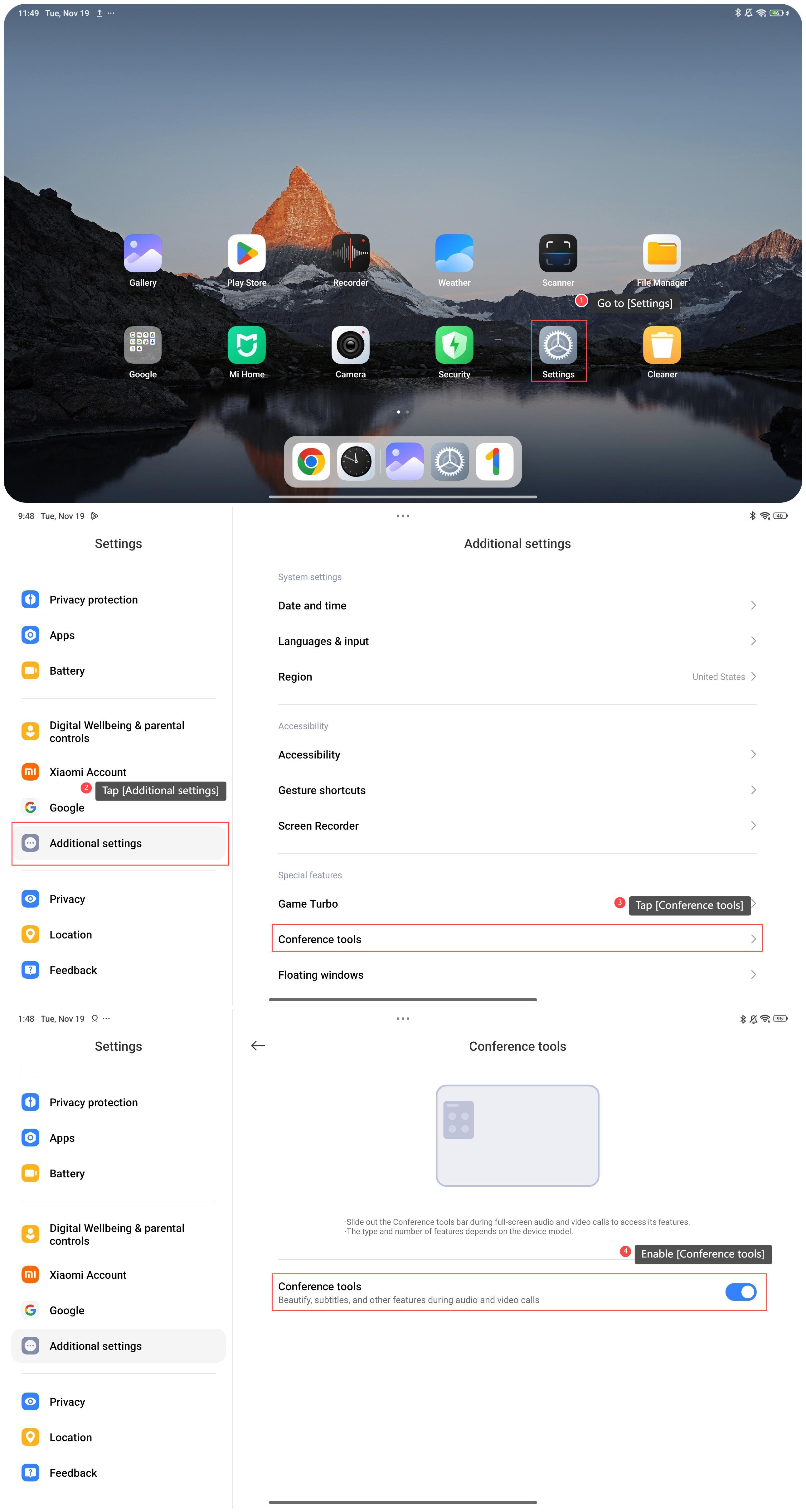
Method 2:
1. Go to [Settings];
2. Swipe down to find and tap [Additional settings];
3. Swipe down to find and tap [Conference tools];
4. Enable [Conference tools].
To turn on conference tools bar on your tablet, please refer to the following methods:
Method 1:
1. Go to [Settings];
2. Tap [Features for tablets];
3. Tap [Conference tools];
4. Enable [Conference tools].
Method 2:
1. Go to [Settings];
2. Swipe down to find and tap [Additional settings];
3. Swipe down to find and tap [Conference tools];
4. Enable [Conference tools].
Does it help?
Yes
No