

How to unbind the Xiaomi Smart Band 9 Active from an iPhone?
You can unbind the Xiaomi Smart Band 9 Active from the phone when you need to bind with a new wearable device. Unbinding and re-binding can also help resolve some connection problems when the band encounters issues such as failing to connect properly, frequent disconnections, or pairing failures.
Method 1:
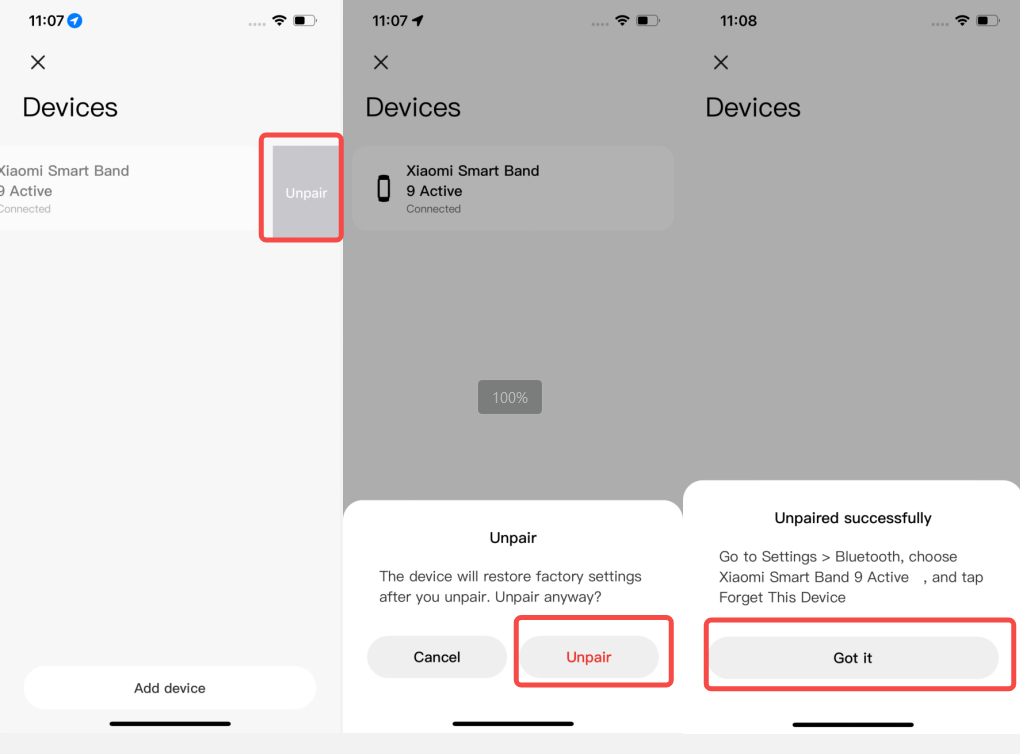
1. When the band and mobile phone are connected, open the Mi Fitness APP;
2. Go to [Device];
3. Tap [Wearables];
4. Swipe left to select [Unpair];
5. Tap [Unpair] to unbind, and the band will be restored to factory settings after unbinding.
Method 2:
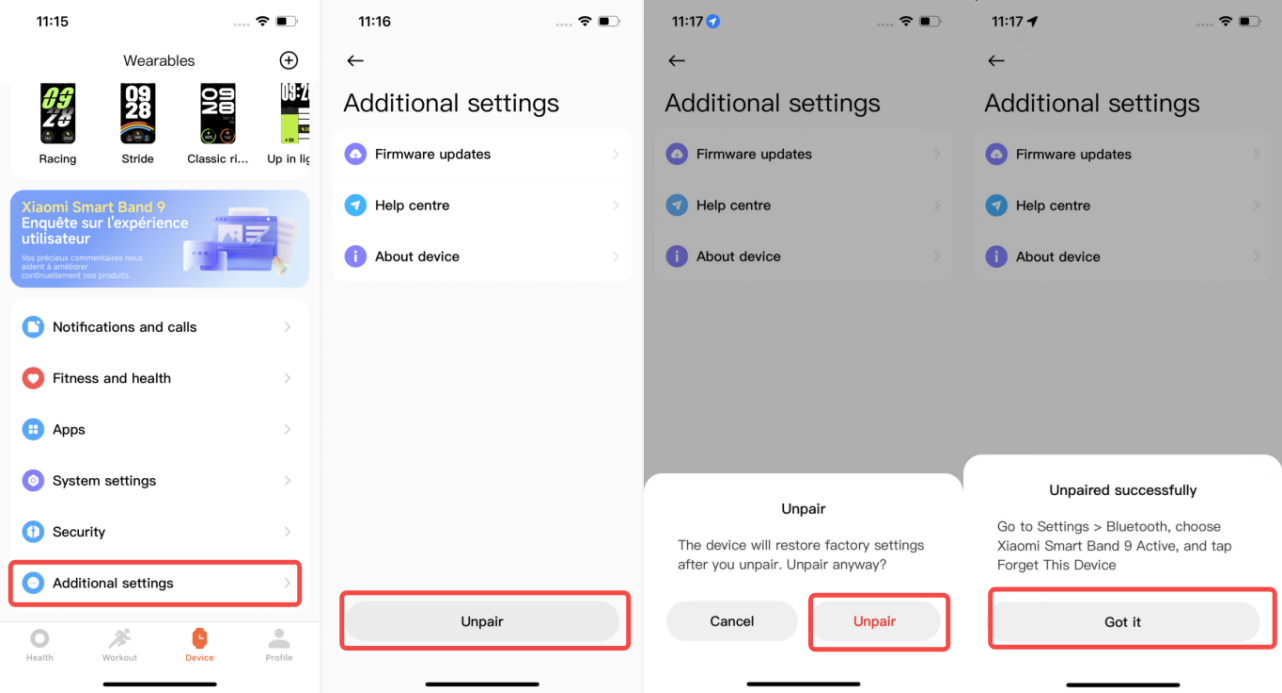
1. When the band and mobile phone are connected, open the Mi Fitness APP;
2. Go to [Device];
3. Scroll down to the bottom;
4. Select [Additional settings];
5. Tap [Unpair];
6. Tap [Unpair] again to unbind. After unbinding, the band will be restored to factory settings.
Note:
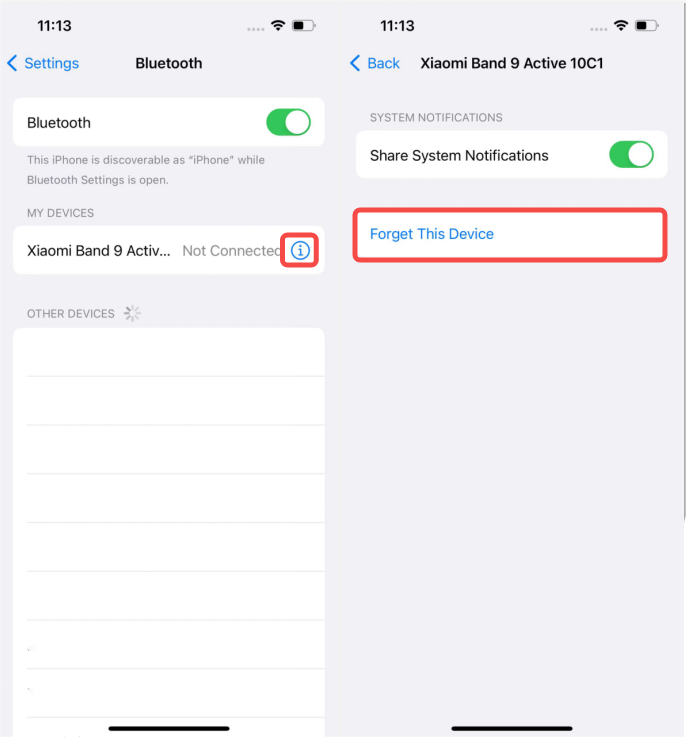
Before rebinding the same device next time in the Mi Fitness APP on iOS phones, you need to select the device in the system Bluetooth settings and tap [Forget This Device] first, as shown in the figure below, otherwise, the current device cannot be bound.
Method 1:
1. When the band and mobile phone are connected, open the Mi Fitness APP;
2. Go to [Device];
3. Tap [Wearables];
4. Swipe left to select [Unpair];
5. Tap [Unpair] to unbind, and the band will be restored to factory settings after unbinding.
Method 2:
1. When the band and mobile phone are connected, open the Mi Fitness APP;
2. Go to [Device];
3. Scroll down to the bottom;
4. Select [Additional settings];
5. Tap [Unpair];
6. Tap [Unpair] again to unbind. After unbinding, the band will be restored to factory settings.
Note:
Before rebinding the same device next time in the Mi Fitness APP on iOS phones, you need to select the device in the system Bluetooth settings and tap [Forget This Device] first, as shown in the figure below, otherwise, the current device cannot be bound.
Does it help?
Yes
No