

How to unbind the Xiaomi Smart Band 9 Active from an Android phone?
You can unbind the Xiaomi Smart Band 9 Active from the phone when you need to bind with a new wearable device. Unbinding and re-binding can also help resolve some connection problems when the band encounters issues such as failing to connect properly, frequent disconnections, or pairing failures.
Method 1:
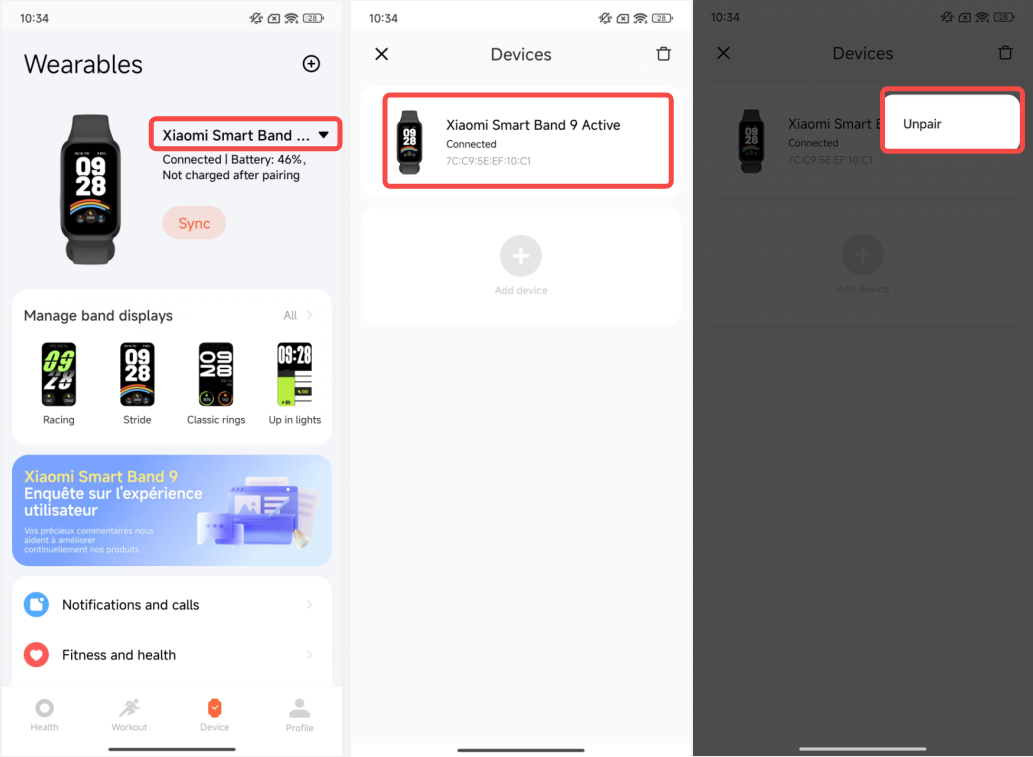
1. When the band is connected to the mobile phone, open the Mi Fitness APP;
2. Go to [Device];
3. Tap the triangle icon beside the device to view all devices;
4. Press and hold the current device;
5. Tap [Unpair] to unbind;
6. After unbinding, the band will be restored to factory settings.
Method 2:
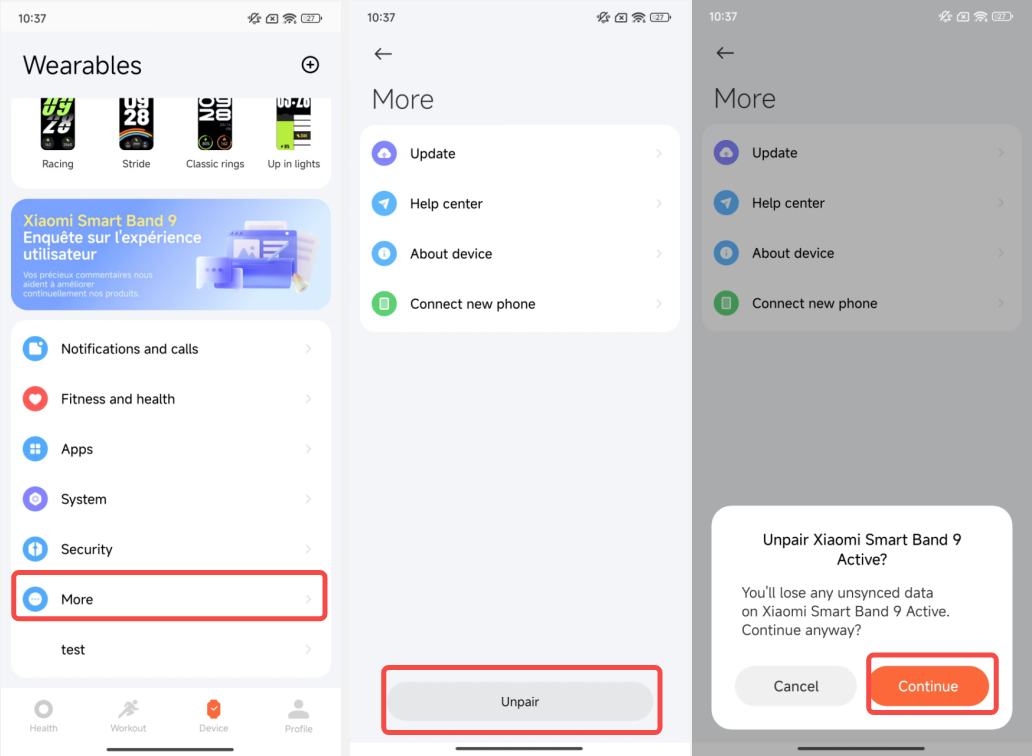
1. When the band is connected to the mobile phone, open the Mi Fitness APP;
2. Go to [Device];
3. Scroll to the bottom;
4. Select [More];
5. Tap [Unpair] to unbind;
6. After unbinding, the band will be restored to factory settings.
Note:
1. If you cannot find the band during the device adding process, or cannot connect to the band during use, please try to tap the [!] icon on the band waiting to be bound interface, select factory reset on the system operation interface, and then add the bound device again;
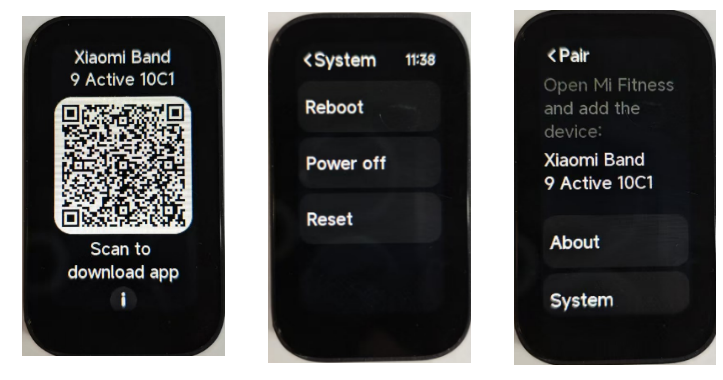
2. When the band is not bound, the screen will display "Scan to download app". You need to use the Mi Fitness APP to bind before you can use the band functions.
Method 1:
1. When the band is connected to the mobile phone, open the Mi Fitness APP;
2. Go to [Device];
3. Tap the triangle icon beside the device to view all devices;
4. Press and hold the current device;
5. Tap [Unpair] to unbind;
6. After unbinding, the band will be restored to factory settings.
Method 2:
1. When the band is connected to the mobile phone, open the Mi Fitness APP;
2. Go to [Device];
3. Scroll to the bottom;
4. Select [More];
5. Tap [Unpair] to unbind;
6. After unbinding, the band will be restored to factory settings.
Note:
1. If you cannot find the band during the device adding process, or cannot connect to the band during use, please try to tap the [!] icon on the band waiting to be bound interface, select factory reset on the system operation interface, and then add the bound device again;
2. When the band is not bound, the screen will display "Scan to download app". You need to use the Mi Fitness APP to bind before you can use the band functions.
Does it help?
Yes
No