

How to set up memory extension on the Redmi Pad Pro?
Memory extension is the built-in feature on the Redmi Pad Pro that allows the creation of additional RAM by using available storage space, allowing the device to handle more tasks simultaneously without slowing down.
To set up memory extension on your tablet, please refer to the following methods:
Method 1:
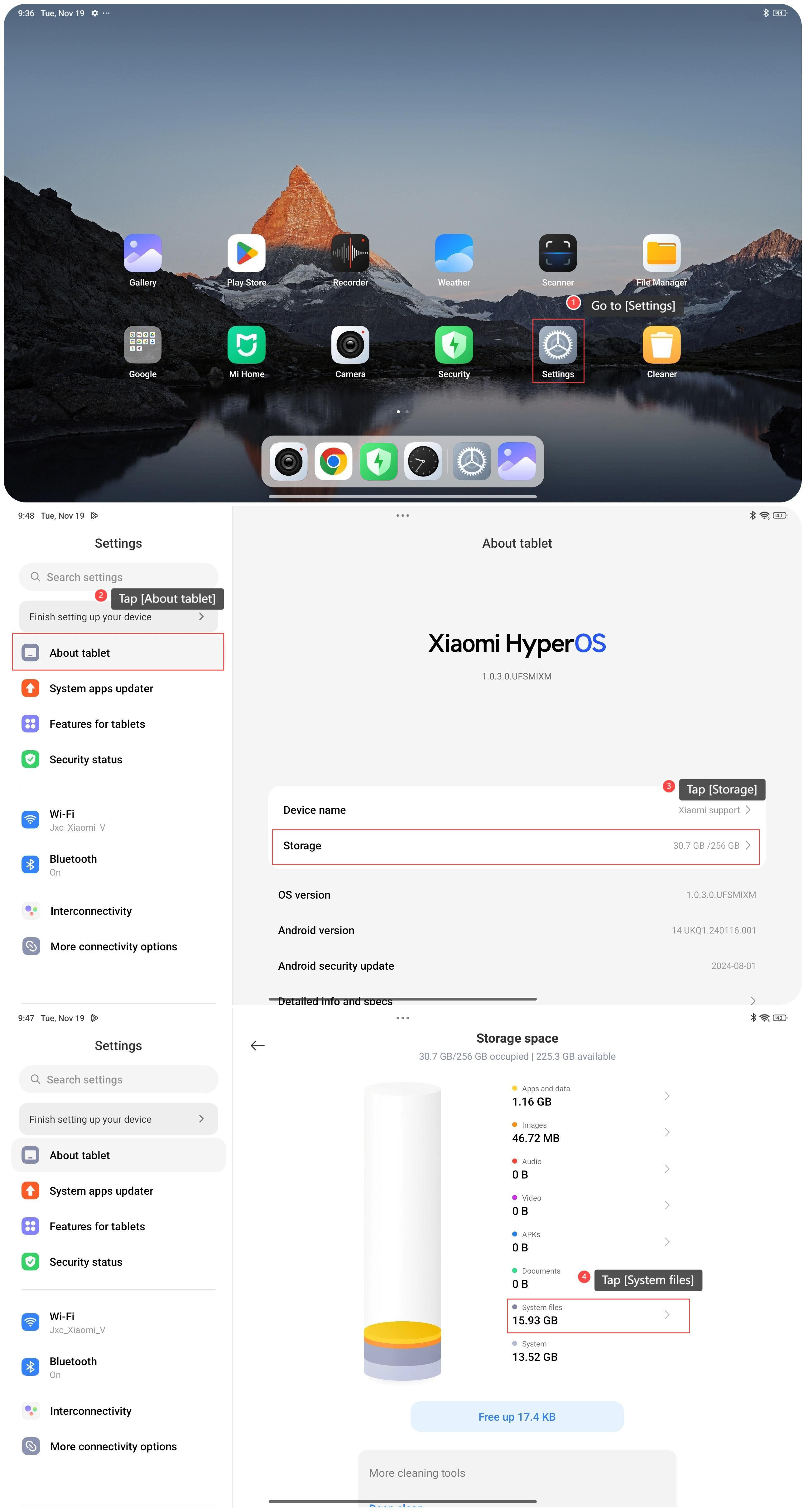
1. Go to [Settings];
2. Tap [About tablet];
3. Tap [Storage];
4. Tap [System files];
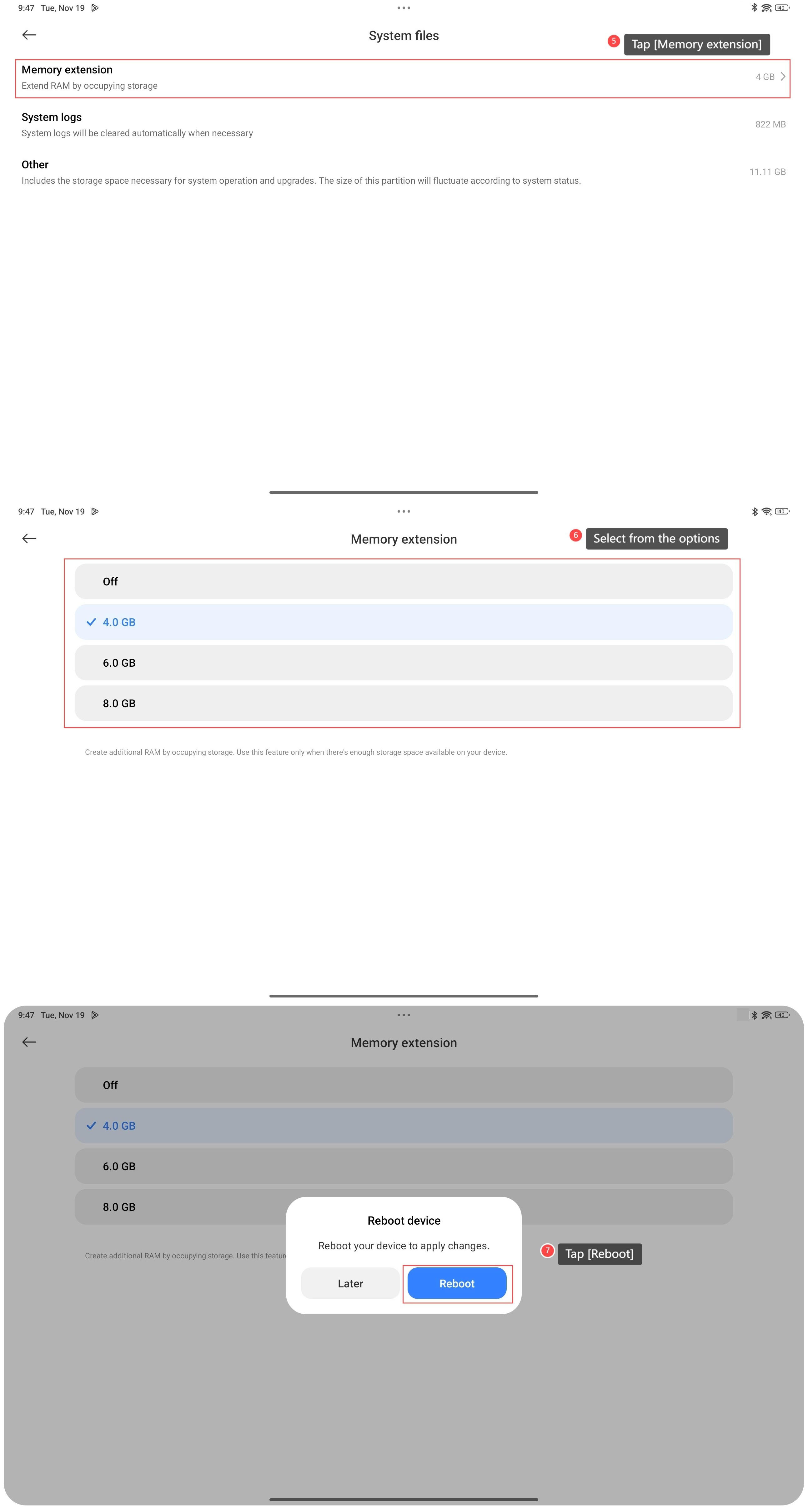
5. Tap [Memory extension];
6. Select the size you need to allocate additional storage for virtual RAM;
7. Tap [Reboot] to apply changes.
Method 2:
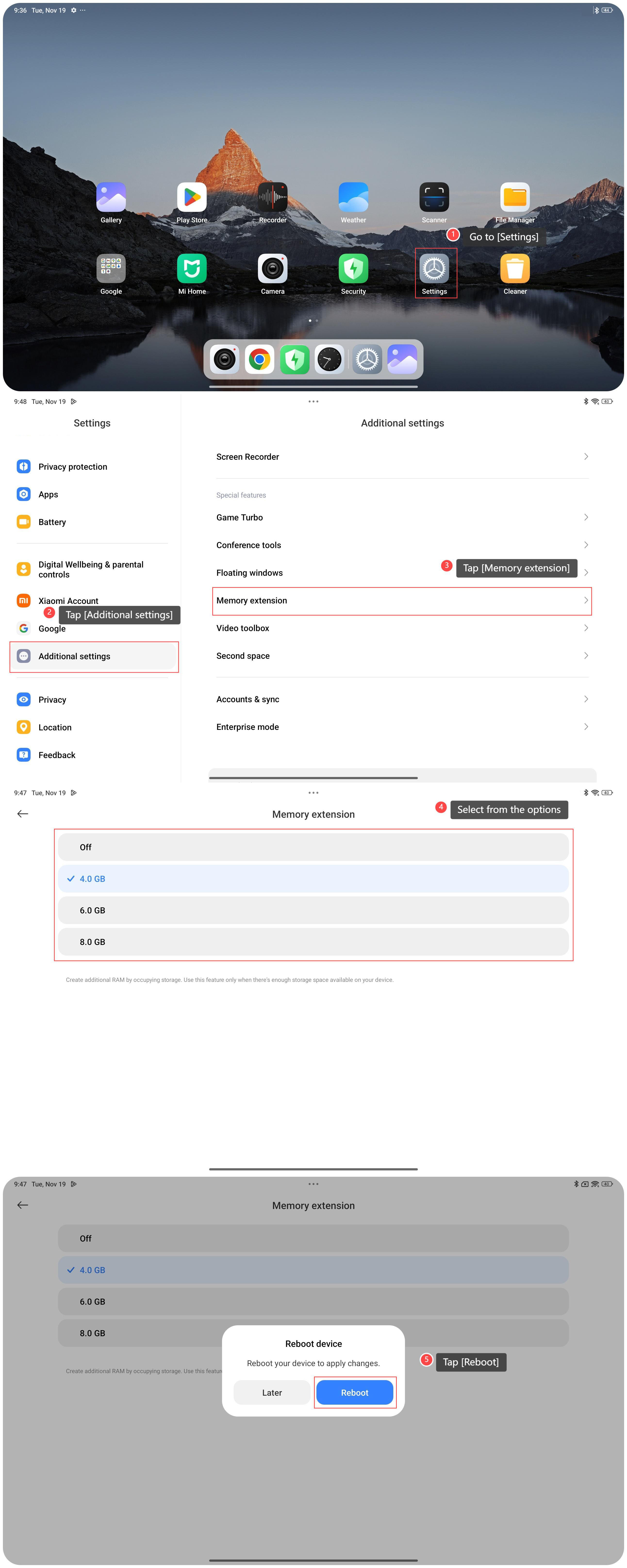
1. Go to [Settings];
2. Tap [Additional settings];
3. Tap [Memory extension];
4. Select the size you need to allocate additional storage for virtual RAM;
5. Tap [Reboot] to apply changes.
Note:
1. Use this feature only when there’s enough storage space available on your device. To enable this option you need 10% of the total space left;
2. This option will increase the amount of RAM available, but it will not be displayed in the background task management screen.
To set up memory extension on your tablet, please refer to the following methods:
Method 1:
1. Go to [Settings];
2. Tap [About tablet];
3. Tap [Storage];
4. Tap [System files];
5. Tap [Memory extension];
6. Select the size you need to allocate additional storage for virtual RAM;
7. Tap [Reboot] to apply changes.
Method 2:
1. Go to [Settings];
2. Tap [Additional settings];
3. Tap [Memory extension];
4. Select the size you need to allocate additional storage for virtual RAM;
5. Tap [Reboot] to apply changes.
Note:
1. Use this feature only when there’s enough storage space available on your device. To enable this option you need 10% of the total space left;
2. This option will increase the amount of RAM available, but it will not be displayed in the background task management screen.
Does it help?
Yes
No