

How to use the Movie mode on the camera of the Xiaomi 14T Pro?
The Xiaomi 14T Pro supports the Movie mode, which allows the camera to automatically focus on the subject of the video while shooting. When the subject changes, the focus automatically does too. And it supports both standard and wide-screen blur effects, you can adjust blur intensity to give your video a cinematic, depth-of-field effect.
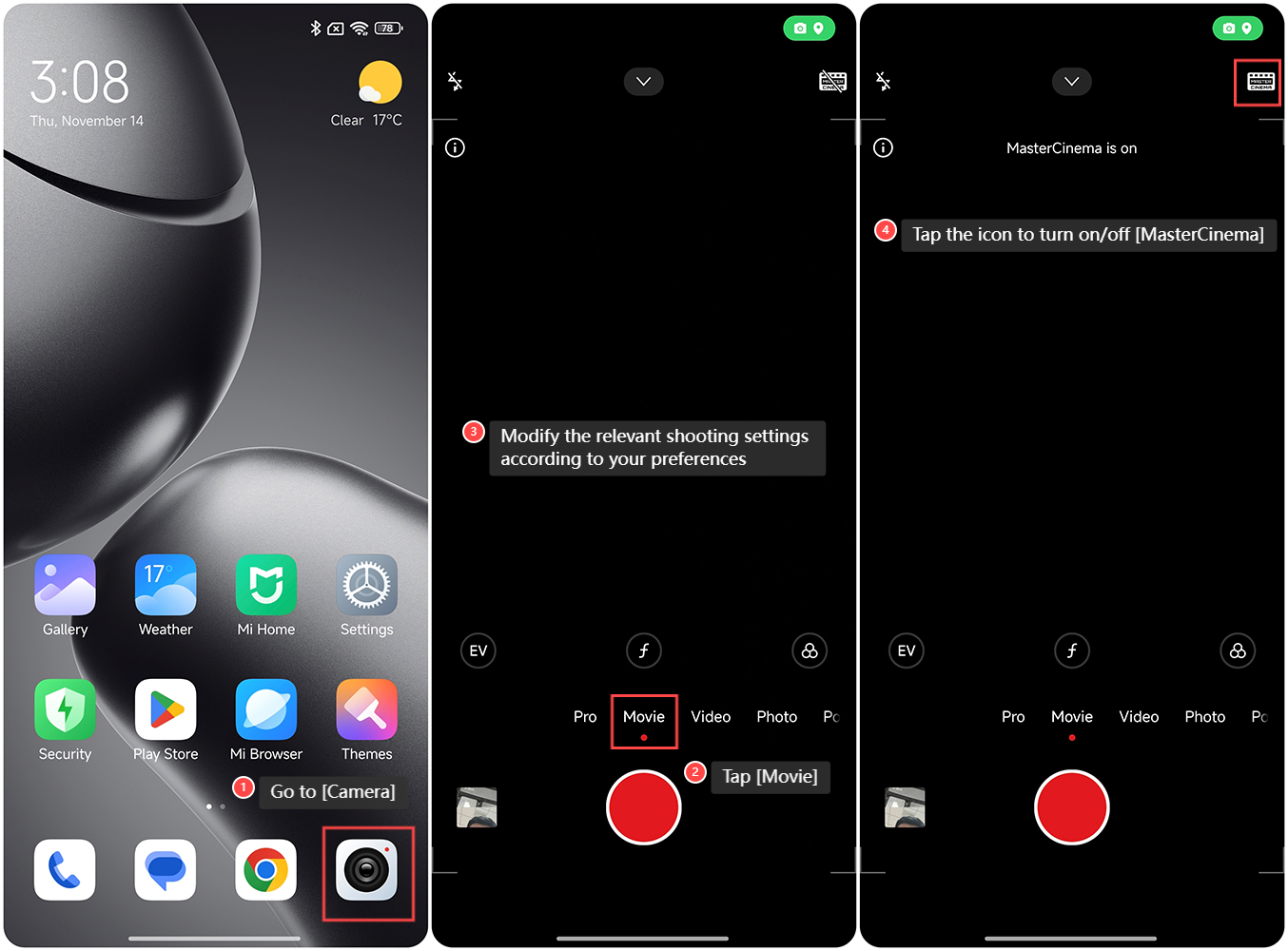
To use the Movie mode on the camera of the Xiaomi 14T Pro, please refer to the following steps:
1. Go to [Camera] on your phone;
2. Tap [Movie];
3. Modify the relevant shooting settings according to your preferences;
4. You can also tap the icon at the upper right corner of the screen to turn on/off [MasterCinema].
Note:
The Xiaomi 14T Pro's MasterCinema records high-dynamic-range videos in the 10-bit Rec.2020. It captures more details in both highlights and shadows, presenting them on HDR screens with a dynamic range that closely resembles human vision.
To use the Movie mode on the camera of the Xiaomi 14T Pro, please refer to the following steps:
1. Go to [Camera] on your phone;
2. Tap [Movie];
3. Modify the relevant shooting settings according to your preferences;
4. You can also tap the icon at the upper right corner of the screen to turn on/off [MasterCinema].
Note:
The Xiaomi 14T Pro's MasterCinema records high-dynamic-range videos in the 10-bit Rec.2020. It captures more details in both highlights and shadows, presenting them on HDR screens with a dynamic range that closely resembles human vision.
Does it help?
Yes
No