

How to switch the SIM to the 5G network on the Xiaomi 14T?
Once you switch the SIM to the 5G network on the Xiaomi 14T, your phone will prioritize the 5G network whenever it's available in the area. This will provide a more efficient and future-ready mobile experience with enhanced performance across various tasks.
To switch the SIM to the 5G network on the Xiaomi 14T, please refer to the following methods:
Method 1:
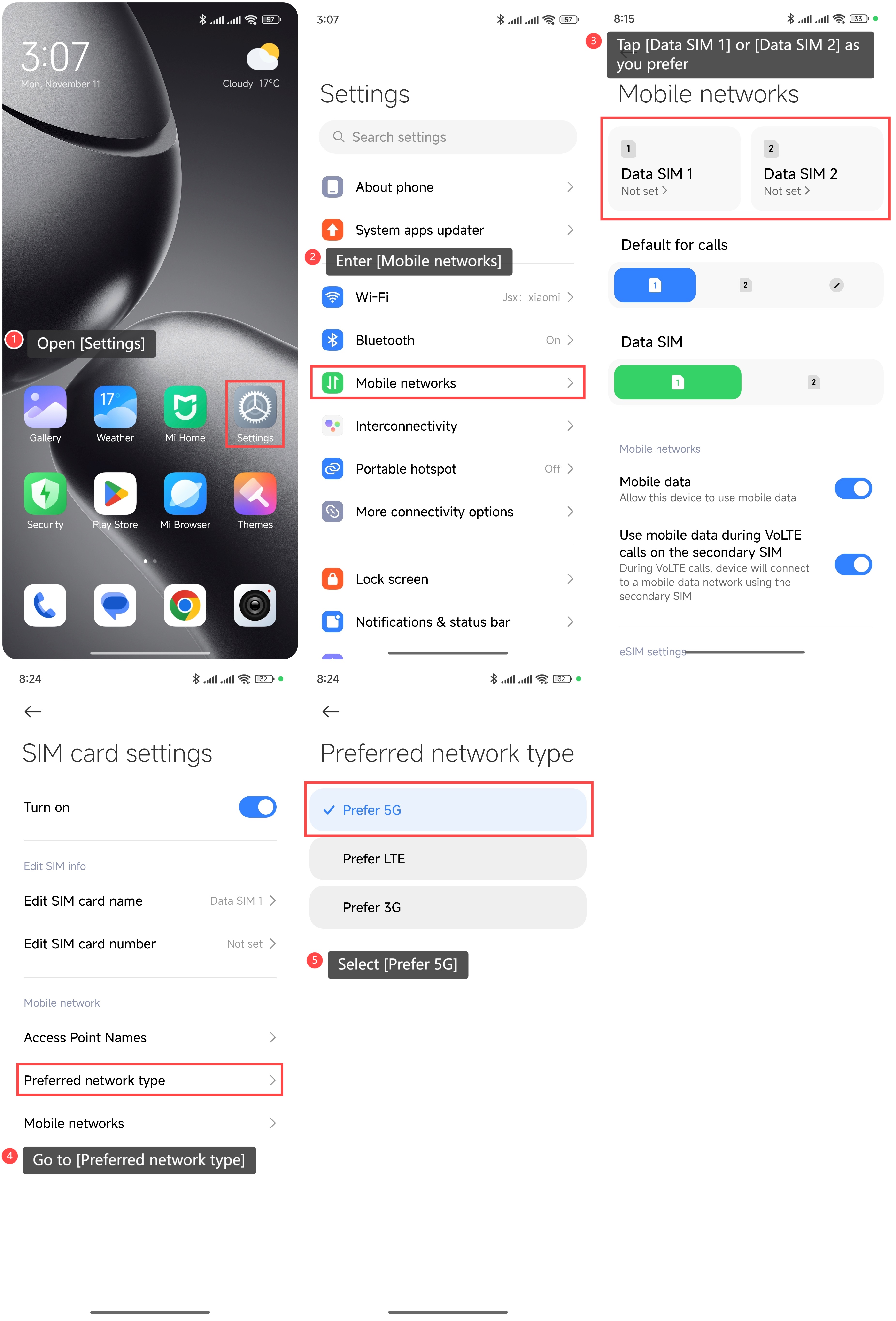
1. Open [Settings];
2. Enter [Mobile networks];
3. Tap [Data SIM 1] or [Data SIM 2] as you prefer;
4. Go to [Preferred network type];
5. Select [Prefer 5G].
Method 2:
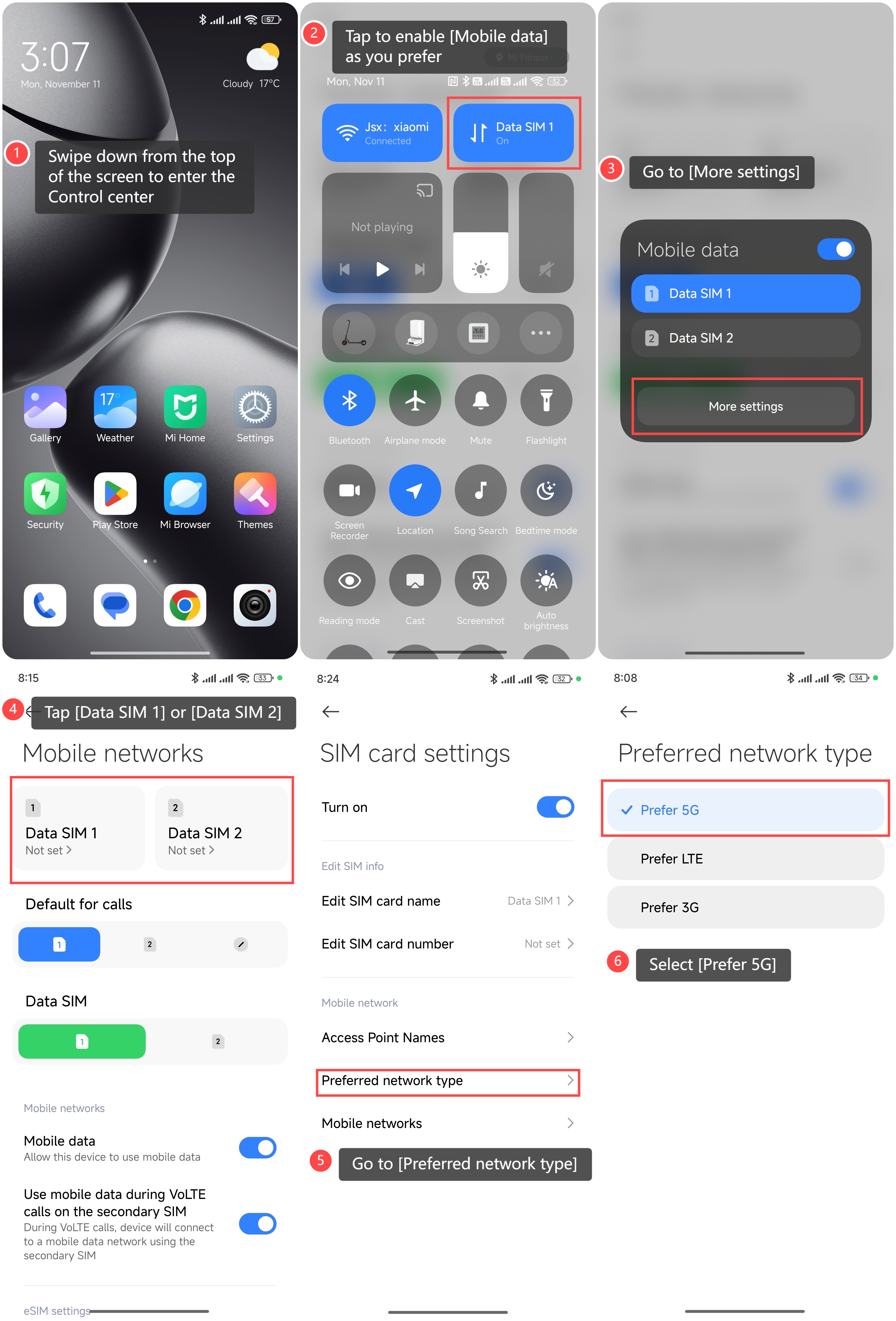
1. Swipe down from the top of the screen to enter the Control center;
2. Tap to enable [Mobile data] as you prefer;
3. Go to [More settings];
4. Tap [Data SIM 1] or [Data SIM 2];
5. Go to [Preferred network type];
6. Select [Prefer 5G].
To switch the SIM to the 5G network on the Xiaomi 14T, please refer to the following methods:
Method 1:
1. Open [Settings];
2. Enter [Mobile networks];
3. Tap [Data SIM 1] or [Data SIM 2] as you prefer;
4. Go to [Preferred network type];
5. Select [Prefer 5G].
Method 2:
1. Swipe down from the top of the screen to enter the Control center;
2. Tap to enable [Mobile data] as you prefer;
3. Go to [More settings];
4. Tap [Data SIM 1] or [Data SIM 2];
5. Go to [Preferred network type];
6. Select [Prefer 5G].
Does it help?
Yes
No