

How to turn on eSIM on the Xiaomi 14T Pro?
The eSIM (embedded SIM) on the Xiaomi 14T Pro is a digital SIM card that’s built directly into a device, allowing it to connect to a cellular network without needing a physical SIM card. Instead of inserting a SIM card, you can activate and manage your cellular plan electronically through the device settings. The advantages of eSIM technology include flexibility, convenience, space-saving design, and environmental benefits.
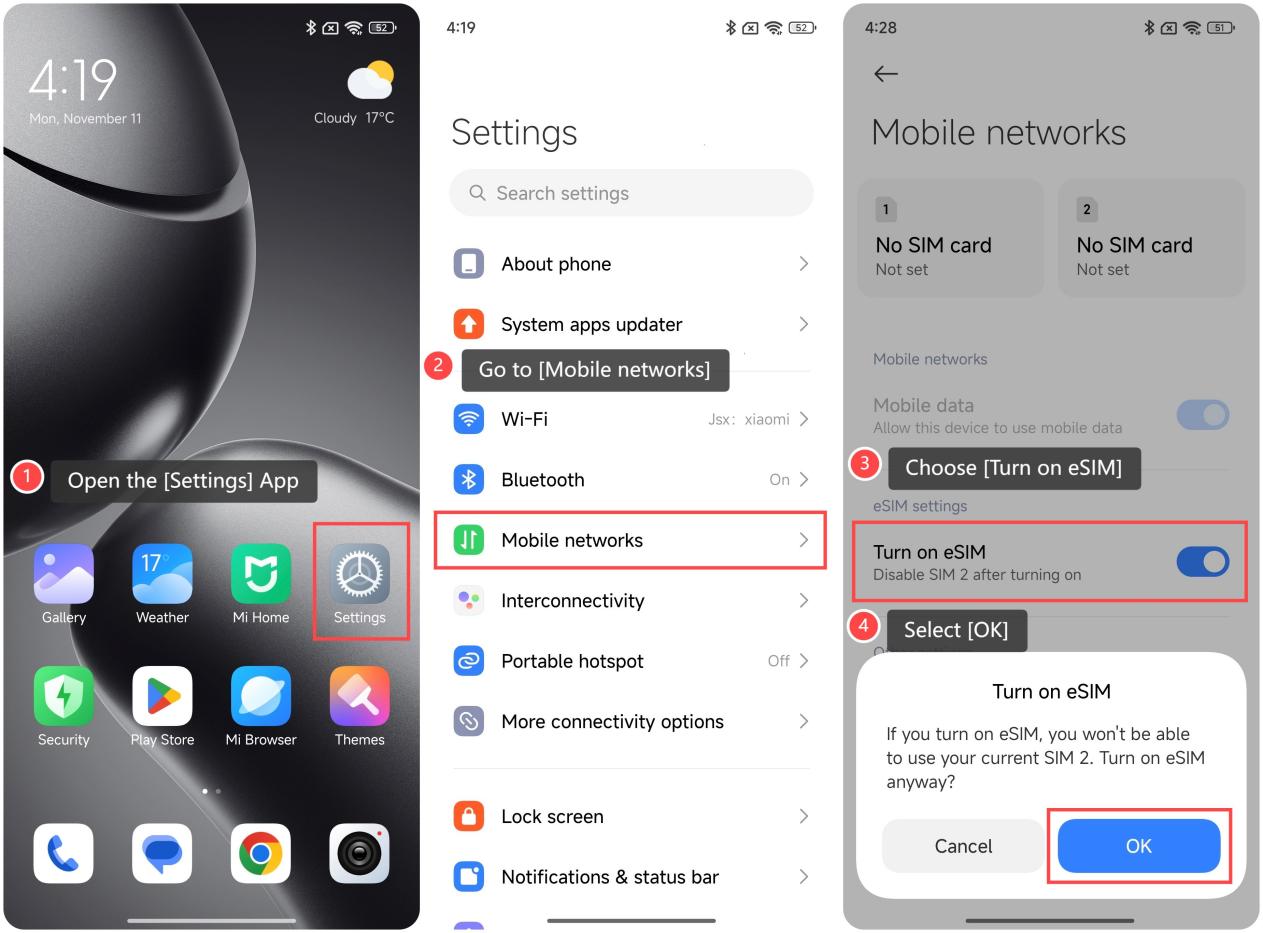
To turn on eSIM, please refer to the following steps:
1. Open the [Settings] App;
2. Go to [Mobile networks];
3. Choose [Turn on eSIM], then your phone will pop up an option;
4. Select [OK].
Friendly tips:
1. With an eSIM, switching carriers or plans is easy and can be done directly from the device settings. This can be useful for you to switch to a local network without needing to find and insert a new SIM card;
2. The eSIM technology removes the need for a physical SIM card slot, allowing slimmer device designs or space to add more features.
To turn on eSIM, please refer to the following steps:
1. Open the [Settings] App;
2. Go to [Mobile networks];
3. Choose [Turn on eSIM], then your phone will pop up an option;
4. Select [OK].
Friendly tips:
1. With an eSIM, switching carriers or plans is easy and can be done directly from the device settings. This can be useful for you to switch to a local network without needing to find and insert a new SIM card;
2. The eSIM technology removes the need for a physical SIM card slot, allowing slimmer device designs or space to add more features.
Does it help?
Yes
No