

How to turn on mobile data on the Xiaomi 14T?
Mobile data on the Xiaomi 14T is a wireless internet connection provided by a cellular network, enabling online activities without Wi-Fi. It lets you access the internet for web browsing, social media, streaming, navigation, and more.
To turn on mobile data, please refer to the following methods:
Method 1:
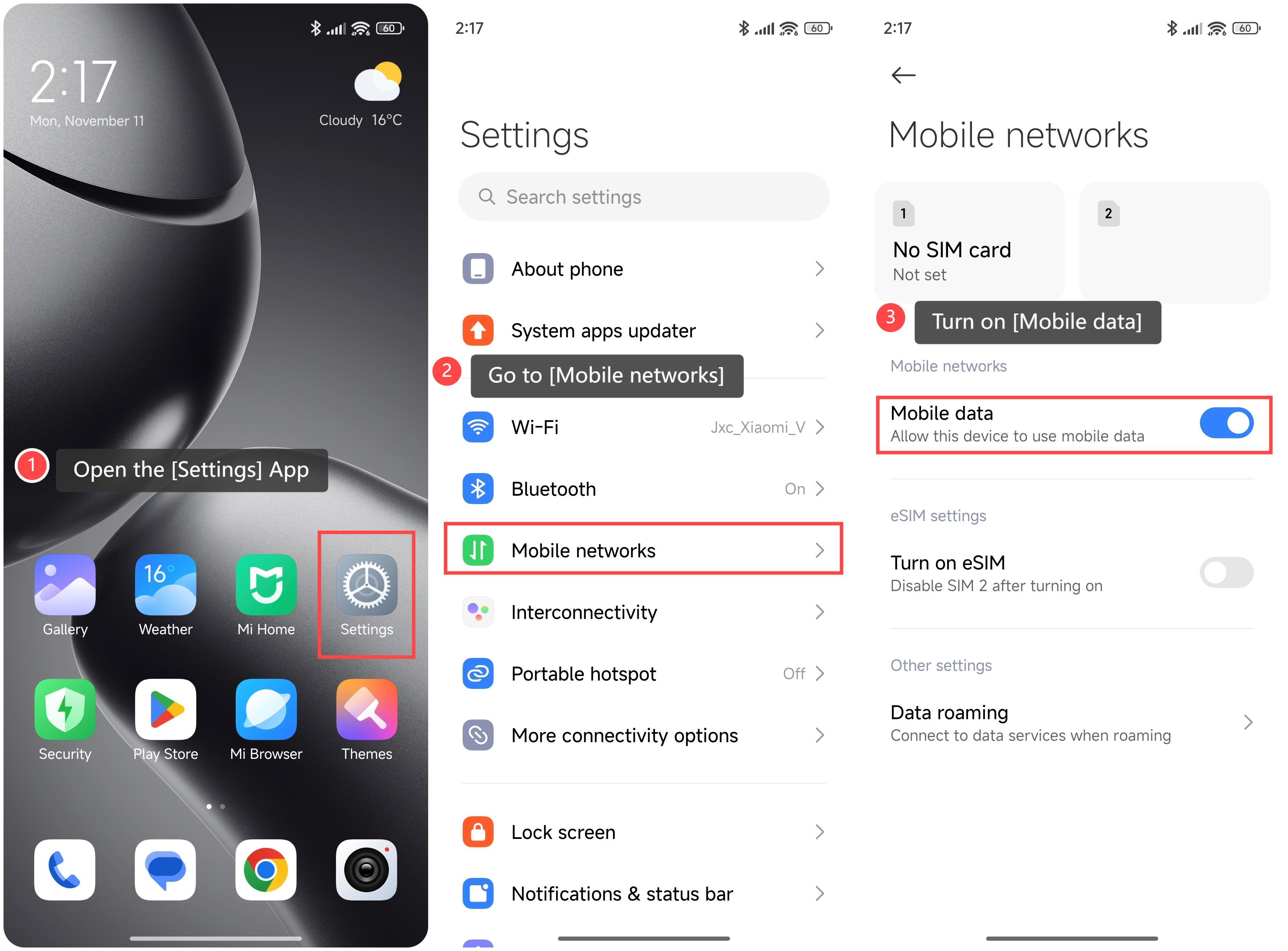
1. Open the [Settings] App;
2. Go to [Mobile networks];
3. Turn on [Mobile data].
Method 2:
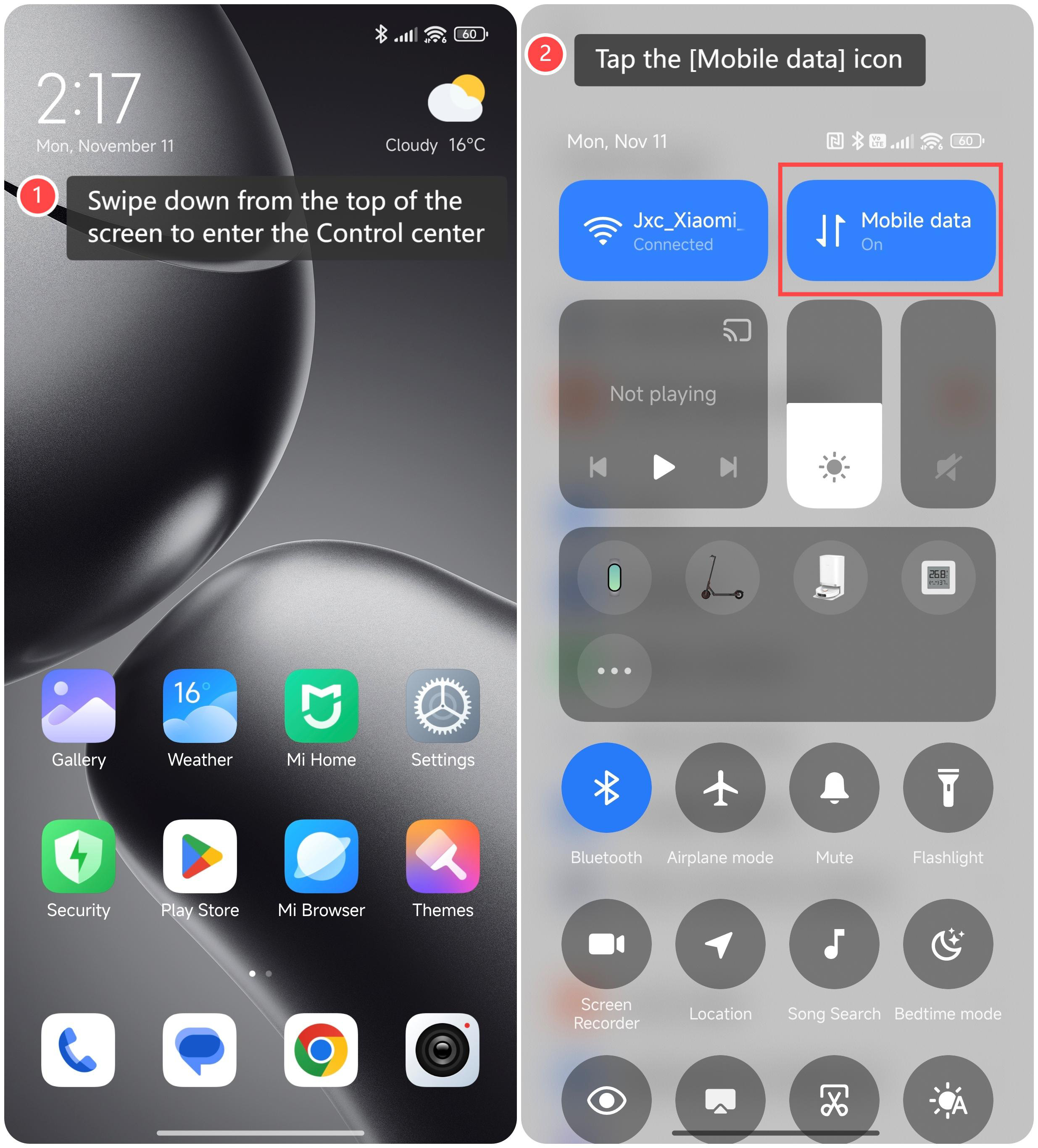
1. Swipe down from the top of the screen to enter the Control center;
2. Tap the [Mobile data] icon.
Friendly tips:
1. You’re not tied to a specific Wi-Fi network, giving you more flexibility to stay connected without needing a hot spot;
2. Mobile data traffic packages are operator-dependent and can be customized as you prefer.
To turn on mobile data, please refer to the following methods:
Method 1:
1. Open the [Settings] App;
2. Go to [Mobile networks];
3. Turn on [Mobile data].
Method 2:
1. Swipe down from the top of the screen to enter the Control center;
2. Tap the [Mobile data] icon.
Friendly tips:
1. You’re not tied to a specific Wi-Fi network, giving you more flexibility to stay connected without needing a hot spot;
2. Mobile data traffic packages are operator-dependent and can be customized as you prefer.
Does it help?
Yes
No