

How to turn on the Xiaomi Outdoor Camera CW500 Dual?
To turn on the Xiaomi Outdoor Camera CW500 Dual, you need to insert the power adapter cable into the power port and the camera will automatically turn on.
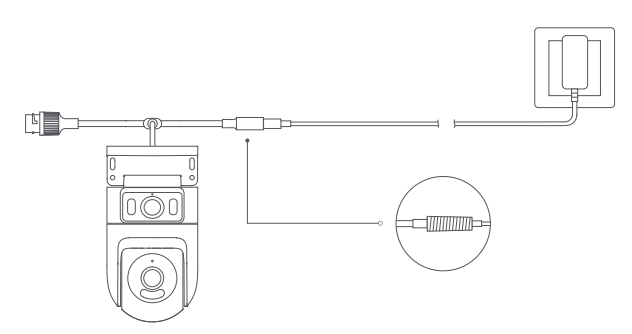
Note:
1. The camera is successfully turned on when the indicator is yellow and a voice prompt is heard;
2. Please make sure to use the original charging cable of the power adapter provided to connect the camera to avoid the camera not working properly. When the camera is turned on, don’t turn the dome camera lens manually to force it to rotate. If the positioning of the lens is inaccurate, please calibrate it in the Mi Home/Xiaomi Home APP.
Note:
1. The camera is successfully turned on when the indicator is yellow and a voice prompt is heard;
2. Please make sure to use the original charging cable of the power adapter provided to connect the camera to avoid the camera not working properly. When the camera is turned on, don’t turn the dome camera lens manually to force it to rotate. If the positioning of the lens is inaccurate, please calibrate it in the Mi Home/Xiaomi Home APP.
Does it help?
Yes
No