

How to turn off the name of APPs on the Xiaomi 14T?
The Xiaomi 14T supports hiding the name of APPs, which can make the home screen more concise and pleasing to the eye. Besides, a cleaner and more streamlined home screen can be achieved, allowing you to focus on essential APPs without visual clutter.
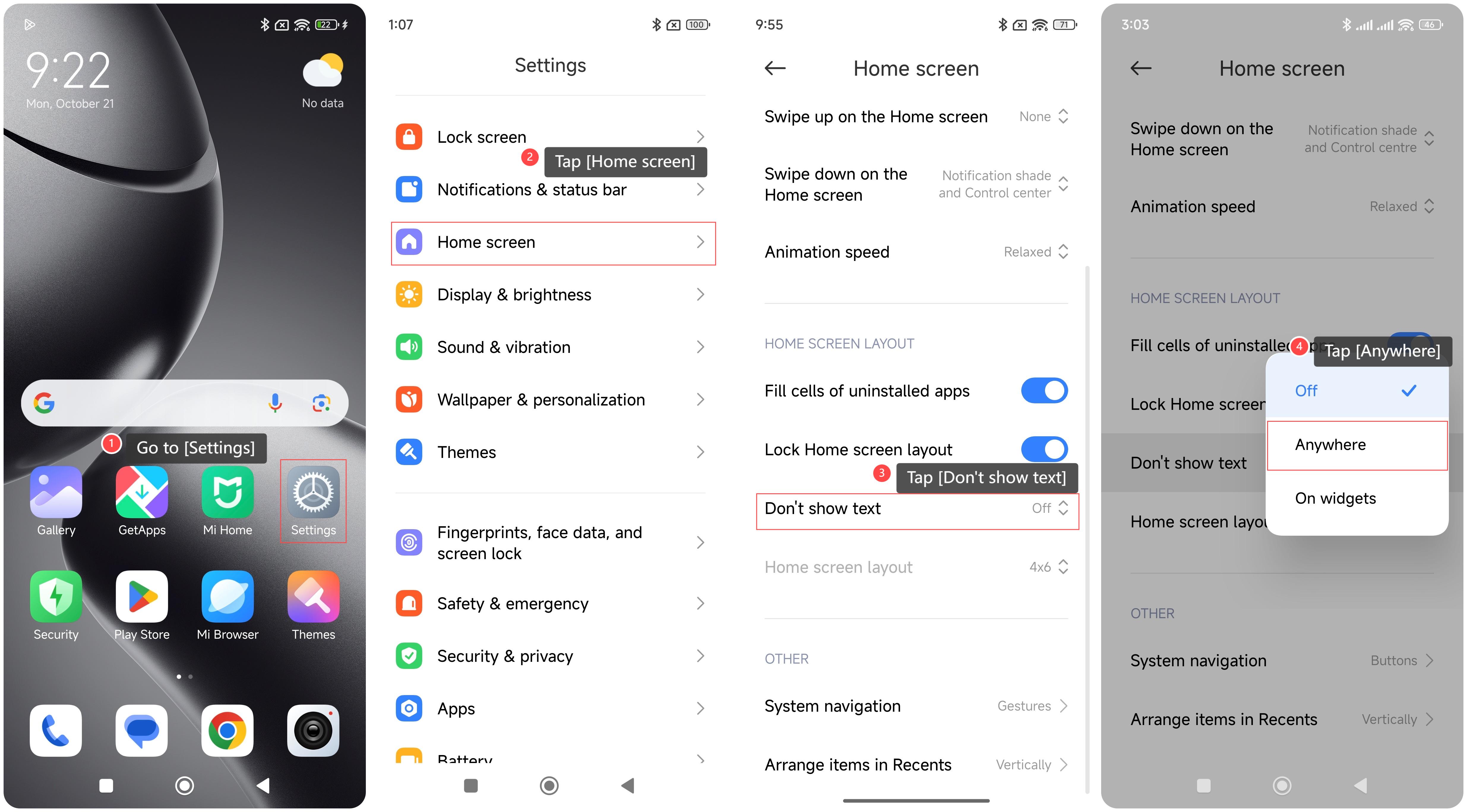
To turn off the name of APPs on your phone, please refer to the following steps:
1. Go to [Settings];
2. Tap [Home screen];
3. Tap [Don’t show text];
4. Tap [Anywhere].
To turn off the name of APPs on your phone, please refer to the following steps:
1. Go to [Settings];
2. Tap [Home screen];
3. Tap [Don’t show text];
4. Tap [Anywhere].
Does it help?
Yes
No