

How to use Parental controls on the Xiaomi 14T Pro?
The Xiaomi 14T Pro offers parental controls to help manage screen time and set content restrictions, allowing you to choose age-appropriate content ratings, privacy settings, and screen time rules for your child's Google Account and device.
To use the Parental controls on your phone, please refer to the following steps:
1. Open the [Settings] APP on your phone;
2. Swipe down to find and tap [Digital Wellbeing & parental controls];
3. Swipe down to find and tap [Set up parental controls];
4. Tap [Let’s do this] and follow the instructions to select the controlled account and parents’ account to use the function.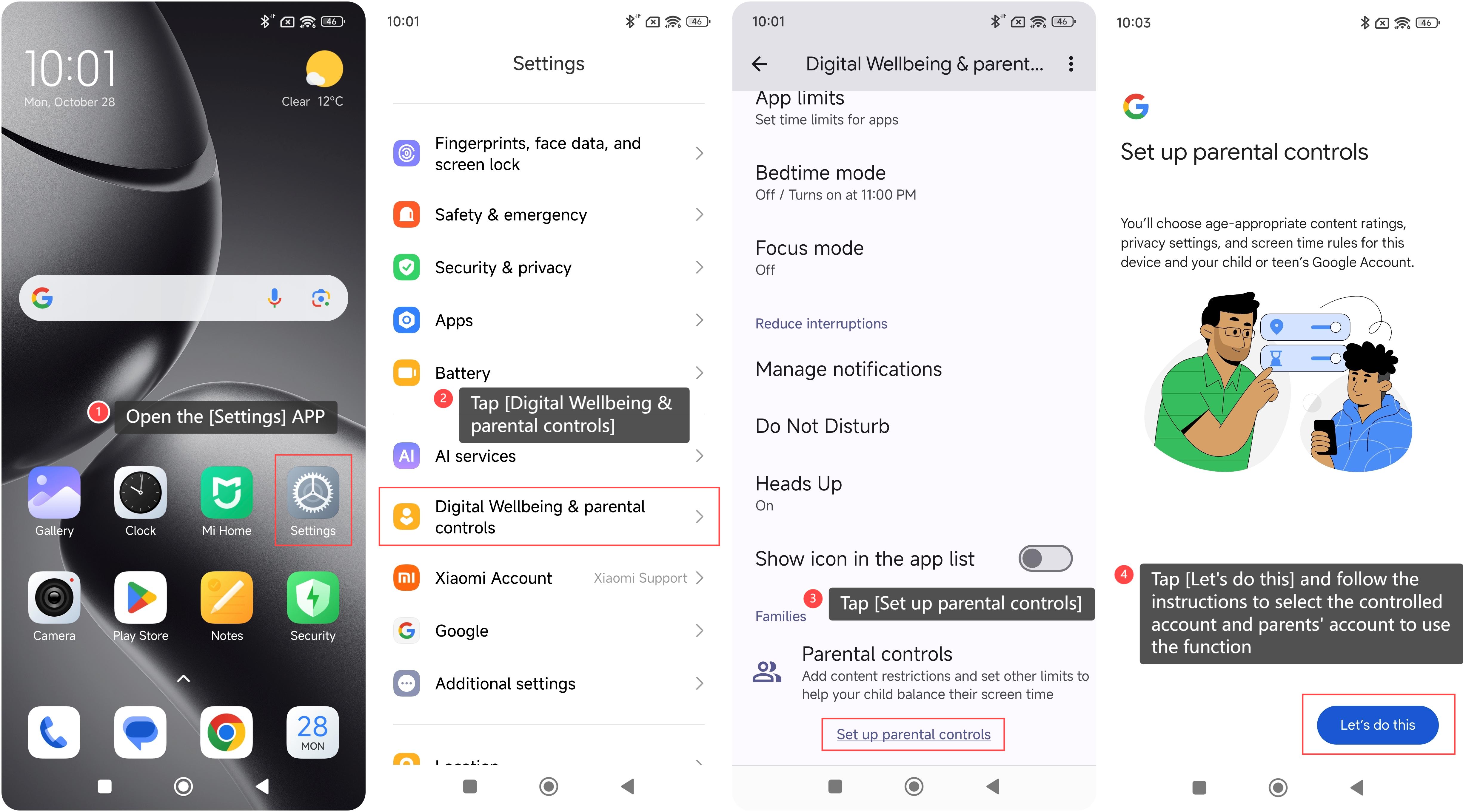
Does it help?
Yes
No