

How to make the Xiaomi 14T Pro play sound when uninstalling APPs?
Making the Xiaomi 14T Pro play sound when uninstalling APPs can make you more aware of the uninstallation process. This potentially helps reduce the likelihood of unintentional or accidental application uninstallations.
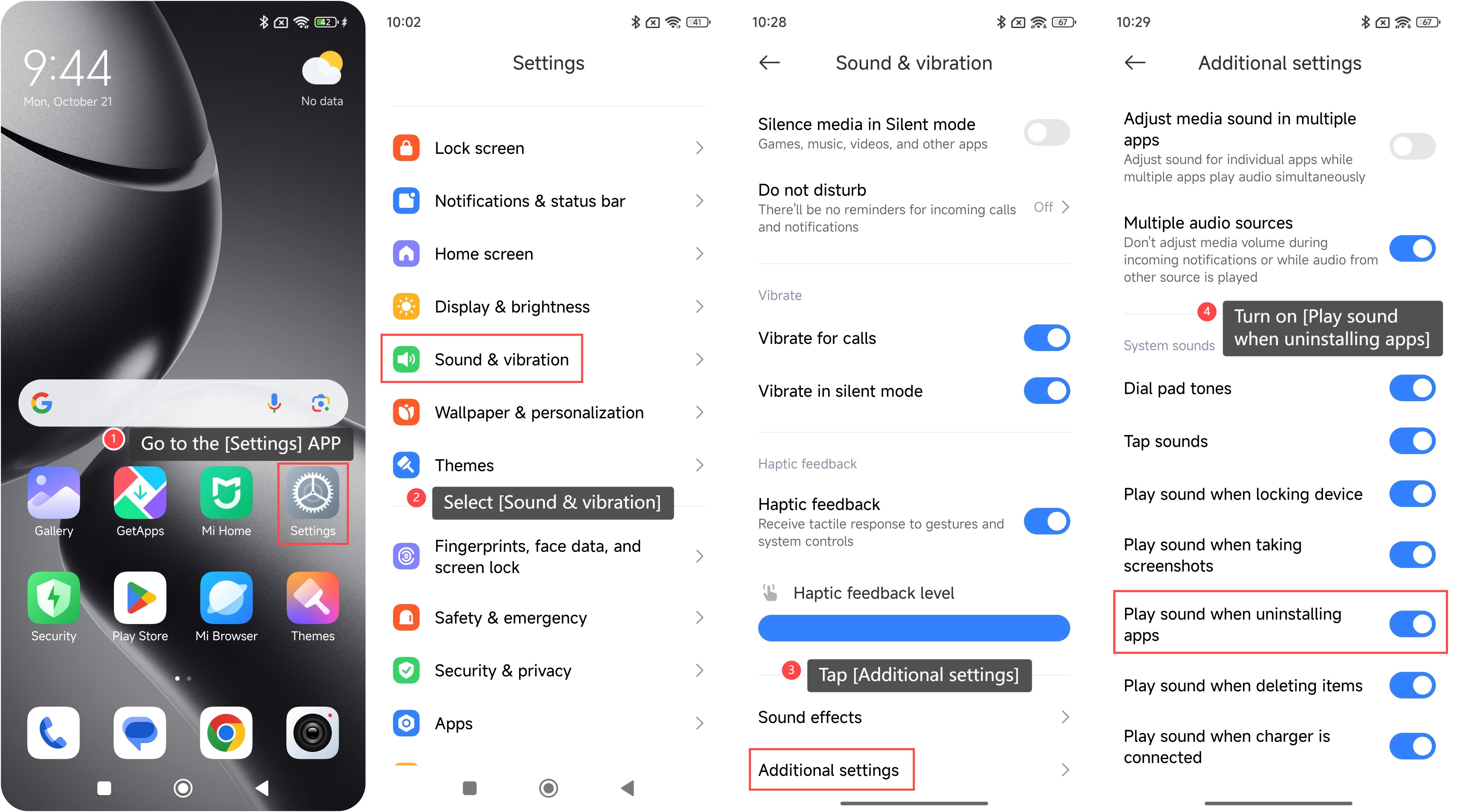
To make your phone play sound when uninstalling APPs, please refer to the following steps:
1. Go to the [Settings] APP on your phone;
2. Select [Sound & vibration];
3. Tap [Additional settings];
4. Turn on [Play sound when uninstalling apps].
Note:
1. A sound can serve as an audible confirmation that the uninstallation process has been successful. This can be especially useful when you are removing multiple APPs, as the sound provides immediate feedback that the action was completed;
2. Enabling sounds for uninstallation allows you to customize your phone experience and enhance the overall experience.
To make your phone play sound when uninstalling APPs, please refer to the following steps:
1. Go to the [Settings] APP on your phone;
2. Select [Sound & vibration];
3. Tap [Additional settings];
4. Turn on [Play sound when uninstalling apps].
Note:
1. A sound can serve as an audible confirmation that the uninstallation process has been successful. This can be especially useful when you are removing multiple APPs, as the sound provides immediate feedback that the action was completed;
2. Enabling sounds for uninstallation allows you to customize your phone experience and enhance the overall experience.
Does it help?
Yes
No