

How to use AI Film on the Xiaomi 14T Pro?
The Xiaomi 14T Pro features an AI Film function that makes it easy to create engaging short videos and vlogs from your photos and videos. This tool helps bring your stories to life, allowing you to capture and share memorable experiences effortlessly.
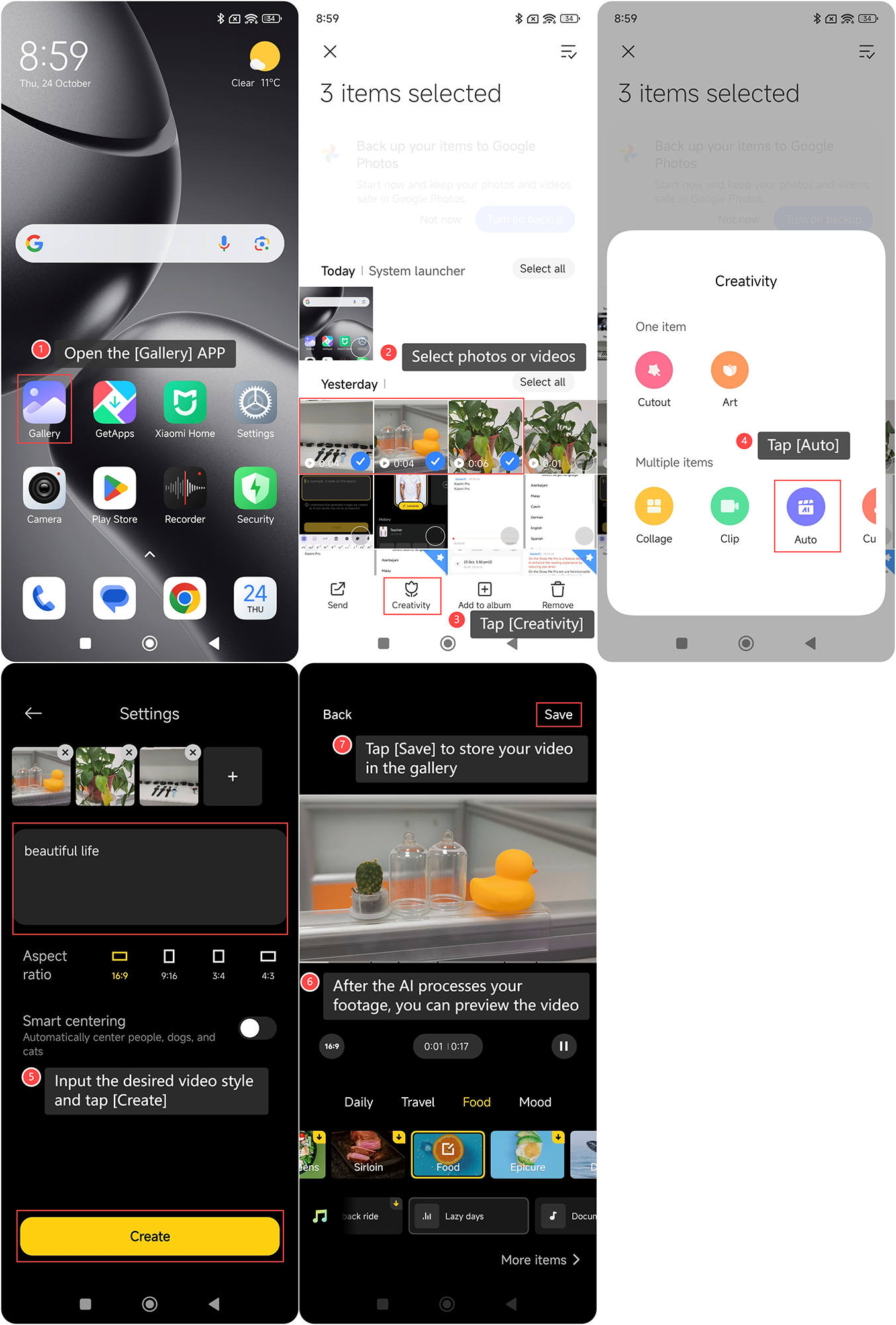
To use the function on the Xiaomi 14T Pro, please refer to the following steps:
1. Open the [Gallery] APP on your phone;
2. Select photos or videos;
3. Tap [Creativity];
4. Tap [Auto];
5. Input the desired video style and tap [Create]. The AI will analyze your content and match it with a suitable style for you;
6. After the AI processes your footage, you can preview the video. You can also be able to make manual adjustments, like changing the filters or music;
7. Once you're satisfied with the results, tap [Save] to store your video in the gallery. You can then share it directly on social media platforms or with friends and family.
To use the function on the Xiaomi 14T Pro, please refer to the following steps:
1. Open the [Gallery] APP on your phone;
2. Select photos or videos;
3. Tap [Creativity];
4. Tap [Auto];
5. Input the desired video style and tap [Create]. The AI will analyze your content and match it with a suitable style for you;
6. After the AI processes your footage, you can preview the video. You can also be able to make manual adjustments, like changing the filters or music;
7. Once you're satisfied with the results, tap [Save] to store your video in the gallery. You can then share it directly on social media platforms or with friends and family.
Does it help?
Yes
No