

How to perform hardware detection on the Xiaomi 14T?
Hardware detection on the Xiaomi 14T refers to the device’s ability to identify and monitor its hardware components and their status. It includes component identification, diagnostics, performance monitoring, and compatibility checks. This feature helps you and developers understand the device’s capabilities and troubleshoot any hardware-related problems.
To perform hardware detection on your phone, please refer to the following methods:
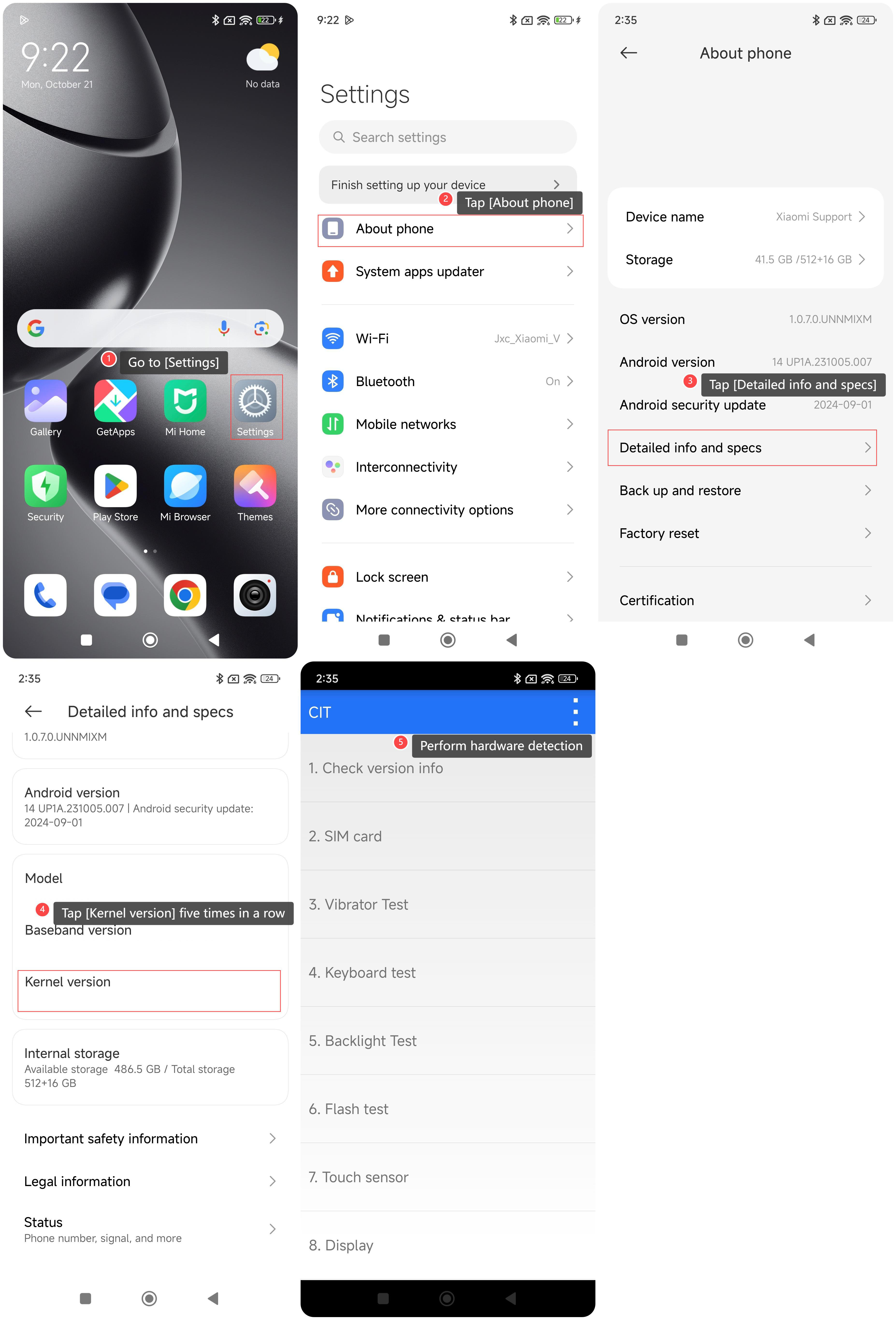
Method 1:
1. Go to [Settings];
2. Tap [About phone];
3. Tap [Detailed info and specs];
4. Tap [Kernel version] five times in a row;
5. You can perform hardware detection according to your needs.
Method 2:
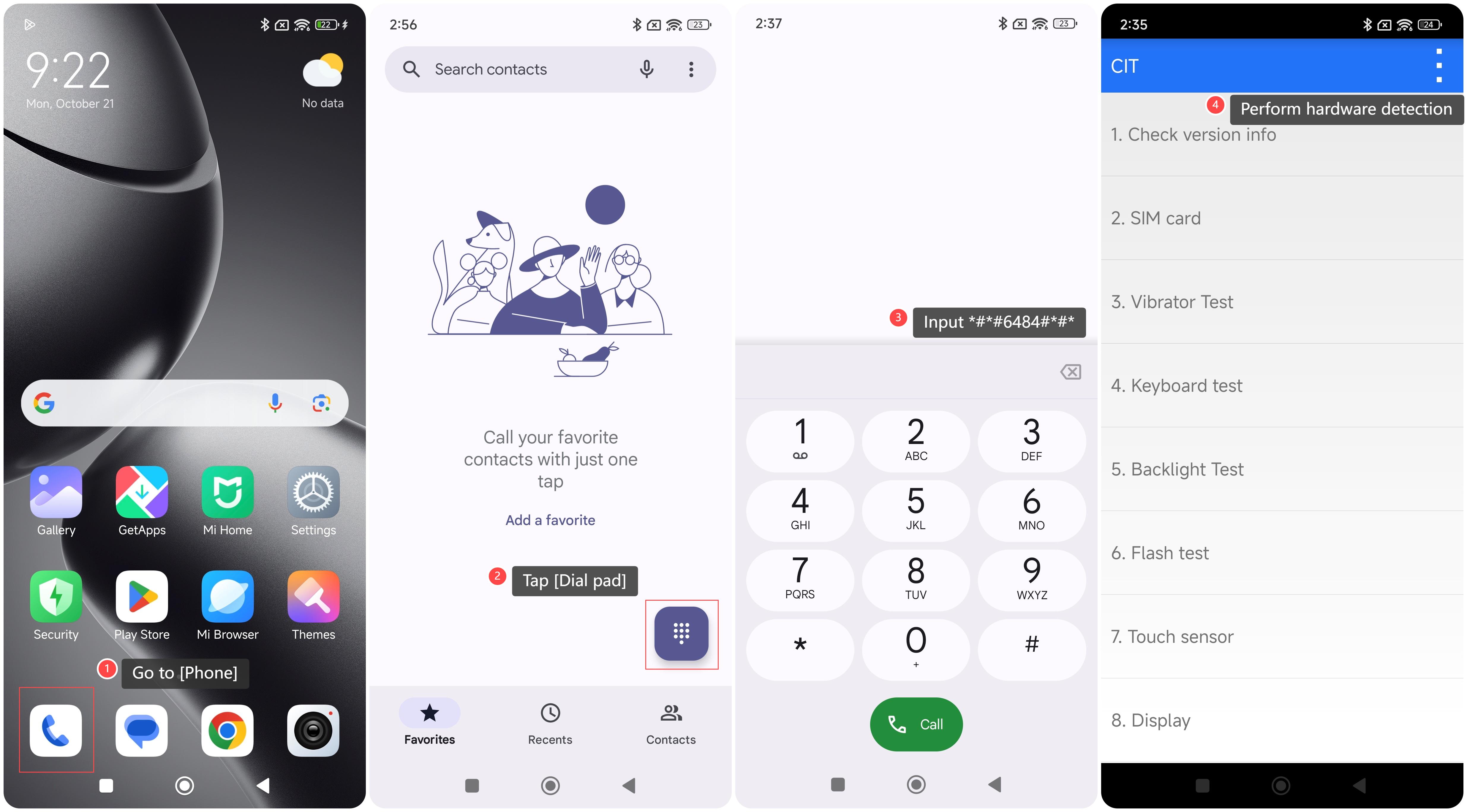
1. Go to [Phone];
2. Tap [Dial pad];
3. Input *#*#6484#*#*;
4. You can perform hardware detection according to your needs.
To perform hardware detection on your phone, please refer to the following methods:
Method 1:
1. Go to [Settings];
2. Tap [About phone];
3. Tap [Detailed info and specs];
4. Tap [Kernel version] five times in a row;
5. You can perform hardware detection according to your needs.
Method 2:
1. Go to [Phone];
2. Tap [Dial pad];
3. Input *#*#6484#*#*;
4. You can perform hardware detection according to your needs.
Does it help?
Yes
No