

How to fix apps not installed error on the Mi TV 4A 32
If you encountered an "Apps not installed" error on the Mi TV 4A 32, please refer to the following troubleshooting steps:
1. Check App compatibility:
Ensure that the app you're trying to install is compatible with your TV and the current operating system version.
2. Check network settings:
Navigate to [Settings] >> [Internet & network] >> check if the Wi-Fi is turned on and attempt to connect to your network.
3. Restart the TV:
Sometimes, a simple restart can fix minor software glitches. Turn off the TV, unplug it, wait for a few minutes, then plug it back in and turn it on again. Also, you can restart by navigating to [Setting] >> [Device preference] >> [About] >> [Restart].
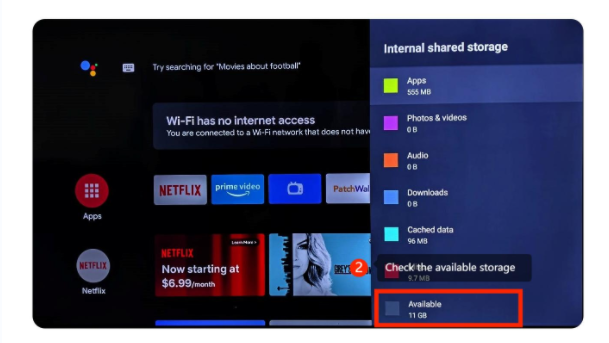
4. Check Storage Space:
If your TV's internal storage is insufficient, it may prevent new apps from being installed. You can try uninstalling unused apps or moving some data to an external storage device (if your TV supports it) to free up space.
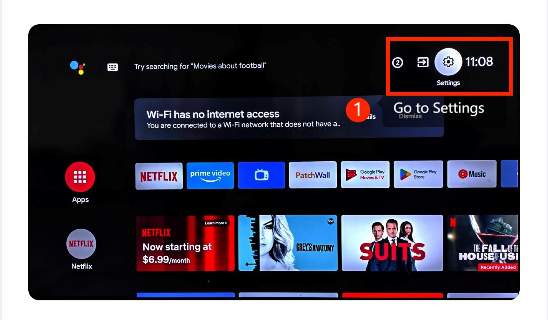
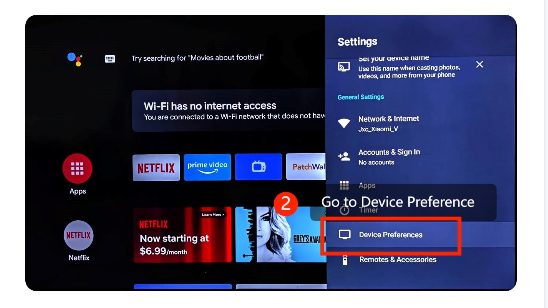
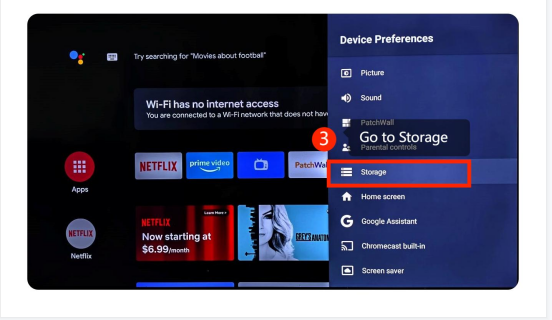
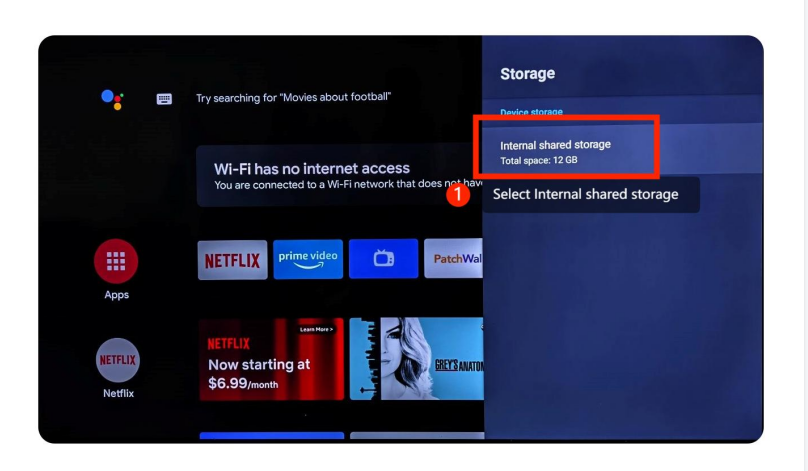
5. Check for System Updates:
Ensure your Xiaomi TV has the latest software updates installed. Go to [Settings] >> [About] >> [System Update], and check for any pending updates. If available, install the updates.
6. Factory Reset (as a last resort):
If all else fails, you can perform a factory reset on your TV. Be aware that this will erase all settings and data on your TV, so use it as a last resort. If you want to restore the factory, please refer to the following steps: Navigate to [Settings] icon >> [Device Preferences] >> scroll down and select [Reset].
We hope the above methods can resolve the issue. If the issue still persists, you could submit your feedback on your TV by going to [Settings] >> [Device Preferences] >> [Home screen] >> [Send feedback].
Does it help?
Yes
No