

How to turn on 5G battery saver on the Xiaomi 14T?
The Xiaomi 14T supports 5G battery saver, which can significantly extend battery life of your phone, allowing you to enjoy a longer uninterrupted usage. While extending battery life, the 5G battery saver aims to maintain a balance between device performance and power consumption, ensuring a smooth use experience.
To turn on 5G battery saver on your phone, please refer to the following methods:
Method 1:
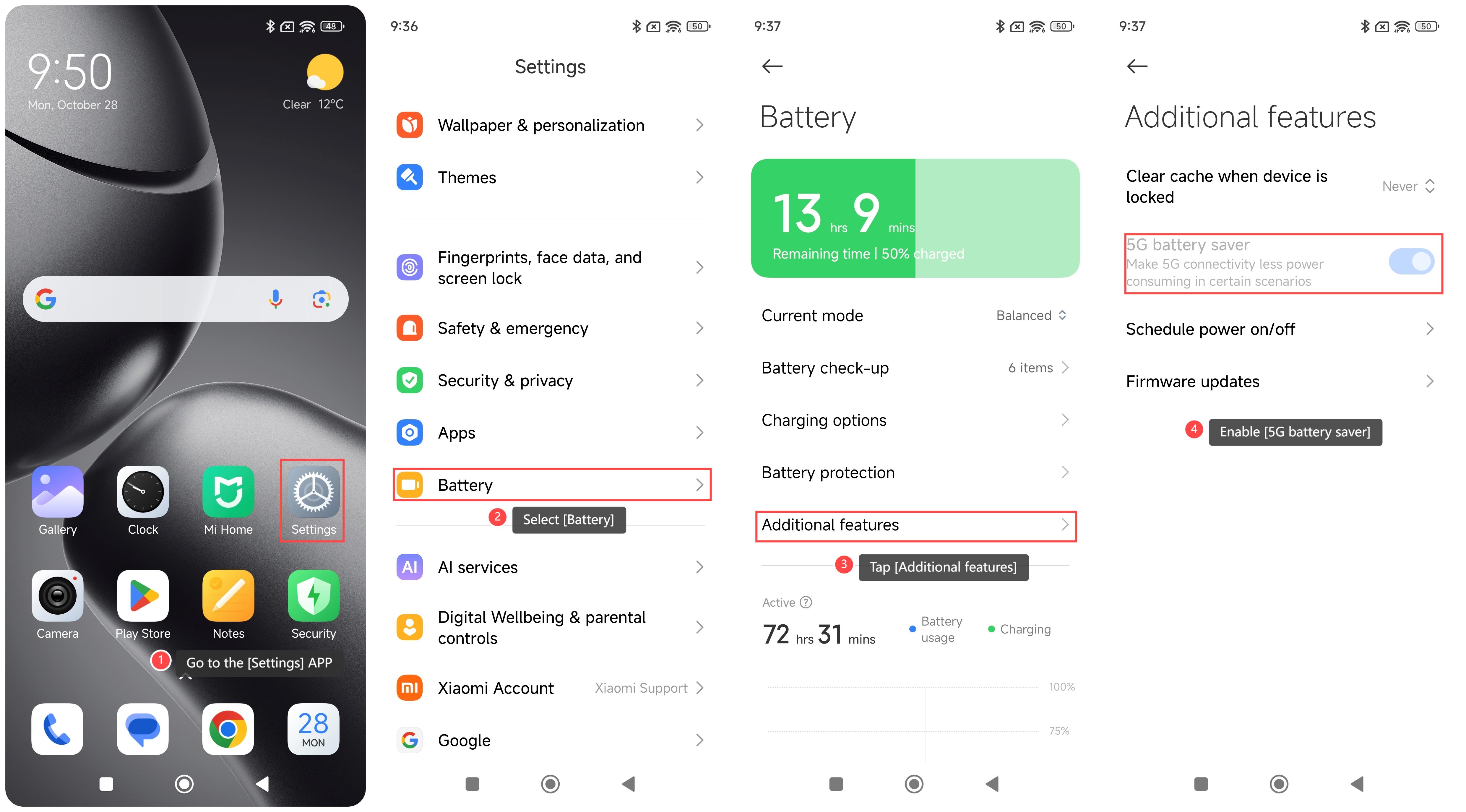
1. Go to the [Settings] APP on your phone;
2. Scroll down and select [Battery];
3. Tap [Additional features];
4. Enable [5G battery saver].
Method 2:
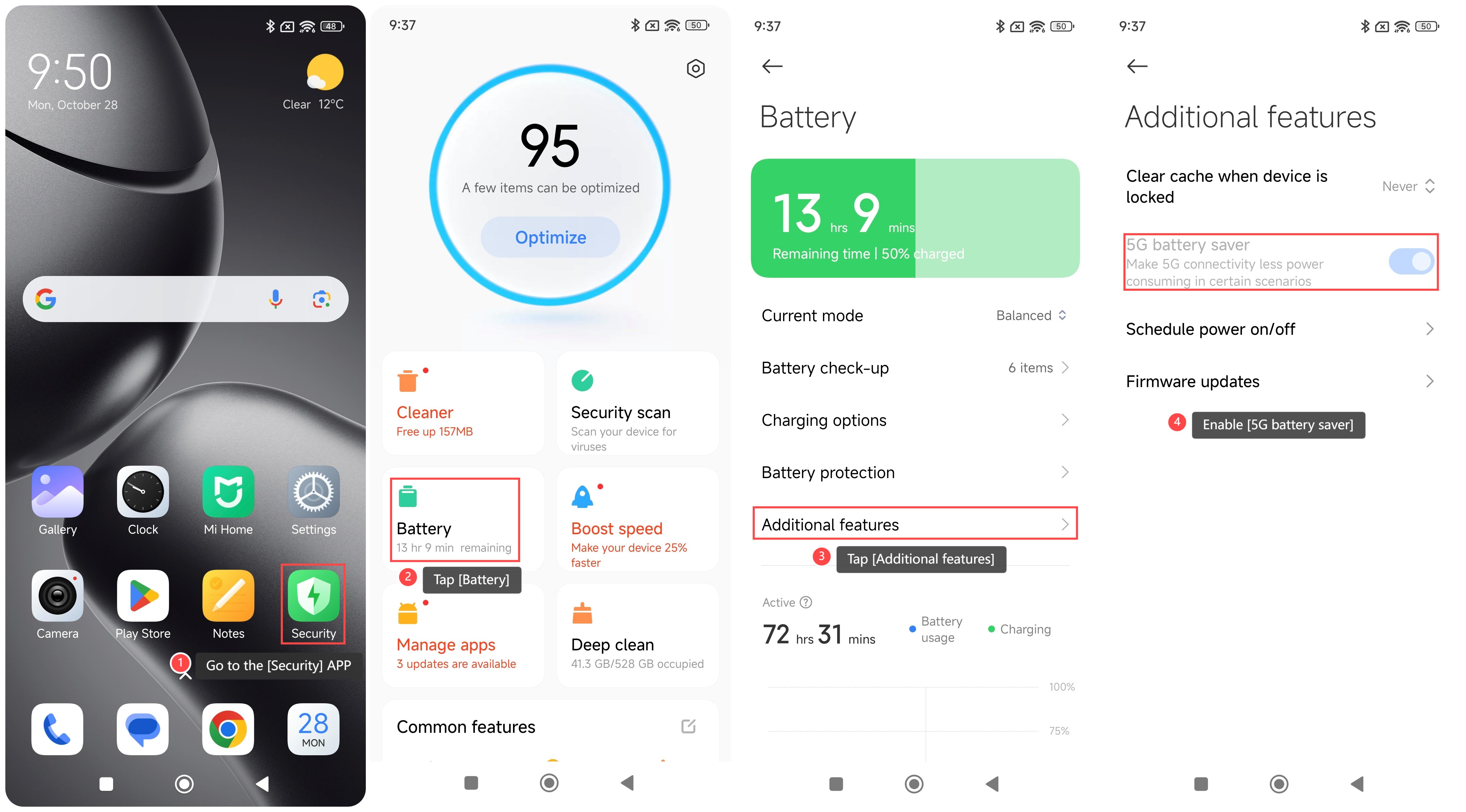
1. Go to the [Security] APP on your phone;
2. Tap [Battery];
3. Tap [Additional features];
4. Enable [5G battery saver].
To turn on 5G battery saver on your phone, please refer to the following methods:
Method 1:
1. Go to the [Settings] APP on your phone;
2. Scroll down and select [Battery];
3. Tap [Additional features];
4. Enable [5G battery saver].
Method 2:
1. Go to the [Security] APP on your phone;
2. Tap [Battery];
3. Tap [Additional features];
4. Enable [5G battery saver].
Does it help?
Yes
No