

How to free up storage space on the Xiaomi 14T Pro?
The Xiaomi 14T Pro supports freeing up storage space, allowing you to keep essential documents, photos, and APPs without worrying about running out of space. It also ensures there is enough storage available to easily create backups of your files and APPs, protecting you against data loss.
To free up storage space on the phone, please refer to the following methods:
Method 1:
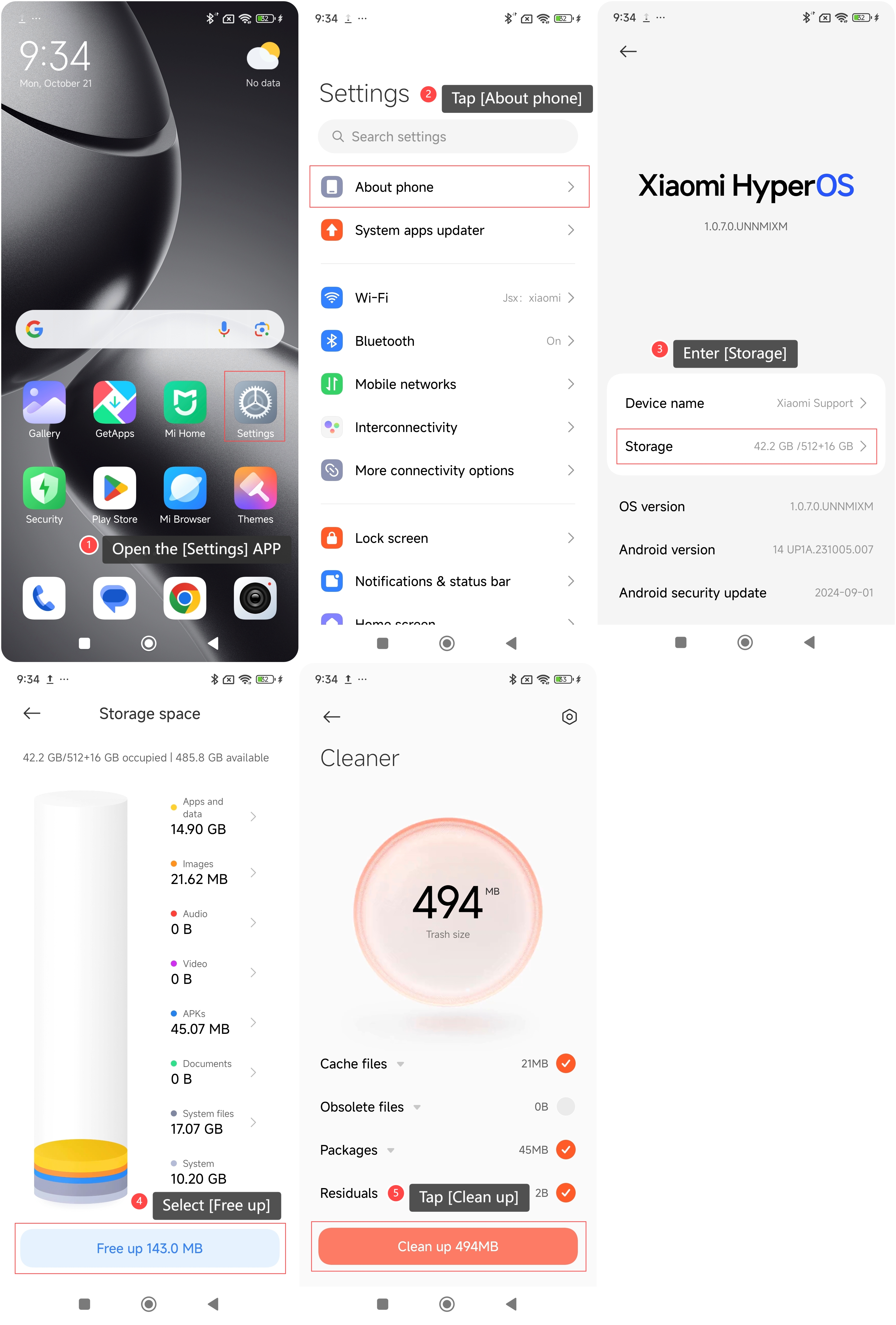
1. Open the [Settings] APP on your phone;
2. Tap [About phone];
3. Enter [Storage];
4. Select [Free up];
5. Tap [Clean up].
To free up storage space on the phone, please refer to the following methods:
Method 1:
1. Open the [Settings] APP on your phone;
2. Tap [About phone];
3. Enter [Storage];
4. Select [Free up];
5. Tap [Clean up].
Method 2:
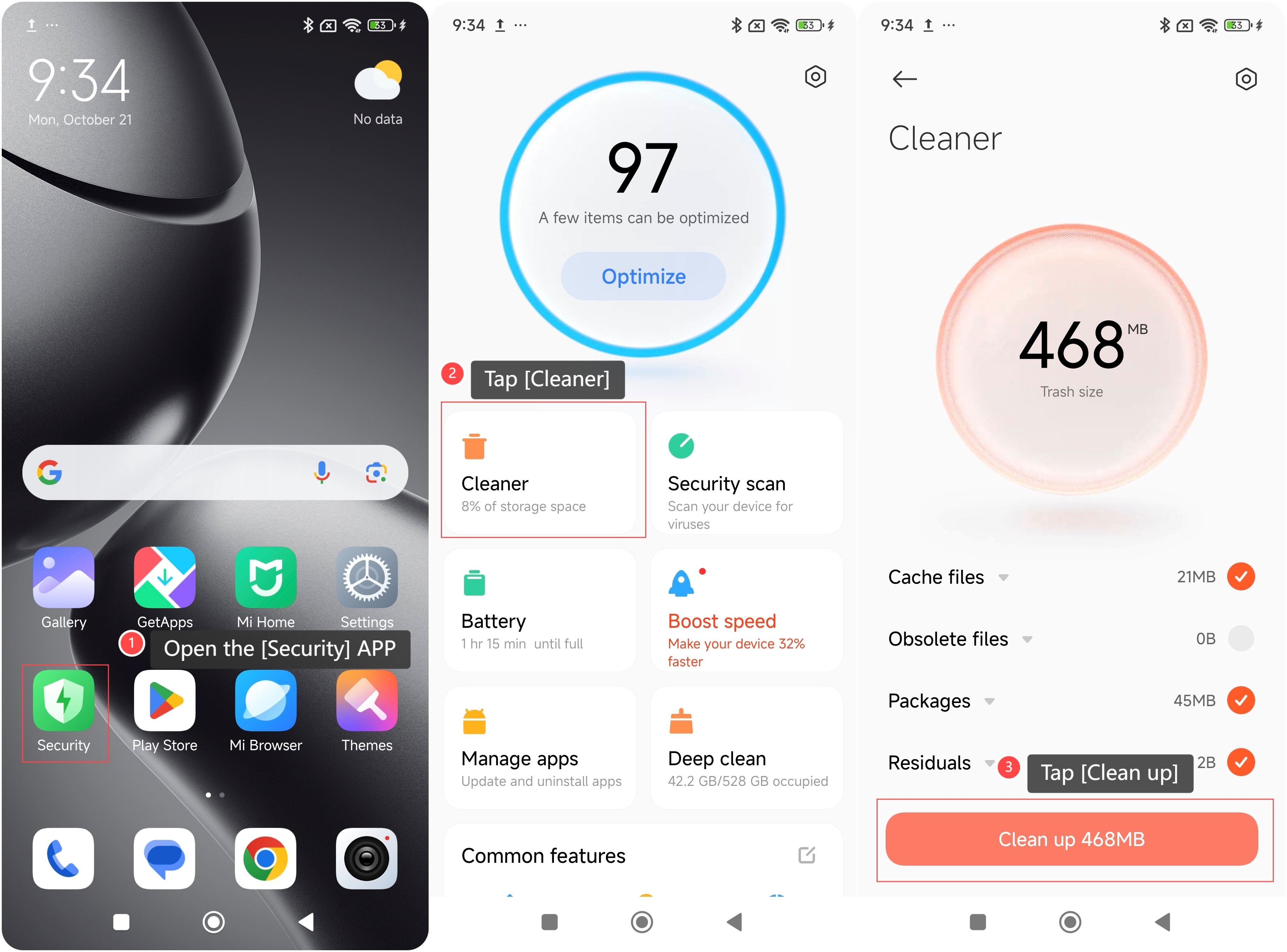
1. Open the [Security] APP on your phone;
2. Tap [Cleaner];
3. Tap [Clean up].
1. Open the [Security] APP on your phone;
2. Tap [Cleaner];
3. Tap [Clean up].
Note:
When freeing up storage space, be sure to back up important data (such as photos, documents, or contacts) in advance to avoid accidental loss.
When freeing up storage space, be sure to back up important data (such as photos, documents, or contacts) in advance to avoid accidental loss.
Does it help?
Yes
No