

How to check and schedule how many notifications you receive per day on the Xiaomi 14T Pro?
Managing how many notifications you receive per day on the Xiaomi 14T Pro can help you maintain control over your notification flow, enhancing both productivity and overall device usability.
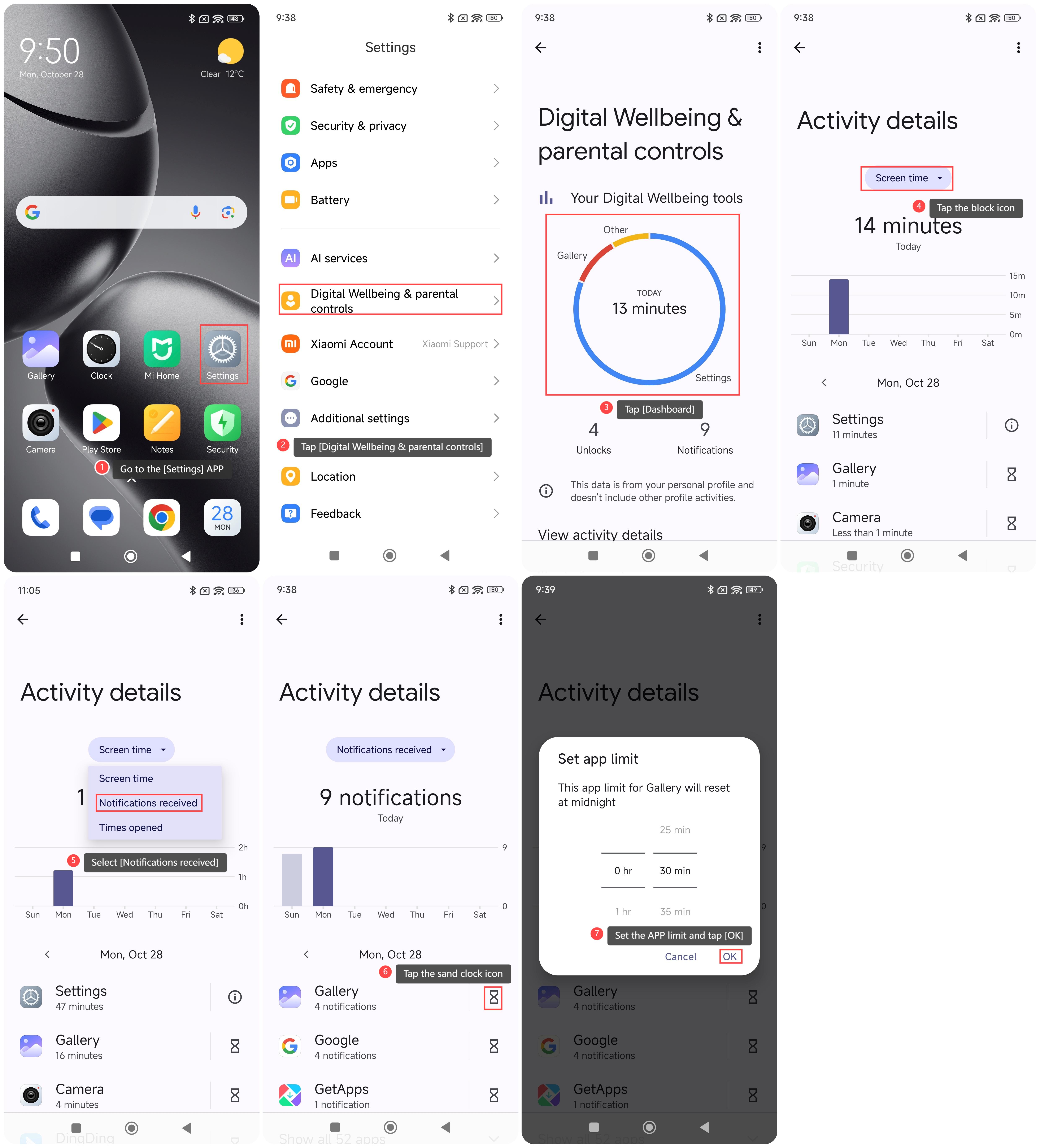
To check and schedule how many notifications you receive per day on your phone, please refer to the following steps:
1. Go to the [Settings] APP on your phone;
2. Scroll down and tap [Digital Wellbeing & parental controls];
3. Tap [Dashboard];
4. Tap the block icon;
5. Select [Notifications received] and you can check how many notifications you received per day;
6. Tap the sand clock icon at the right of the selected APP;
7. Scroll down to set the APP limit and tap [OK].
Note:
Excessive notifications can be distracting, interrupting your focus and workflow. Besides, constant notifications can contribute to stress and anxiety. By managing the number of notifications, you can create a more focused and productive work environment and have better mental health.
To check and schedule how many notifications you receive per day on your phone, please refer to the following steps:
1. Go to the [Settings] APP on your phone;
2. Scroll down and tap [Digital Wellbeing & parental controls];
3. Tap [Dashboard];
4. Tap the block icon;
5. Select [Notifications received] and you can check how many notifications you received per day;
6. Tap the sand clock icon at the right of the selected APP;
7. Scroll down to set the APP limit and tap [OK].
Note:
Excessive notifications can be distracting, interrupting your focus and workflow. Besides, constant notifications can contribute to stress and anxiety. By managing the number of notifications, you can create a more focused and productive work environment and have better mental health.
Does it help?
Yes
No