

How to change the Privacy protection password on the Xiaomi 14T?
The privacy protection password on the Xiaomi 14T enhances device security by allowing you to set a password that restricts access to photos, documents and notes. This feature is particularly useful for protecting sensitive data. This adds an extra layer of security, giving you peace of mind about your personal information.
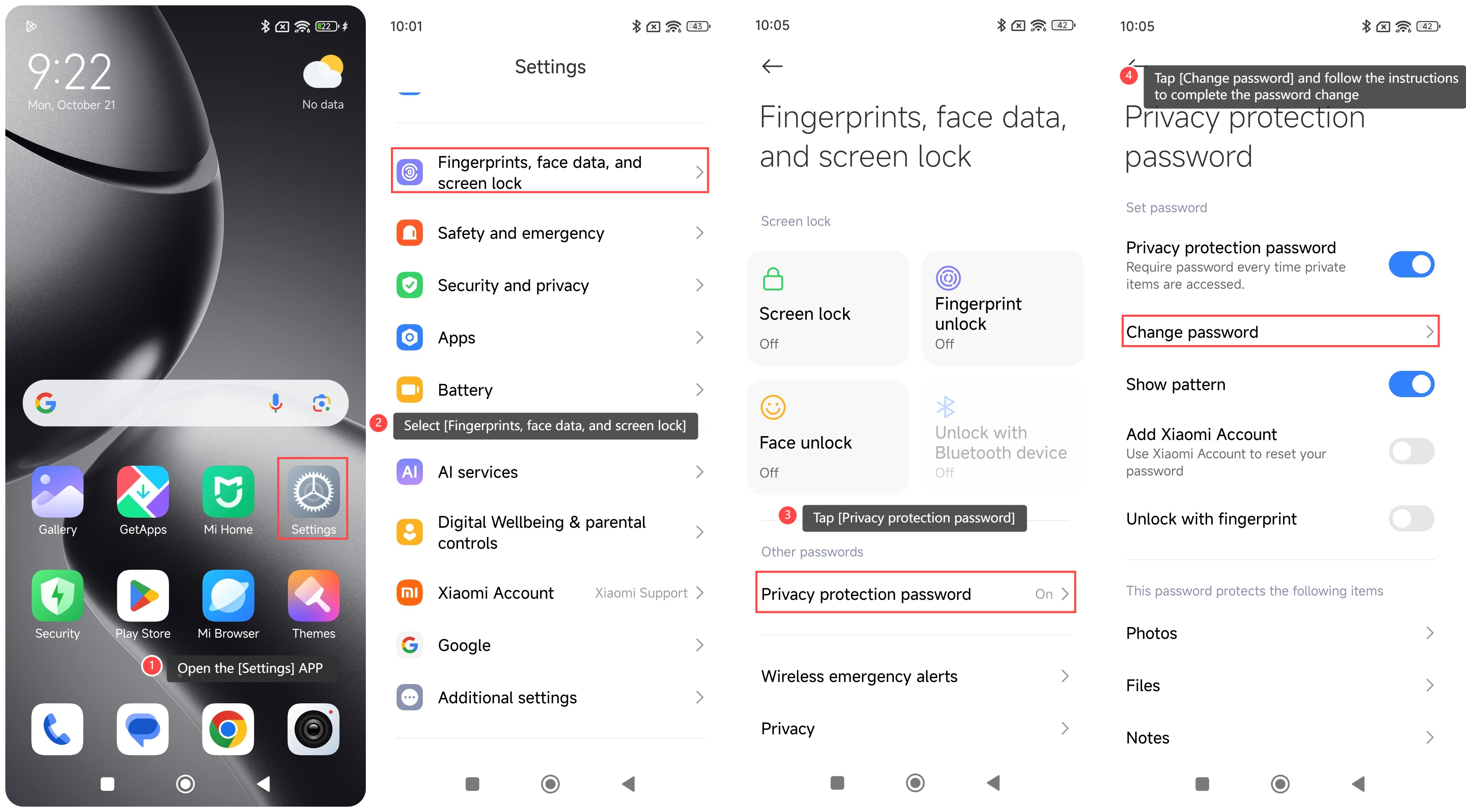
To change the privacy protection password on your phone, please refer to the following steps:
1. Open the [Settings] APP on your phone;
2. Select [Fingerprints, face data, and screen lock];
3. Tap [Privacy protection password];
4. Tap [Change password] and follow the instructions to complete the password change.
To change the privacy protection password on your phone, please refer to the following steps:
1. Open the [Settings] APP on your phone;
2. Select [Fingerprints, face data, and screen lock];
3. Tap [Privacy protection password];
4. Tap [Change password] and follow the instructions to complete the password change.
Does it help?
Yes
No