

What to do if the sound of the Mi TV 4 55 changes dramatically
If the sound on your Mi TV 4 55 changes dramatically, please refer to the following steps:
1. Check Audio Settings:
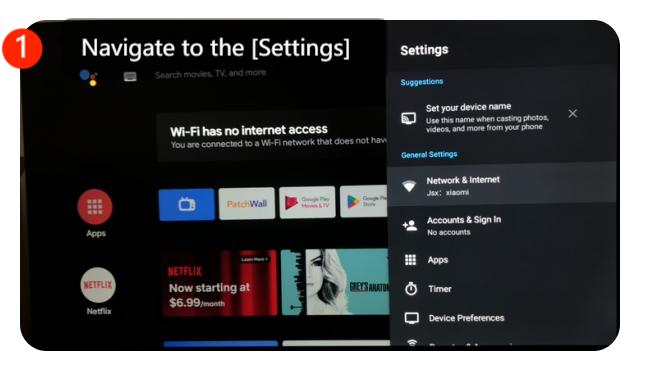
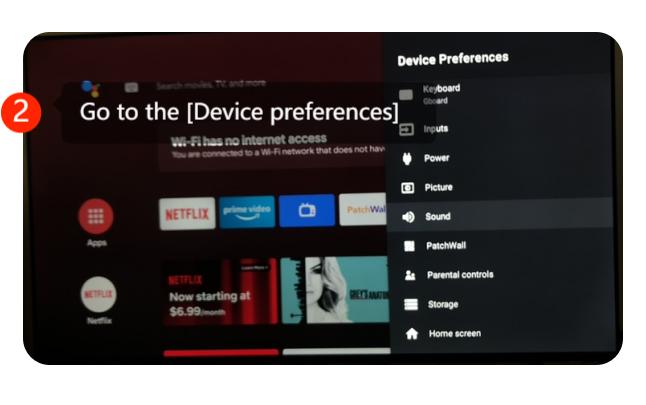
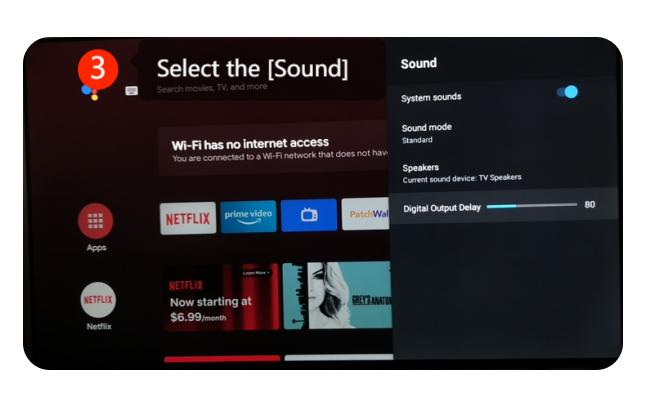
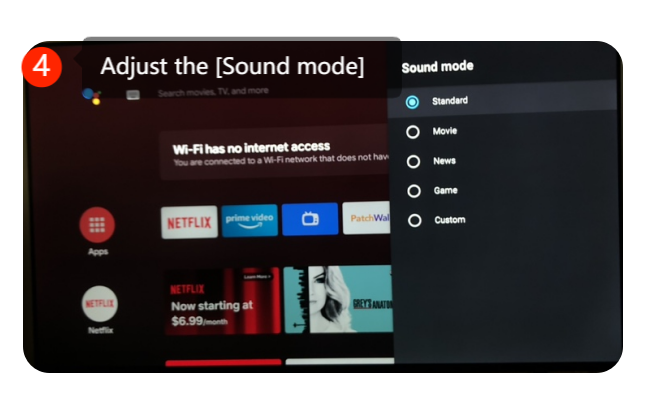
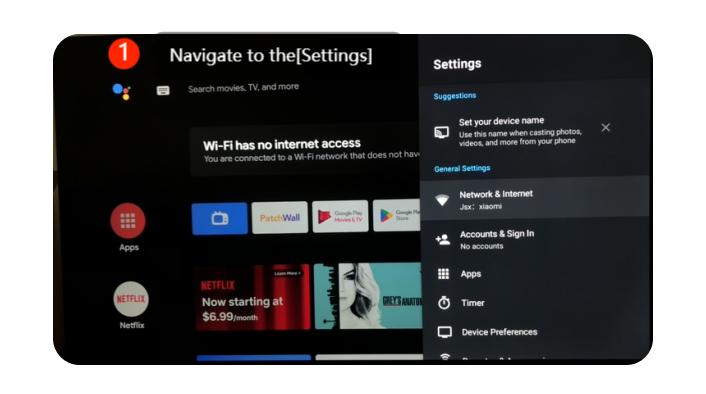
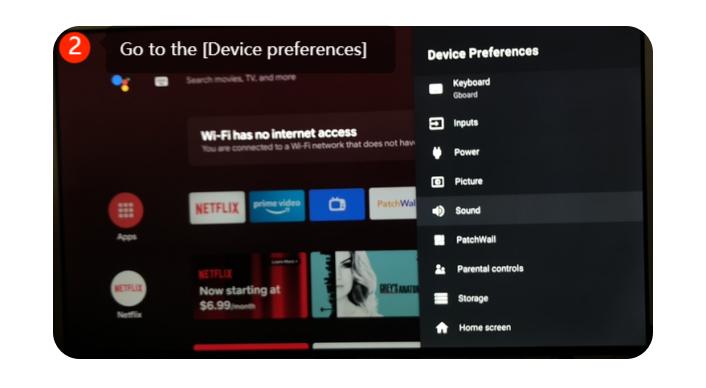
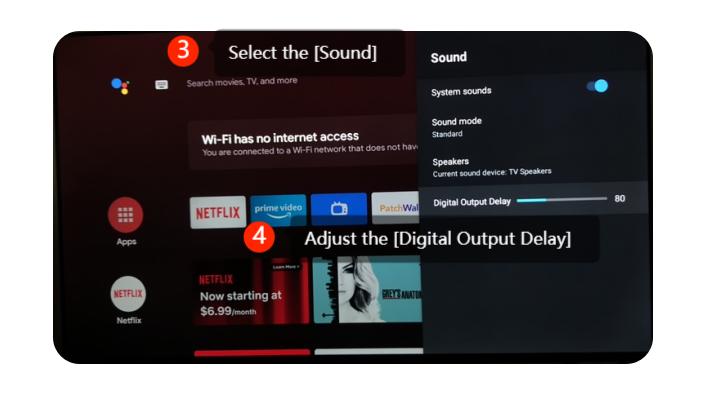
Navigate to [Settings] >> go to [Device preferences] at the upright corner >> select the [Sound] >> adjust the [sound mode]
2. Ensure that the audio settings are correctly configured.
Navigate to the [Settings] >> go to the [Device preferences] at the up right corner >> select the [ Sound] >> adjust the [Digital output delay]
3. Speaker Check:
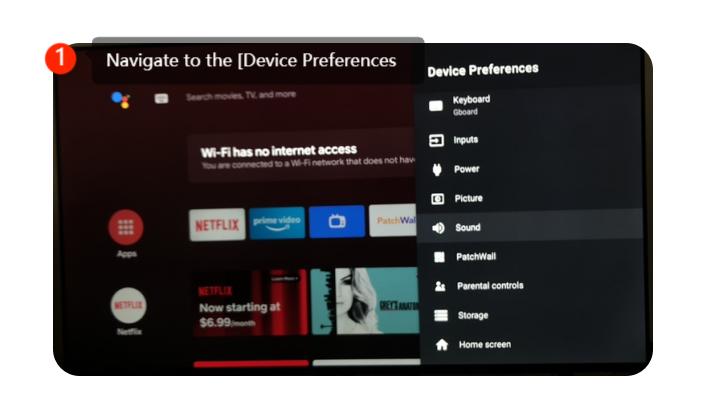
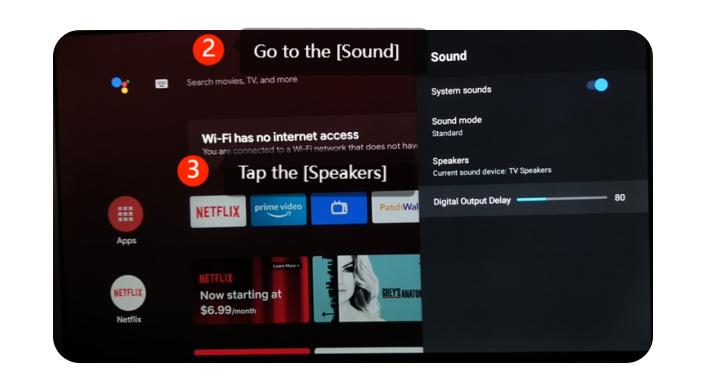
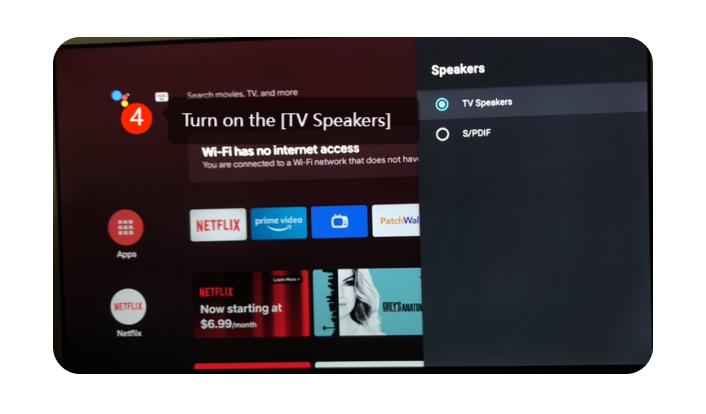
If the audio is still distorted or significantly different, it might be an issue with the TV's internal speakers. Please navigate to the [Device preferences] >> [Sound] >> tap the [Speakers] >> turn on the [TV Speakers]
4. Check External Devices:
If you have external devices like a soundbar, home theater system, or gaming console connected to your TV, please check their settings and connections. Sometimes, these external devices can affect the audio output.
5. Update Software:
Ensure that your TV’s software is up to date as manufacturers often release firmware updates that can fix bugs and improve the overall performance of the TV. Please navigating to [Settings] >> select [Device Preferences] >> select [About] >> select [System update].
1. Check Audio Settings:
Navigate to [Settings] >> go to [Device preferences] at the upright corner >> select the [Sound] >> adjust the [sound mode]
2. Ensure that the audio settings are correctly configured.
Navigate to the [Settings] >> go to the [Device preferences] at the up right corner >> select the [ Sound] >> adjust the [Digital output delay]
3. Speaker Check:
If the audio is still distorted or significantly different, it might be an issue with the TV's internal speakers. Please navigate to the [Device preferences] >> [Sound] >> tap the [Speakers] >> turn on the [TV Speakers]
4. Check External Devices:
If you have external devices like a soundbar, home theater system, or gaming console connected to your TV, please check their settings and connections. Sometimes, these external devices can affect the audio output.
5. Update Software:
Ensure that your TV’s software is up to date as manufacturers often release firmware updates that can fix bugs and improve the overall performance of the TV. Please navigating to [Settings] >> select [Device Preferences] >> select [About] >> select [System update].
Does it help?
Yes
No