

How to show icon labels in the Control center of the Xiaomi 14T?
The Xiaomi 14T supports configuring whether the icon labels are shown in the control center. To show icon labels in the control center can help you enable or disable the desired function quicker and easier, without guessing what the icon represents and trying what the function the icon has, saving you time and energy.
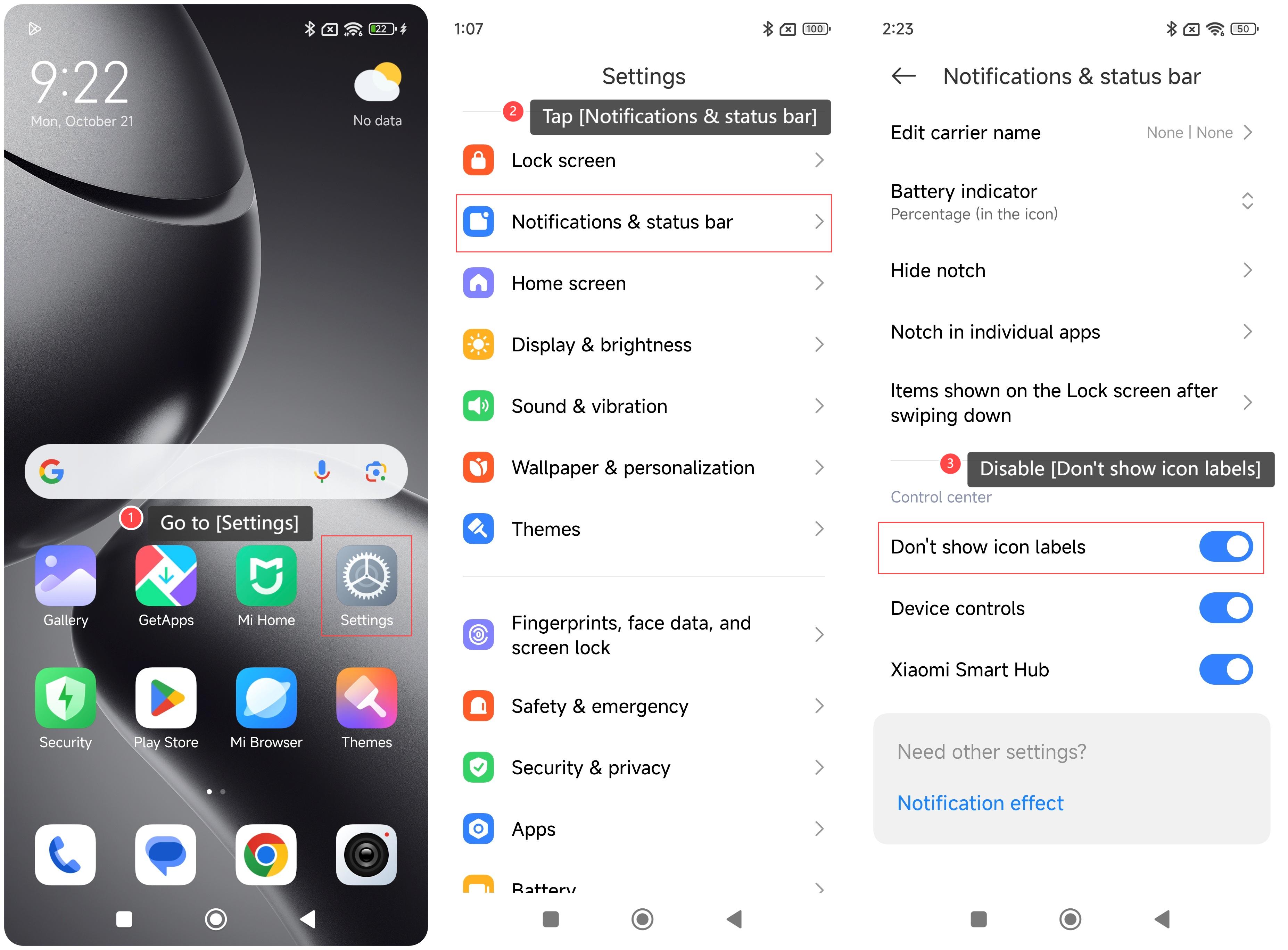
To show icon labels on your phone, please refer to the following steps:
1. Go to [Settings] on your phone;
2. Tap [Notifications & status bar];
3. Swipe down to find and disable [Don’t show icon labels].
To show icon labels on your phone, please refer to the following steps:
1. Go to [Settings] on your phone;
2. Tap [Notifications & status bar];
3. Swipe down to find and disable [Don’t show icon labels].
Does it help?
Yes
No